125
Controls in detail
Locking and unlocking
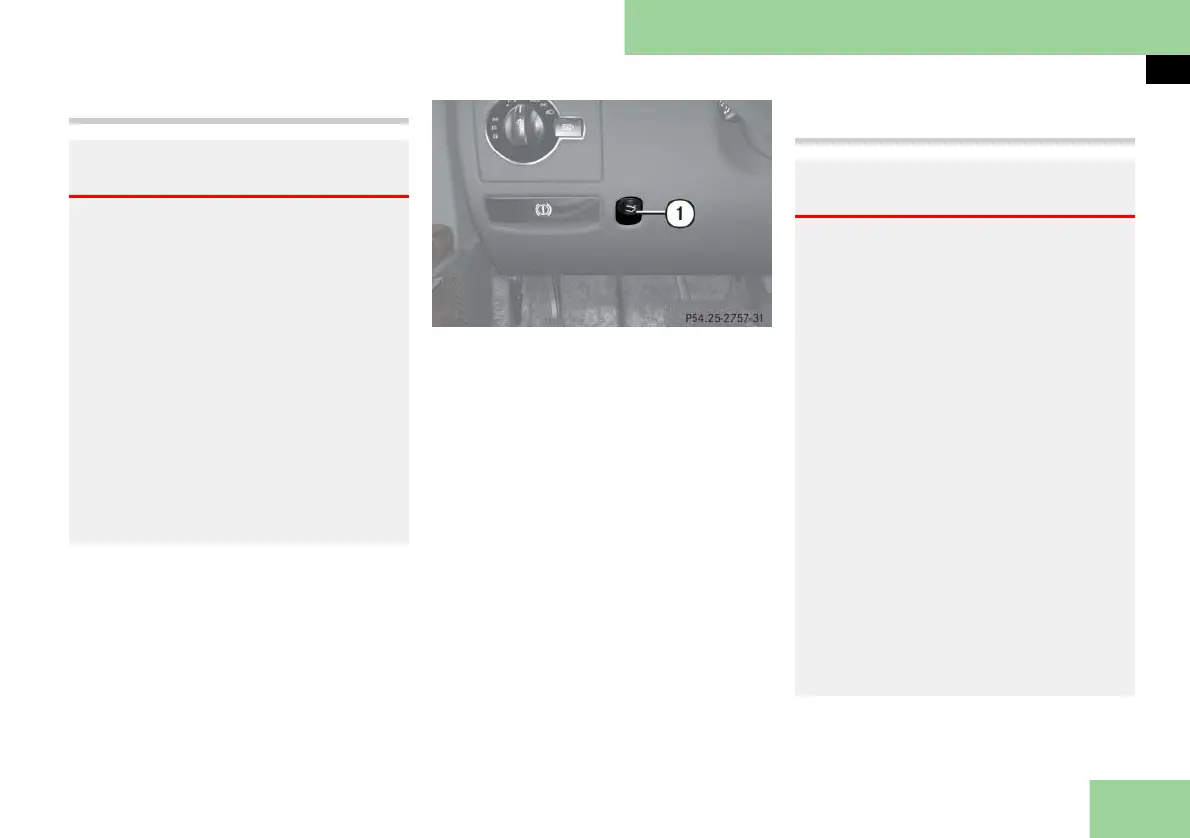
Closing the trunk from the inside
1 Remote trunk opening/closing switch
왘 Press and hold switch 1 until the
symbol Ê disappears from the mul-
tifunction display and the trunk is
closed.
To interrupt the closing procedure:
왘 Release the remote trunk opening/
closing switch.
i You can also close the trunk by hand.
Closing the trunk from the outside
automatically
Warning! G
Maintain sight of trunk area while operat-
ing the remote trunk opening/closing
switch. Monitor the closing procedure
carefully to make sure no one is in danger
of being injured. To interrupt the closing
procedure, release the remote trunk open-
ing/closing switch.
Even with the SmartKey or SmartKey with
KEYLESS-GO** removed from the starter
switch or the SmartKey with
KEYLESS-GO** removed from the vehicle,
the remote trunk opening/closing switch
can be operated. Therefore, do not leave
children unattended in the vehicle, or with
access to an unlocked vehicle. A child’s un-
supervised access to a vehicle could result
in an accident and/or serious personal inju-
ry.
Warning! G
Monitor the closing procedure carefully to
make sure no one is in danger of being in-
jured. To prevent possible personal injury,
always keep hands and fingers away from
the trunk opening when closing the trunk.
Be especially careful when small children
are around. To stop the closing procedure,
do one of the following:
앫 press button Š on the SmartKey or
SmartKey with KEYLESS-GO**
앫 press or pull the remote trunk open-
ing/closing switch 1 (on the dash-
board to the left of the steering wheel)
앫 press the KEYLESS-GO** locking/clos-
ing switch 1 (컄 page 126)
앫 pull the trunk lid handle
Even with the SmartKey removed from the
starter switch, the trunk closing switch can
be operated. Therefore, do not leave chil-
dren unattended in the vehicle, or with ac-
cess to an unlocked vehicle. A child’s
unsupervised access to a vehicle could re-
sult in an accident and/or serious personal
injury.



 To Next Page