257
Controls in detail
Useful features
Closing the compartment
왘 Swing the cover up.
왘 Turn handle 1 or 4 90°.
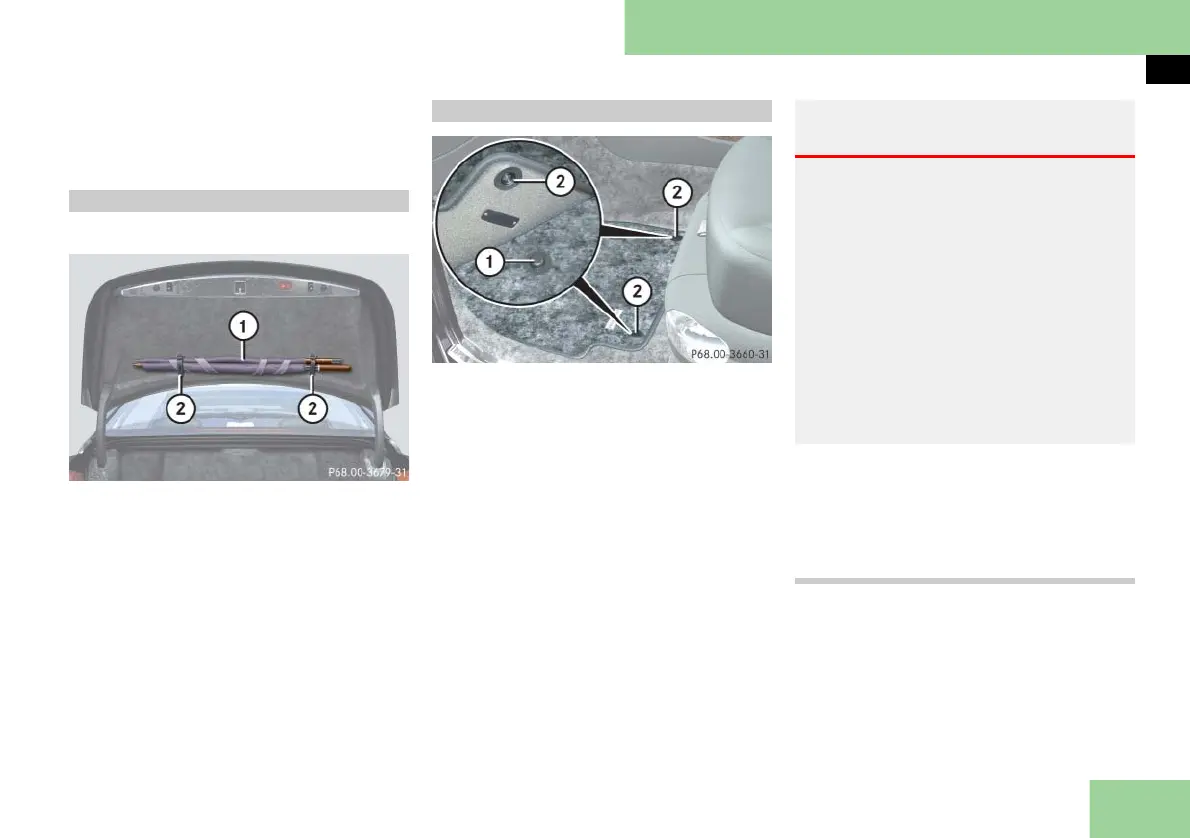
An umbrella is located in the trunk.
1 Umbrella
2 Straps
왘 Use straps 2 on the inside of the
trunk lid to store and secure
umbrella 1.
1 Eyelet
2 Retainer pin
i Installing and removing for the front
seats:
To install or remove the floormat more easily,
move the driver’s seat or front passenger seat
as far to the rear as possible (컄 page 63).
Installing and removing in the rear:
To install or remove the floormat more easily,
move the driver’s seat or front passenger seat
as far to the front as possible (컄 page 63).
Removing
왘 Pull floormats off of retainer pins 2.
왘 Remove the floormats.
Installing
왘 Lay down the floormat.
왘 Press the floormat eyelets 1 onto re-
tainer pins 2.
Umbrella
Floormats
Warning! G
Whenever you are using floormats, make
sure there is enough clearance and that
the floormats are securely fastened.
Floormats should always be securely fas-
tened using eyelets 1 and retainer
pins 2.
Before driving off, check that the floor-
mats are securely in place and adjust them
if necessary. A loose floormat could slip
and hinder proper functioning of the ped-
als.
Do not place several floormats on top of
each other as this may impair pedal move-
ment.



 To Next Page