201
Controls in detail
Automatic climate control
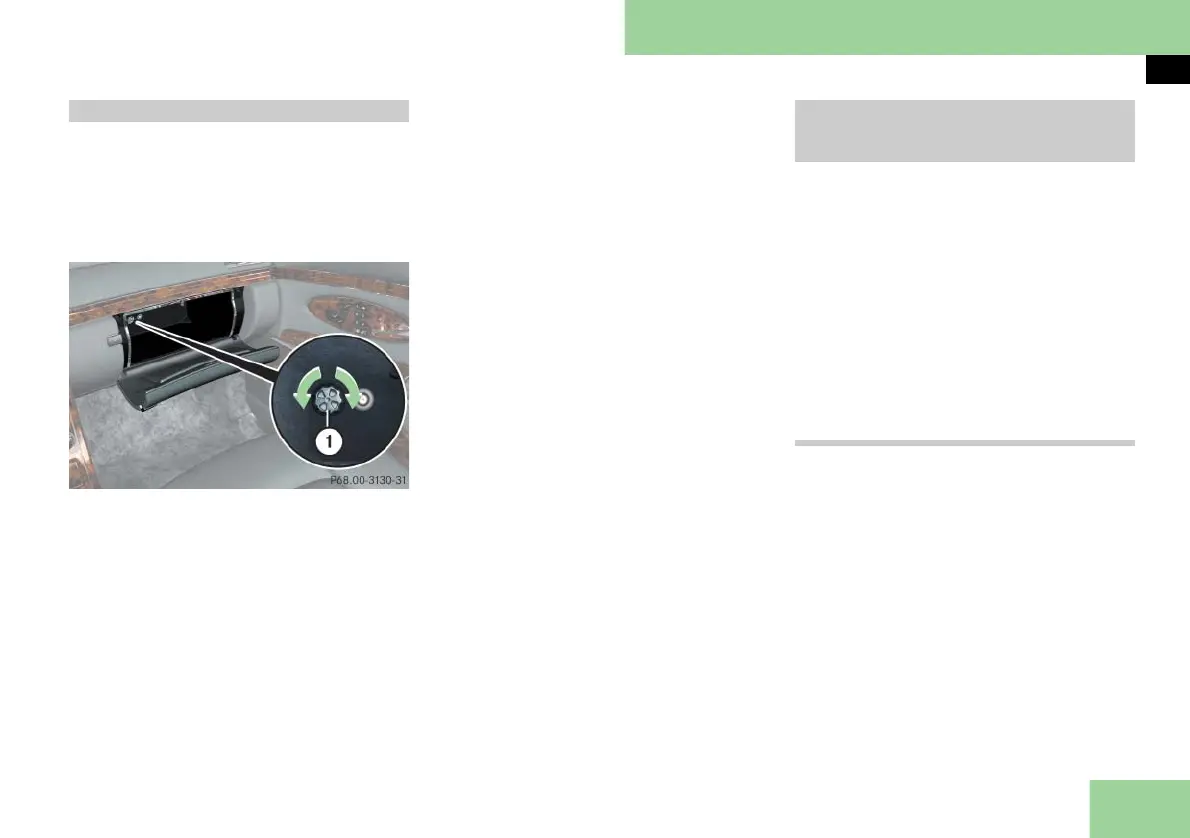
The glove box can be heated or cooled.
The air temperature is regulated accord-
ing to the outside temperature and the
temperature set in the front air-condi-
tioning control panel on the right.
The adjustable vent is in the glove box.
1 Adjustable vent
왘 Turn adjustable vent 1 clockwise.
The glove box will be heated or
cooled.
왘 Turn adjustable vent 1 counterclock-
wise.
The glove box will neither be heated
nor cooled.
i If you are transporting perishable goods
(e.g. groceries) in the glove box, close the air
vent while heating the passenger compart-
ment.
왘
Press button ™ (컄 page 193) on
the front control panel.
The display switches over to show the
rear passenger compartment set-
tings. At the same time, the indicator
lamps in the air distribution buttons
come on according to the air distribu-
tion set for the rear compartment.
You can adjust all settings for the rear
passenger compartment at the cockpit
control panel.
Standard display
Approximately 5 seconds after the last
button was pressed, the current display
disappears and the standard display is
called back up.
or
왘 Press button ™ again.
Temperature-controlled glove box Operating rear passenger compart-
ment settings at the cockpit control
panel



 To Next Page