72
Getting started
Driving
왘 Repeat the starting procedure
(
컄 page 70). Remember that extend-
ed starting attempts can drain the
battery.
왘 Get a jump start (컄 page 421).
If the engine does not start after several
starting attempts, there could be a mal-
function in the engine electronics or in
the fuel supply system.
왘 Notify an authorized Maybach
Studio.
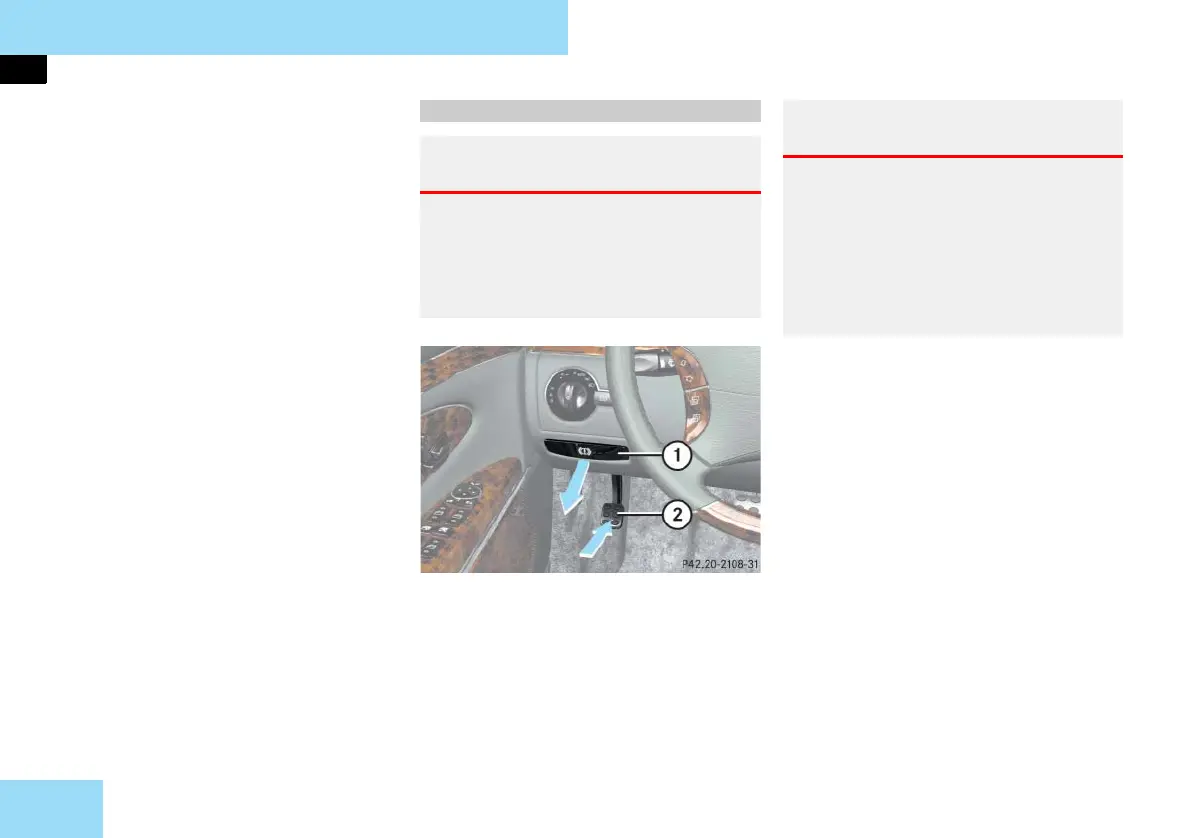
1 Release handle
2 Parking brake pedal
왘 Release the parking brake by pulling
on handle 1.
The warning lamp ; (USA only) or
3 (Canada only) in the instrument
cluster goes out.
컄컄
Parking brake
Warning! G
Engaging the parking brake while the ve-
hicle is in motion can cause the rear wheels
to lock up. You could lose control of the
vehicle and cause an accident. In addition,
the vehicle’s brake lights do not light up
when the parking brake is engaged.
Warning! G
When leaving the vehicle, always remove
the SmartKey or SmartKey with
KEYLESS-GO** from the starter switch,
take it with you, and lock the vehicle. Do
not leave children unattended in the vehi-
cle, or with access to an unlocked vehicle.
Children could release the parking brake,
which could result in an accident and/or
serious personal injury.



 To Next Page