167
Controls in detail
Control system
Use the
DISTRONIC
menu to display the
current settings for your Distronic sys-
tem. What information is shown in the
multifunction display depends on
whether the Distronic system is active or
inactive.
Please refer to the “Driving systems” sec-
tion of this manual (
컄 page 223) for in-
structions on how to activate Distronic.
왘 Press button è or ÿ repeatedly
until you see one of the following
two pictures in the multifunction dis-
play.
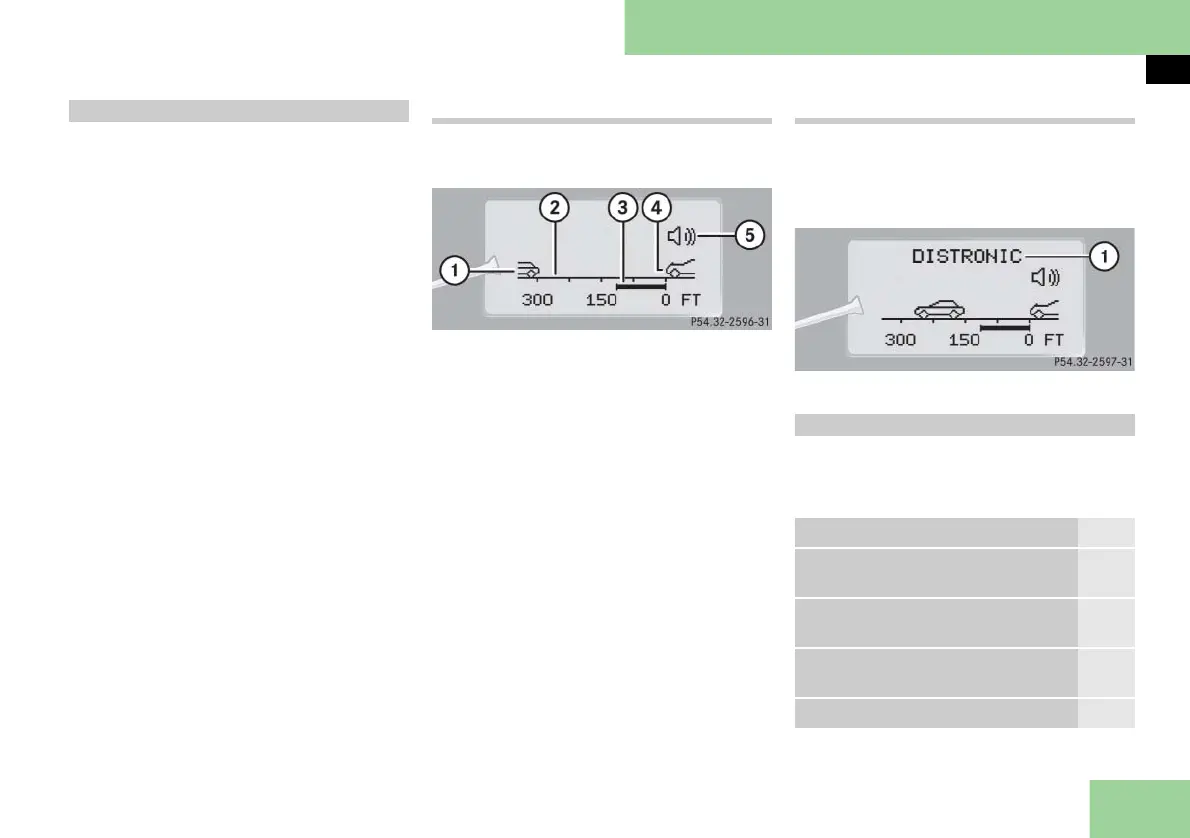
Distronic deactivated
When Distronic is deactivated, you will
see the standard display.
1 Vehicle ahead, if detected
2 Actual distance to vehicle ahead
3 Preset distance threshold to vehicle
ahead
4 Your vehicle
5 Symbol for activated distance warn-
ing function
Distronic activated
When you activate Distronic, you will see
the set speed for about 5 seconds in the
Distronic display. The following display
then appears:
1 Distronic activated
Use the trip computer menu to call up
statistical data on your vehicle. The fol-
lowing information is available:
Distronic** menu
Trip computer menu
Function Page
Fuel consumption statistics since
start
168
Fuel consumption statistics since
last reset
168
Resetting fuel consumption
statistics
168
Distance to empty 168



 To Next Page