64
Getting started
Adjusting
Seat cushion depth
왘 Press switch forward or backward in
direction of arrow 5 until your legs
are supported comfortably.
Head restraint height
왘 Press switch up or down in direction
of arrow 6.
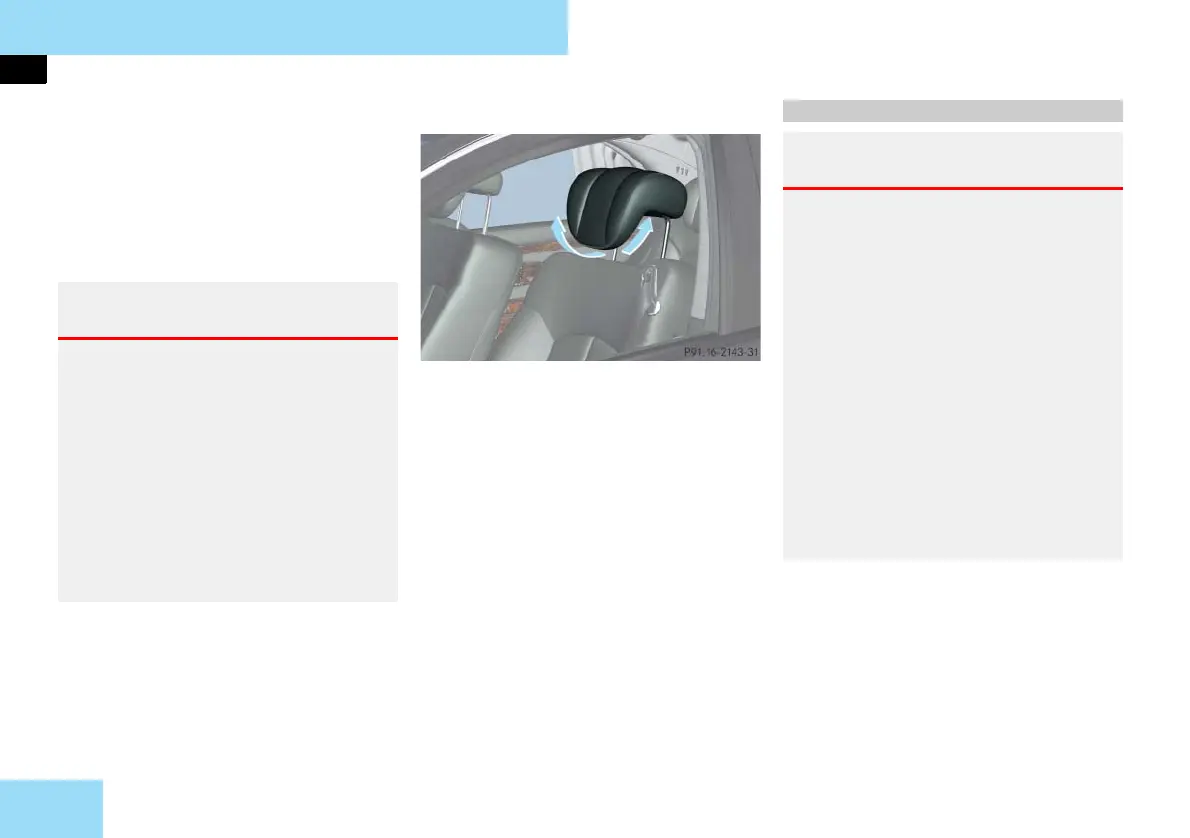
Head restraint tilt
Manually adjust the angle of the head
restraint.
왘 Push or pull on the lower edge of the
head restraint cushion.
i Adjust the head restraint in such a way
that it is as close to the head as possible.
For more information, see “Seats”
(
컄 page 131).
Warning! G
For your protection, drive only with prop-
erly positioned head restraints.
Adjust the head restraint so that it is as
close to the head as possible and the cen-
ter of the head restraint supports the back
of the head at eye level. This will reduce
the potential for injury to the head and
neck in the event of an accident or similar
situation.
Do not drive the vehicle without the seat
head restraints. Head restraints are intend-
ed to help reduce injuries during an acci-
dent.
컄컄
Steering wheel
Warning! G
Do not adjust the steering wheel while
driving. Adjusting the steering wheel
while driving could cause the driver to lose
control of the vehicle.
When leaving the vehicle, always remove
the SmartKey or SmartKey with
KEYLESS-GO** from the starter switch,
take it with you, and lock the vehicle.
Even with the SmartKey or SmartKey with
KEYLESS-GO** removed from the starter
switch or the SmartKey with
KEYLESS-GO** removed from the vehicle,
the steering wheel adjustment feature can
be operated when the driver’s door is
open. Therefore, do not leave children un-
attended in the vehicle, or with access to
an unlocked vehicle. A child’s unsupervised
access to a vehicle could result in an acci-
dent and/or serious personal injury.



 To Next Page