138
Controls in detail
Seats
The red indicator lamps in the switch
show the heating level selected.
i The rear center seat* cannot be heated.
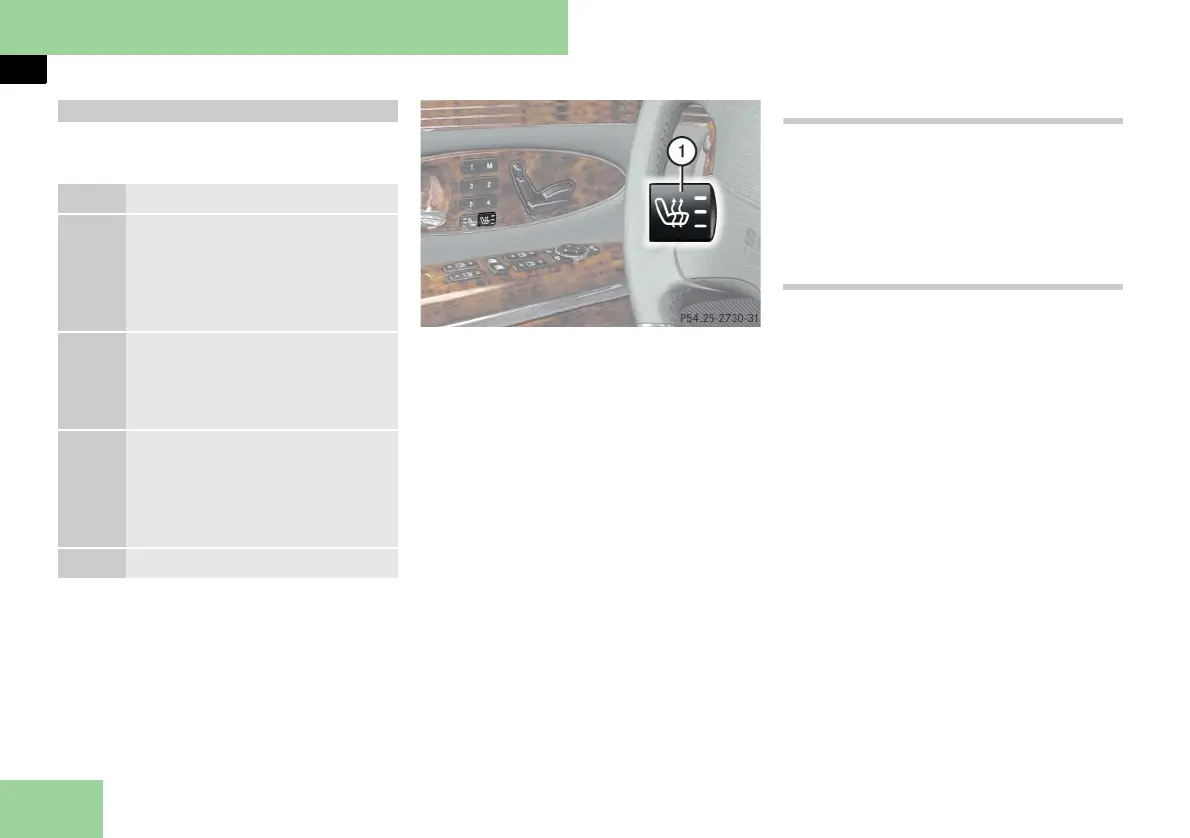
Example illustration from Maybach with seat
ventilation*
1 Seat heating switch
왘 Switch on the ignition (컄 page 60).
Switching on seat heating
왘 Press switch 1.
Three red indicator lamps in the
switch come on.
왘 Continue pressing switch 1 until de-
sired seat heating level is reached.
Switching off seat heating
왘 Press switch 1 repeatedly until all in-
dicator lamps in the switch go out.
i If one or all of the lamps on the seat heat-
ing switch are flashing, there is insufficient
voltage due to too many electrical consumers
are turned on. The seat heating switches off
automatically.
The seat heating will switch back on again au-
tomatically as soon as sufficient voltage is
available.
Seat heating
Level
3 Three indicator lamps on
(highest level).
After approximately
5 minutes, seat heating is au-
tomatically switched to level 2.
2 Two indicator lamps on.
After approximately
10 minutes, seat heating is au-
tomatically switched to level 1.
1 One indicator lamp on
(lowest level).
After approximately
20 minutes, seat heating is au-
tomatically switched off.
off No indicator lamp on.



 To Next Page