154
Controls in detail
Instrument cluster
For a full view illustration of the instru-
ment cluster, see “At a glance”
(
컄 page 22).
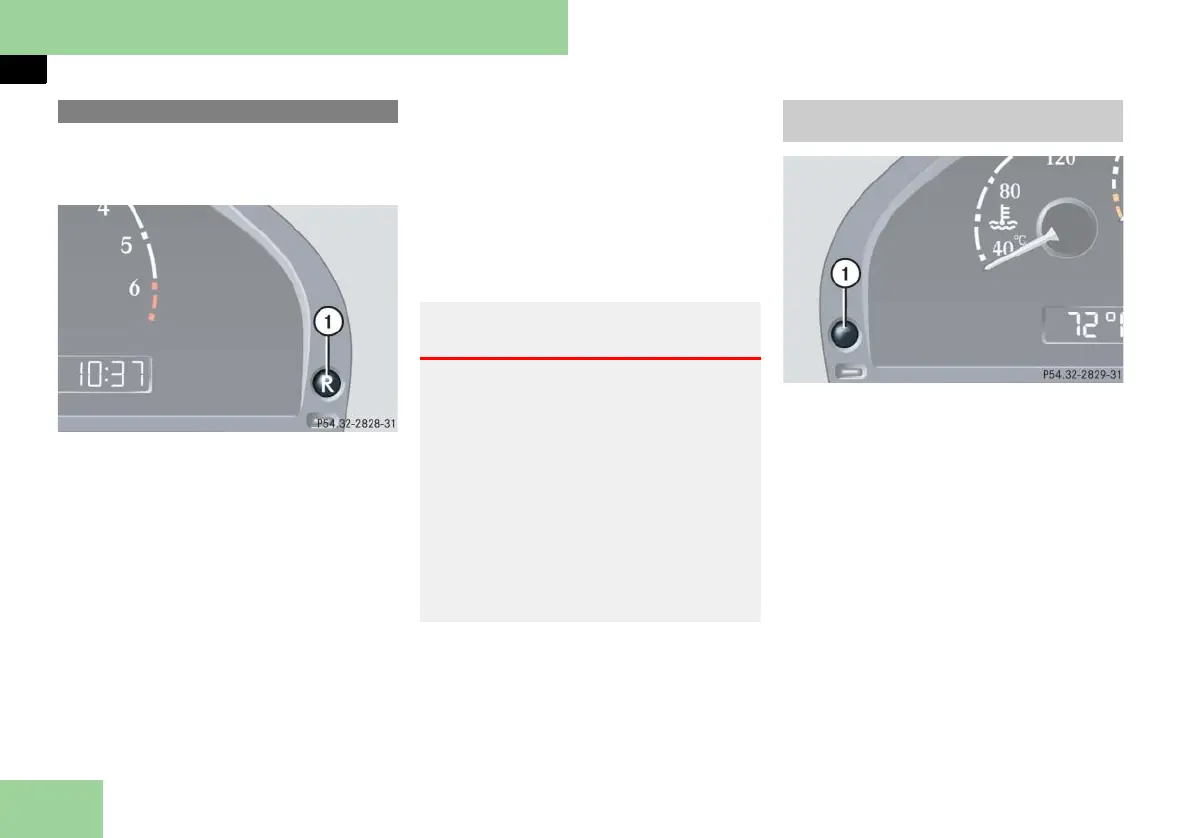
1 Reset button J
The instrument cluster is activated when
you:
앫 open a door
앫 switch on the ignition (컄 page 60)
앫 press reset button J
앫 switch on the exterior lamps
If you open a door or press reset
button J without turning on the igni-
tion or the light, the multifunction dis-
play is only illuminated for
approximately 30 seconds.
You can change the instrument cluster
settings in the Instrument cluster sub-
menu of the control system
(
컄 page 172).
1 Knob for instrument cluster illumina-
tion
Use the knob for instrument cluster illu-
mination 1 to adjust the illumination
brightness for the instrument cluster.
i The instrument cluster illumination is
dimmed or brightened automatically to suit
ambient light conditions.
The instrument cluster illumination will also
be adjusted automatically when you switch on
the vehicle’s exterior lamps.
왘
Press the knob for instrument cluster
illumination.
The knob will pop out.
Instrument cluster
Warning! G
No messages will be displayed if either the
instrument cluster or the multifunction dis-
play is inoperative.
As a result, you will not be able to see in-
formation about your driving conditions,
such as speed or outside temperature,
warning/ indicator lamps, malfunction/
warning messages or the failure of any sys-
tems. Driving characteristics may be im-
paired.
If you must continue to drive, please do so
with added caution. Visit an authorized
Maybach Studio as soon as possible.
Adjusting instrument cluster illumina-
tion



 To Next Page