127
Controls in detail
Locking and unlocking
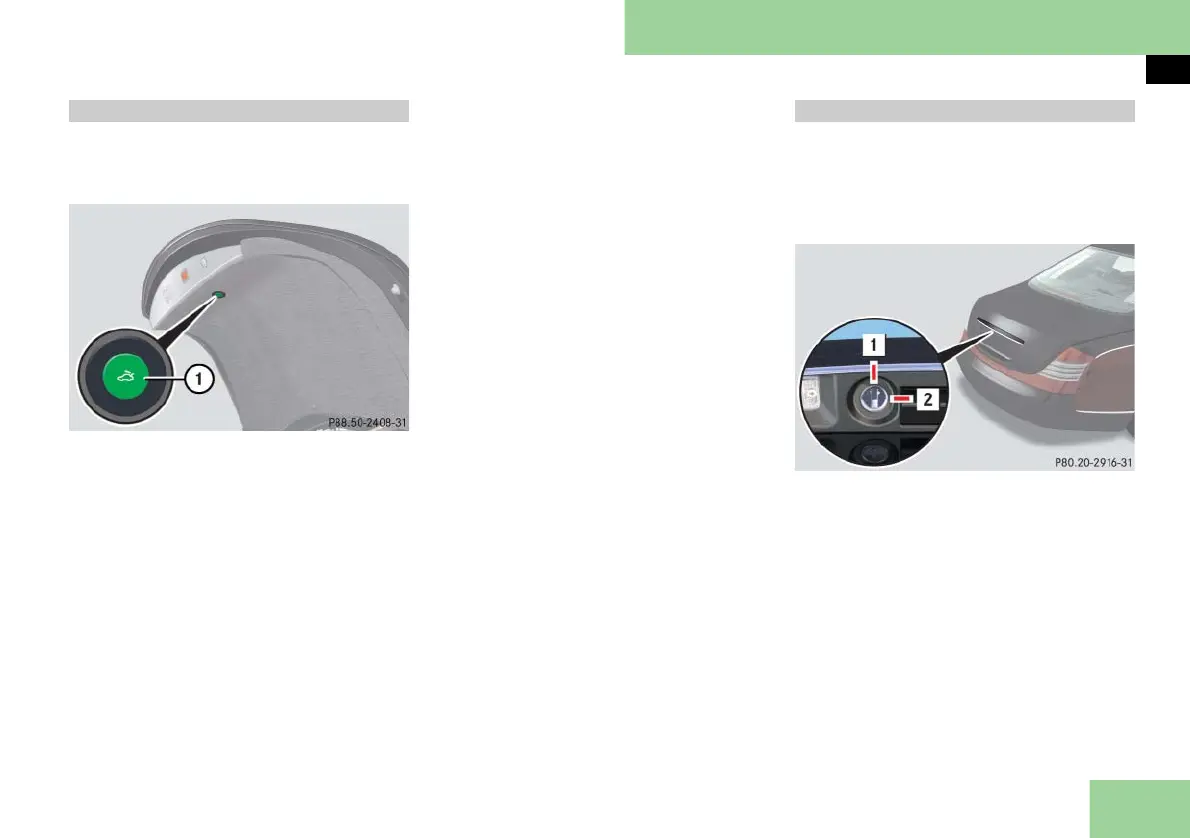
With the emergency release button, the
trunk can be opened from inside the
trunk.
1 Emergency release button
왘 Briefly press emergency release
button 1.
The trunk unlocks and opens slightly.
왘 Push up the trunk lid to fully open.
i The emergency release button unlocks
the trunk while the vehicle is standing still or
in motion.
Illumination of the emergency release
button:
앫 The button flashes for 30 minutes af-
ter opening the trunk.
앫 The button flashes for 60 minutes af-
ter closing the trunk.
i The emergency release button does not
unlock the trunk if the vehicle battery is dis-
charged or disconnected.
i If the vehicle has previously been locked
using the SmartKey or KEYLESS-GO**, open-
ing the trunk from the inside using the emer-
gency release button will trigger the anti-
theft alarm system.
To cancel the alarm, do one of the following:
앫 Press button Œ or ‹ on the
SmartKey.
앫 Insert the SmartKey in the starter switch.
Vehicles with KEYLESS-GO**:
앫 Grasp an outside door handle.
The SmartKey with KEYLESS-GO must be
within 3 ft (1 m) of the vehicle.
앫 Press the KEYLESS-GO
start/stop button (컄 page 61).
The SmartKey with KEYLESS-GO must be
inside the vehicle.
i To deny any unauthorized person access
to the trunk, e.g. when you valet park the ve-
hicle, lock it separately with the mechanical
key. Leave only the SmartKey or SmartKey
with KEYLESS-GO** less its mechanical key
with the vehicle.
1 Neutral position
2 Locked
왘 Close the trunk (컄 page 124).
왘 Remove the mechanical key from the
SmartKey (
컄 page 401).
왘 Insert the mechanical key in the trunk
lid lock.
왘 Turn the mechanical key clockwise to
position 2 and remove the mechani-
cal key in that position to lock the
trunk.
Trunk emergency release Valet trunk



 To Next Page