61
Getting started
Unlocking
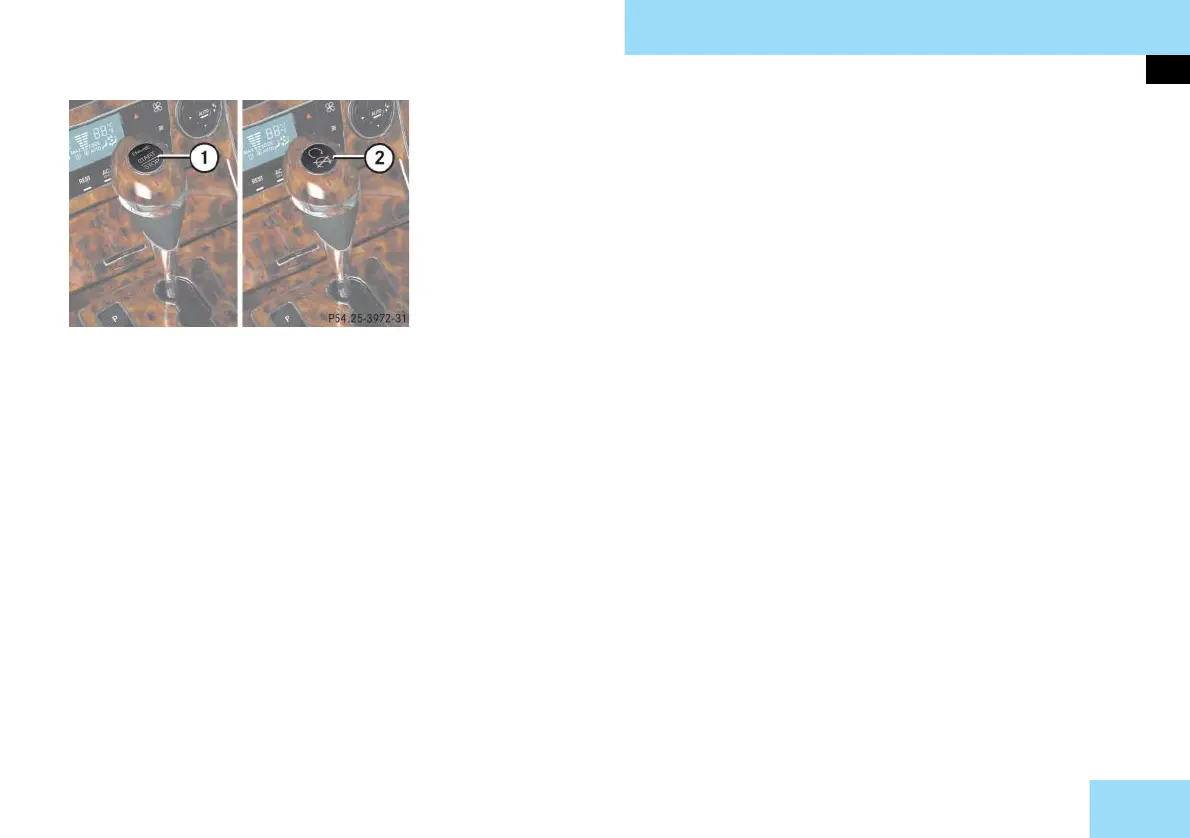
KEYLESS-GO start/stop button
1 USA only
2 Canada only
The SmartKey with KEYLESS-GO must be
located in the vehicle.
왘 Make sure the gear selector lever is
set to P.
왘 Do not depress the brake pedal.
Position 0
Before you press the KEYLESS-GO start/
stop button, the vehicle’s on-board elec-
tronics have status 0 (as with SmartKey
removed).
Position 1
왘 Press KEYLESS-GO start/stop button
once.
This supplies power for some electri-
cal consumers, such as seat adjust-
ment.
i If you now press the KEYLESS-GO start/
stop button
앫 once again, the ignition (position 2) is
switched on
앫 twice, the power supply is again switched
off
Ignition (or position 2)
왘 Press KEYLESS-GO start/stop button
twice.
This supplies power for all electrical
consumers.
All lamps in the instrument cluster
(except high beam headlamp indica-
tor lamp and turn signal indicator
lamps unless activated) come on. If a
lamp in the instrument cluster fails to
come on when the ignition is
switched on, have it checked and
replaced if necessary. If a lamp in the
instrument cluster remains on after
starting the engine or comes on while
driving, refer to “Lamps in instru-
ment cluster” (
컄 page 354).
i If you now press the KEYLESS-GO start/
stop button once, the power supply is again
switched off.
i When you switch on the ignition, the in-
dicator and warning lamps (except high beam
headlamp indicator lamp and turn signal indi-
cator lamps unless activated) in the instru-
ment cluster come on. The indicator and
warning lamps (except high beam headlamp
indicator lamp and turn signal indicator lamps
if activated) should go out when the engine is
running. This indicates that the respective sys-
tems are operational.
For information on starting the engine
using the KEYLESS-GO start/stop button,
see “Starting with KEYLESS-GO**”
(
컄 page 71).



 To Next Page