158
Controls in detail
Control system
The displays in the multifunction display
and the settings in the control system are
controlled by the buttons on the multi-
function steering wheel.
Depending on the selected menu
(
컄 page 160), pressing the buttons on
the multifunction steering wheel will al-
ter what is shown in the multifunction
display.
The information available in the multi-
function display is arranged in menus,
each containing a number of functions
or submenus.
The individual functions are then found
within the relevant menu (radio or CD
operations under AUDIO, for example).
These functions serve to call up relevant
information or to customize the settings
for your vehicle.
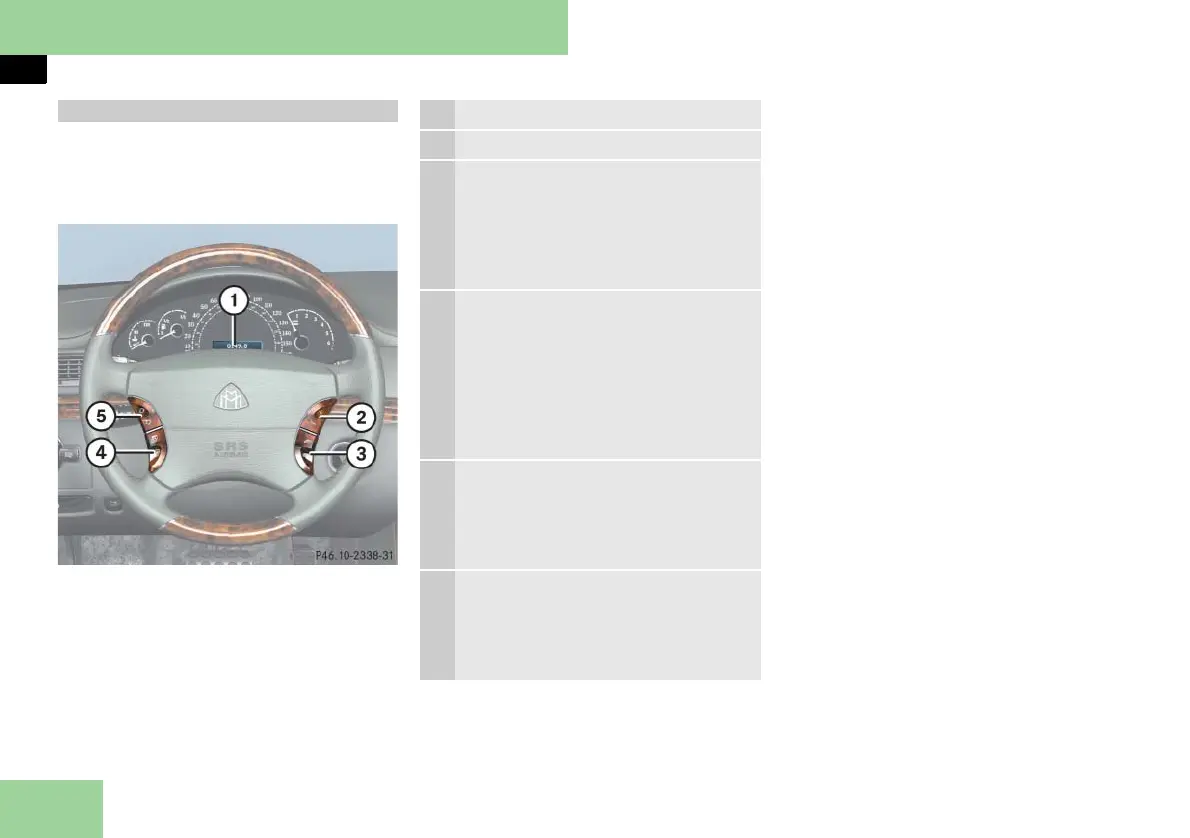
Multifunction steering wheel
1 Multifunction display
Operating control system
2 Selecting the submenu or setting
the volume:
Press button
æ up/to increase
ç down/to decrease
3 Telephone:
Press button
s to take a call
to dial a call
to redial
t to end a call
to reject an incoming call
4 Menu systems:
Press button
è for next menu
ÿ for previous menu
5 Moving within a menu:
Press button
j for next display
k for previous display



 To Next Page