163
Controls in detail
Control system
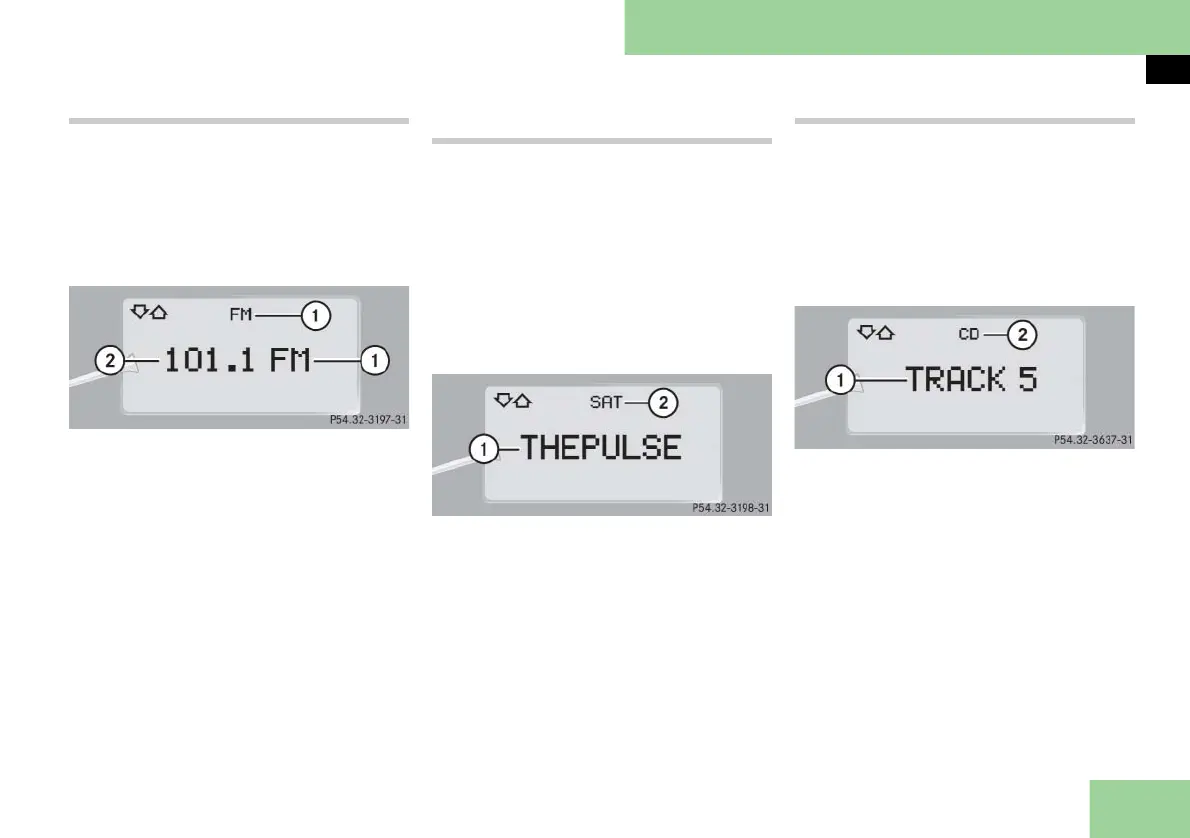
Selecting radio station
왘 Turn on COMAND and select radio.
Refer to the separate COMAND and
Rear-Cabin Audiovisual System oper-
ating instructions.
왘 Press button è or ÿ repeatedly
until you see the currently tuned sta-
tion in the multifunction display.
1 Waveband
2 Station frequency
왘 Press button k or j repeatedly
until the desired station is found.
i You can only store new stations using the
corresponding feature on the radio. Refer to
the separate COMAND and Rear-Cabin Audio-
visual System operating instructions.
Selecting satellite radio channel
(USA only)
The SIRIUS satellite radio is treated as a
radio application.
왘 Turn on COMAND and select the cor-
responding key on the COMAND
control panel. Refer to the separate
COMAND and Rear-Cabin Audiovisu-
al System operating instructions.
왘 Press button è or ÿ repeatedly
until you see the currently tuned
channel in the multifunction display.
1 Channel name or number
2 SAT mode and preset number
왘 Press button k or j repeatedly
until the desired channel is found.
i A subscription to satellite radio service
provider is required for satellite radio opera-
tion. Contact an authorized Maybach Studio
for details.
For more information, refer to the separate
COMAND and Rear-Cabin Audiovisual System
operating instructions.
Operating the CD player
왘 Turn on COMAND and select CD. Re-
fer to the separate COMAND and
Rear-Cabin Audiovisual System oper-
ating instructions.
왘 Press button è or ÿ repeatedly
until the settings for the CD currently
being played are shown in the multi-
function display.
1 Current track
2 Indicates CD mode
왘 Press button k or j repeatedly
until the desired track is selected.
i You can only choose a CD using
COMAND. Refer to the separate COMAND
and Rear-Cabin Audiovisual System operating
instructions.



 To Next Page