CRIMP DATA ANALYZER
CDA10
REV.01
6.4.6 PEAK FORCE CALIBRATION
The control unit makes its decisions (Pass/Fail) by comparing the reference force curve profile,
detected during the learning process, with the profile of the force curve of each crimp. For this
reason, the load cell must not be calibrated, but must only be repeatable. The load cell can be
calibrated if the operator needs to make more accurate peak force measurements. If you
have a preloaded force sensor that comes with a calibration certificate, the values on the calibration
certificate can be entered in the table on the "Sensor Calibration" page by following this procedure:
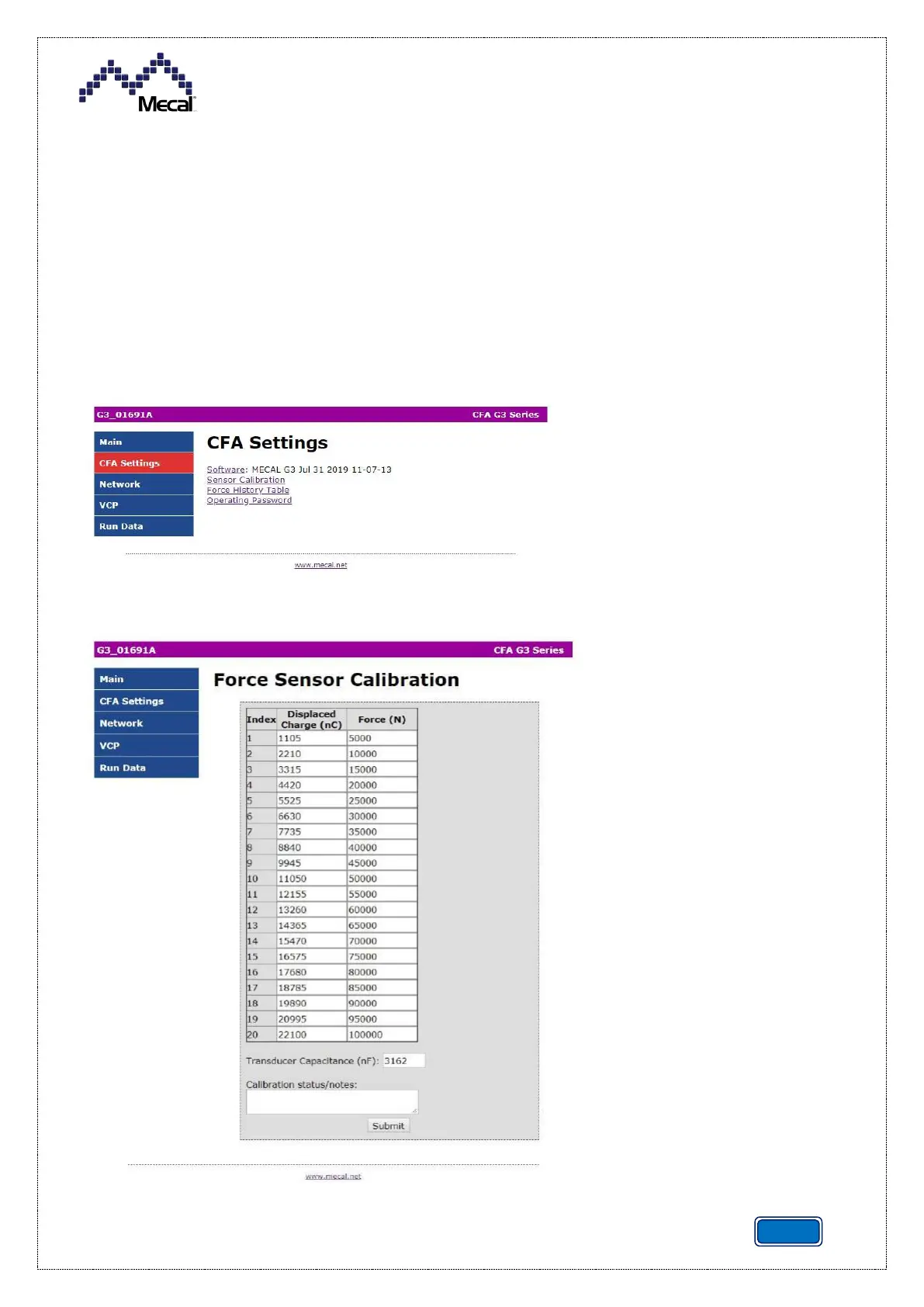
1. Click on "CFA Settings” on the sidebar of the main web page to enter the “CFA Settings” menu
and click on the “Sensor Calibration” link”.
2. Enter the data in the table and send it to the controller, clicking on “Submit”.
The transducer capacity value
can also be viewed or edited on
this page. This value is used
by the mathematical model in
the controller to translate the
voltage readings from the
sensor into load values, which
can be found in the calibration
table to produce force
measurements. The
transducer capacity is
automatically updated by the
system if the auto-calibration
function is activated from the
controller menu.
The load cell can be calibrated
approximately by changing the
transducer capacity value. If
you wish to change the overall
gain of the model to correct the
peak force display, use the


 To Next Page