FOCKE MELER GLUING SOLUTIONS
4-10
MELTER OPERATION
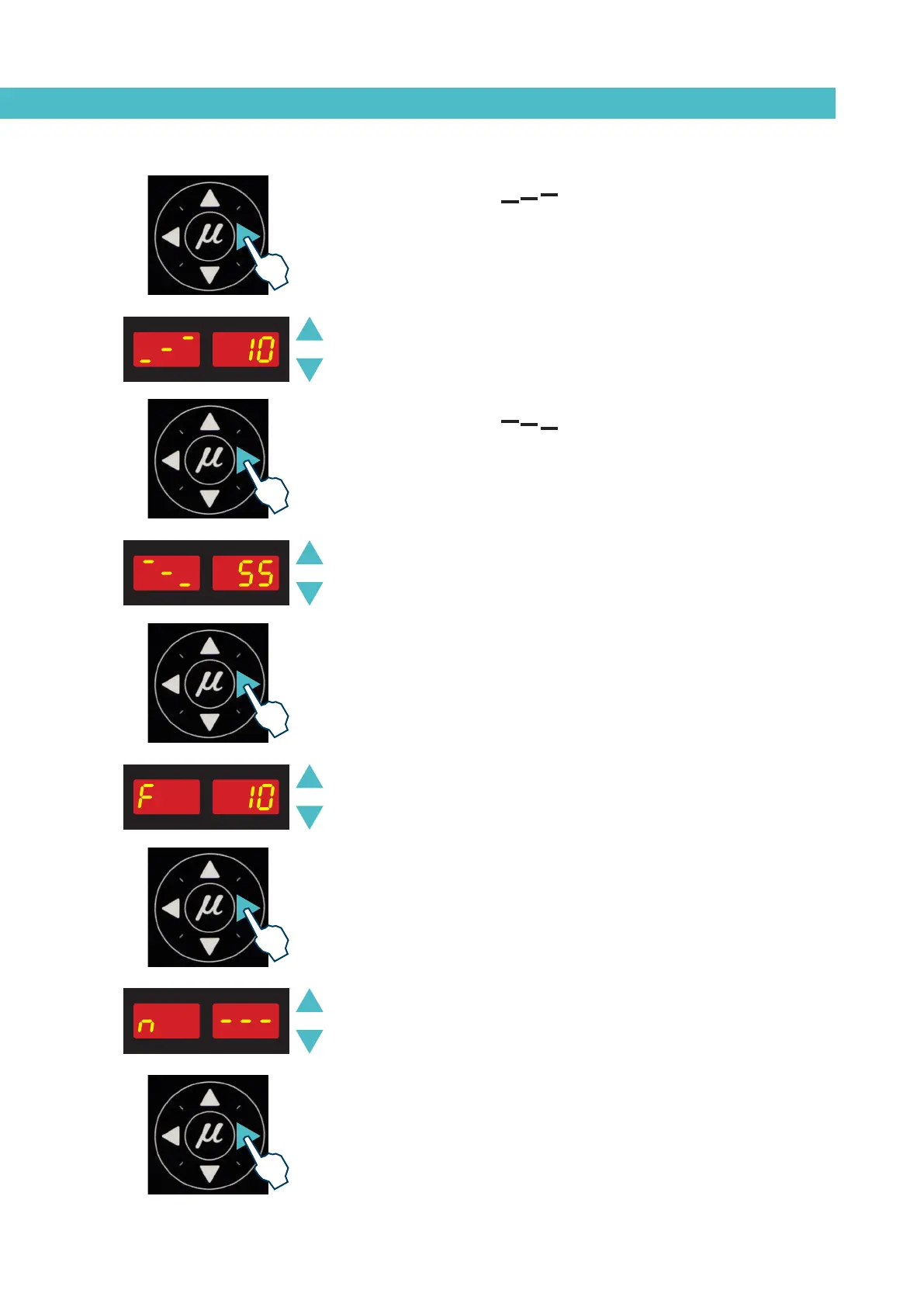
3. Use the right arrow to move to the next display where the overheating
symbol appears.
4. Select the desired value (between 10 and 25) using the up-down arrow.
The value shown corresponds to the increase in real temperature
allowed over the set point temperature without activating the alarm
message.
5. Use the right arrow to go to the next display where the standby function
symbol appears.
6. Use the up-down arrow to select the desired value (between 25 and 55).
The value shown corresponds to the percent decrease in the real tem-
perature compared to the set point temperature that will occur when
this function is activated.
7. Use the right arrow to go to the next display where delay time value
appears.
8. Use the up-down arrow to select the desired value (between 0 and 60
min).
9. Use the right arrow to advance to the next screen, where the level
detector activation/deactivation is found.
10. Use the up-down arrow to select the desired value (ON/OFF). When
OFF is selected, neither the on-screen display nor the external signal
activation will be operational. If ON is selected, when the level of hot-
melt is low the alarm (n - - - ) will be displayed on the screen and the
external signal contact will be activated.
11. Use the right arrow to go to the next display.



 To Next Page