You may limit the list of files displayed in the Files: list box by choosing one
the following:
•
Use wildcard characters in the path name you enter in the File name:
field.
Wildcard characters such as * and ? can be used to filter file names. For
example, you can limit the list of files displayed to those containing Sp0
as the first three characters by entering SP0*.smp.
•
Select a file status.
You may select the file status from the list contained in the Status box.
Status Description
All All files in the specified directory and within
the specified range of dates.
Analyzing Files currently being used for an analysis
(applies only when used as an embedded
program).
No Analysis Files that have not been used for a degas
operation or an analysis.
Prepared Files that have been used for a completed degas
operation.
Preparing Files currently being used for a degas operation.
•
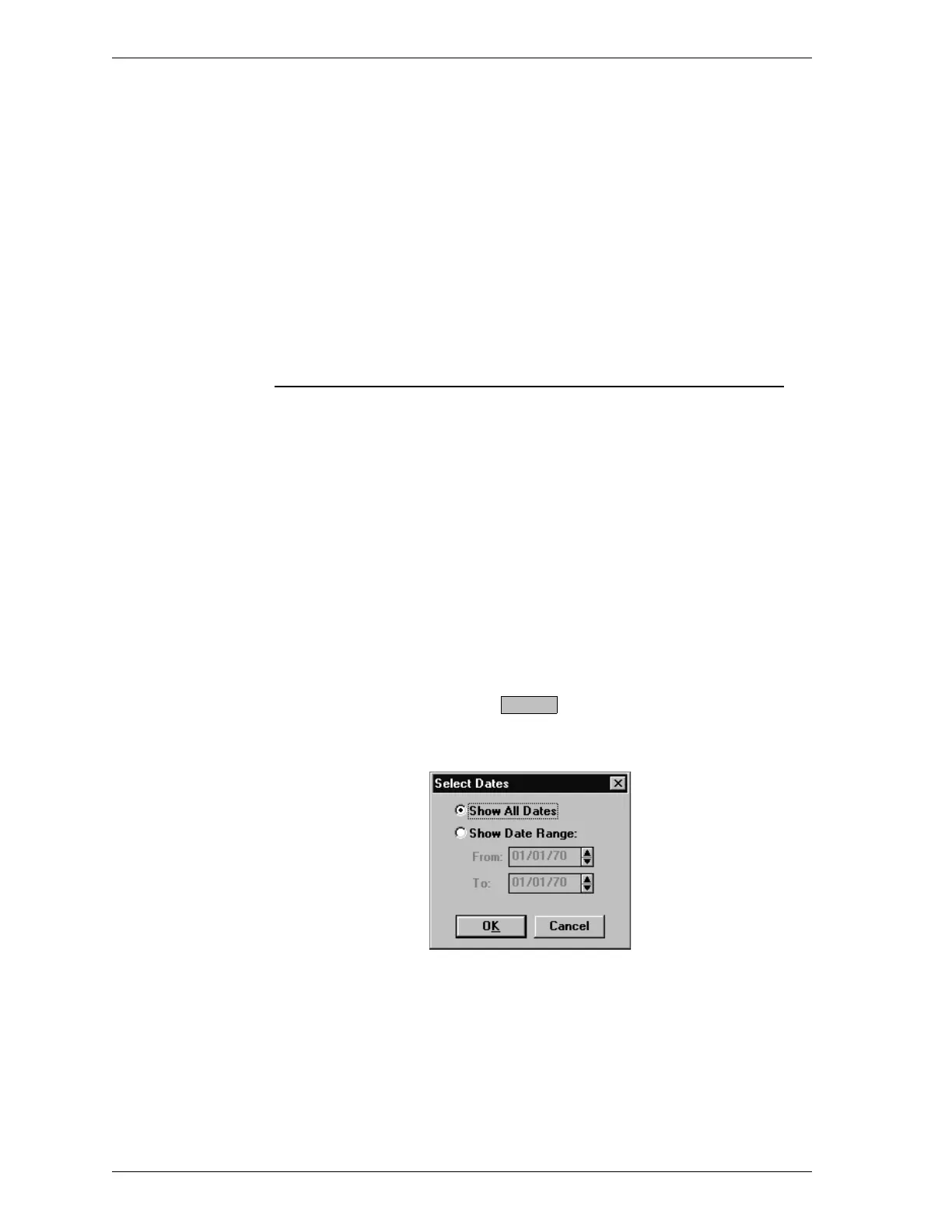
Select a range of dates. Select . The Select Dates dialog box is
displayed.
Select the Show Date Range: radio button. This enables the From: and
To: fields so you may enter a beginning and ending date. You may also
double-click in each field to display a calendar to set a date. The range of
dates remains the default until you change the dates or select Show All
Dates.
Dates
File Menu SmartPrep
3-4 Aug 98











 To Next Page