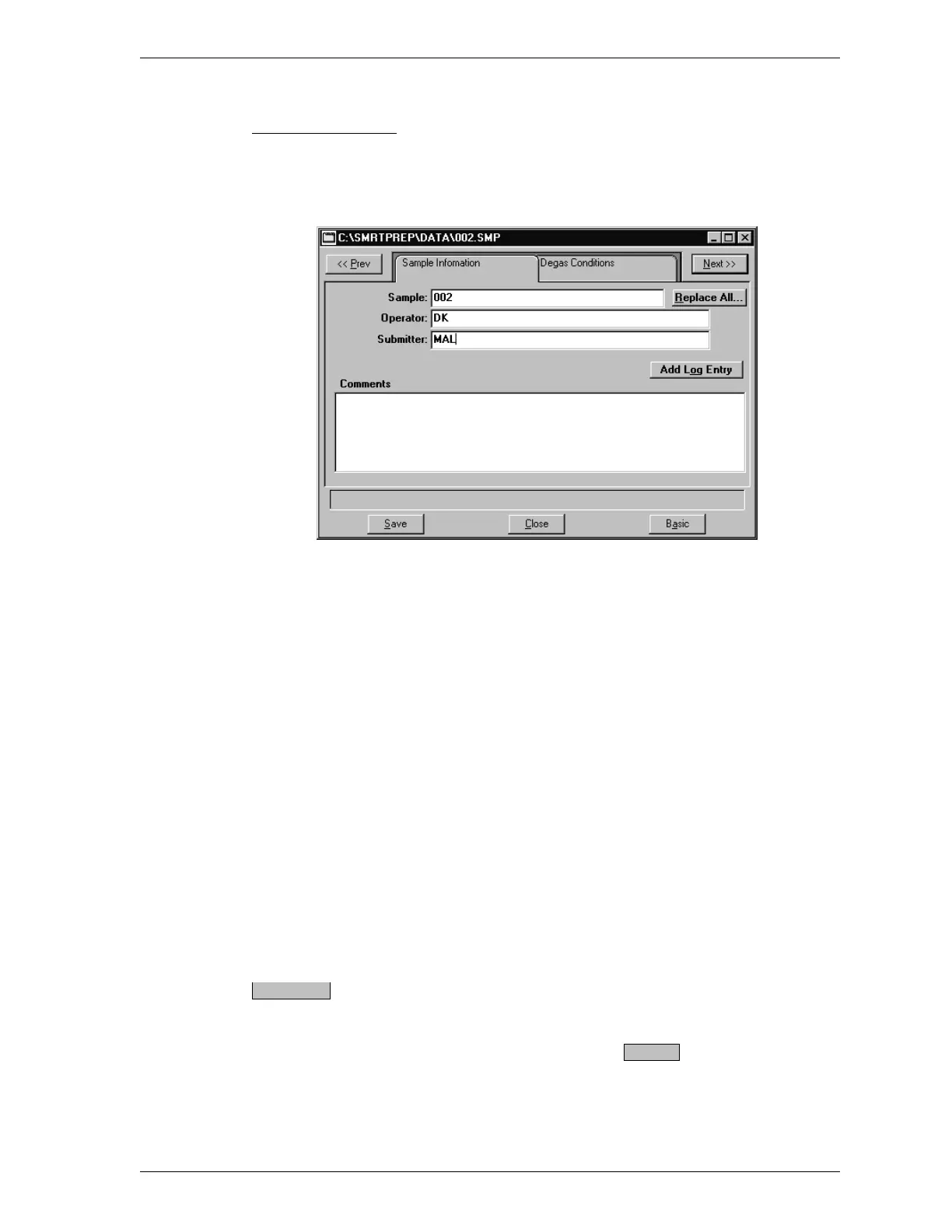
Advanced Format
When you open an existing sample information file or create a new one using the
Advanced format, both components of the file, sample information and degas con-
ditions, are displayed in a tabbed dialog box.
Sample Displays the next sequenced file description or
the name of the file you are opening. You may
add a new description or use the one displayed.
Length: 50 alphanumeric characters
Operator
Submitter
Enter the name of the operator who will perform
the degas operation and the name of the person
(or department) submitting the sample for degas.
You may omit either of these fields from appear-
ing on the dialog by selecting Omit when entering
defaults (refer to Sample Defaults in this chapter).
Length: 40 alphanumeric characters
Comments Enter comments about the sample or its degas con-
ditions. Comments entered here are printed in the
header of reports.
Allows you to copy all parameters of an existing
sample file into the file you are creating. An
Open File dialog box is displayed. Select the de-
sired file, then click . The values are cop-
ied into the new file. You may edit the values in
the new file if desired.
Replace All..
OK
SmartPrep File Menu
Aug 98 3-7











 To Next Page