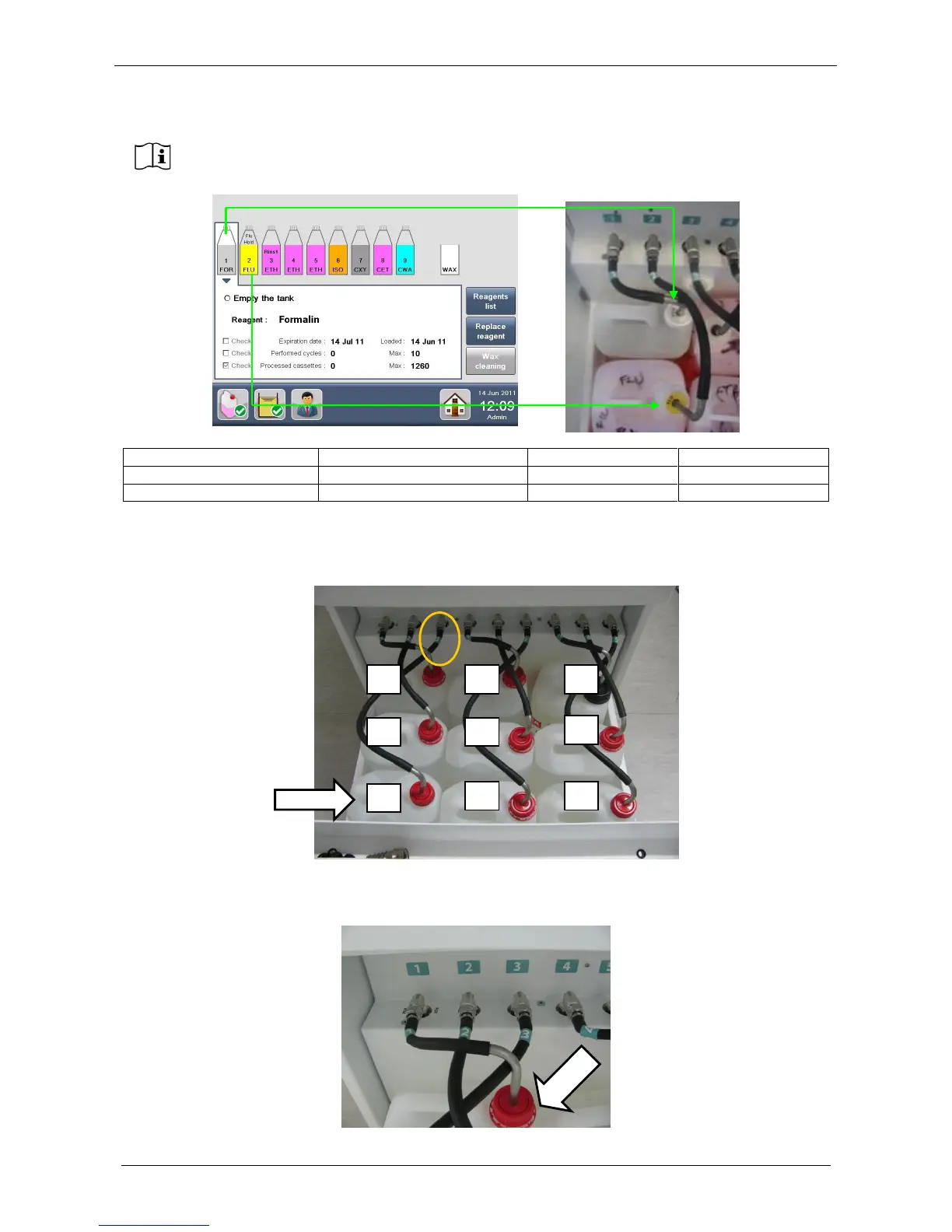
It’s required to insert the tanks with the order of the numbers showed in figure below. For example the tank
referring to the tube number 3 and to the position number 3 (see the circle in figure below) must be inserted
in the position 3 showed by the arrow below. The same concept is required for all the other tanks.
It’s required to insert the tanks with the orientation showed in figure below: the tank number 1 has the cup on
the right, not on the left (see the arrow). The same concept is required for all the other tanks.
The tanks as displayed by the software, with their numbers, short names and colors,
correspond to the real tanks as positioned in the drawer with their plastic rings.



 To Next Page