MM098-002 – LOGOS ONE – Operator Manual
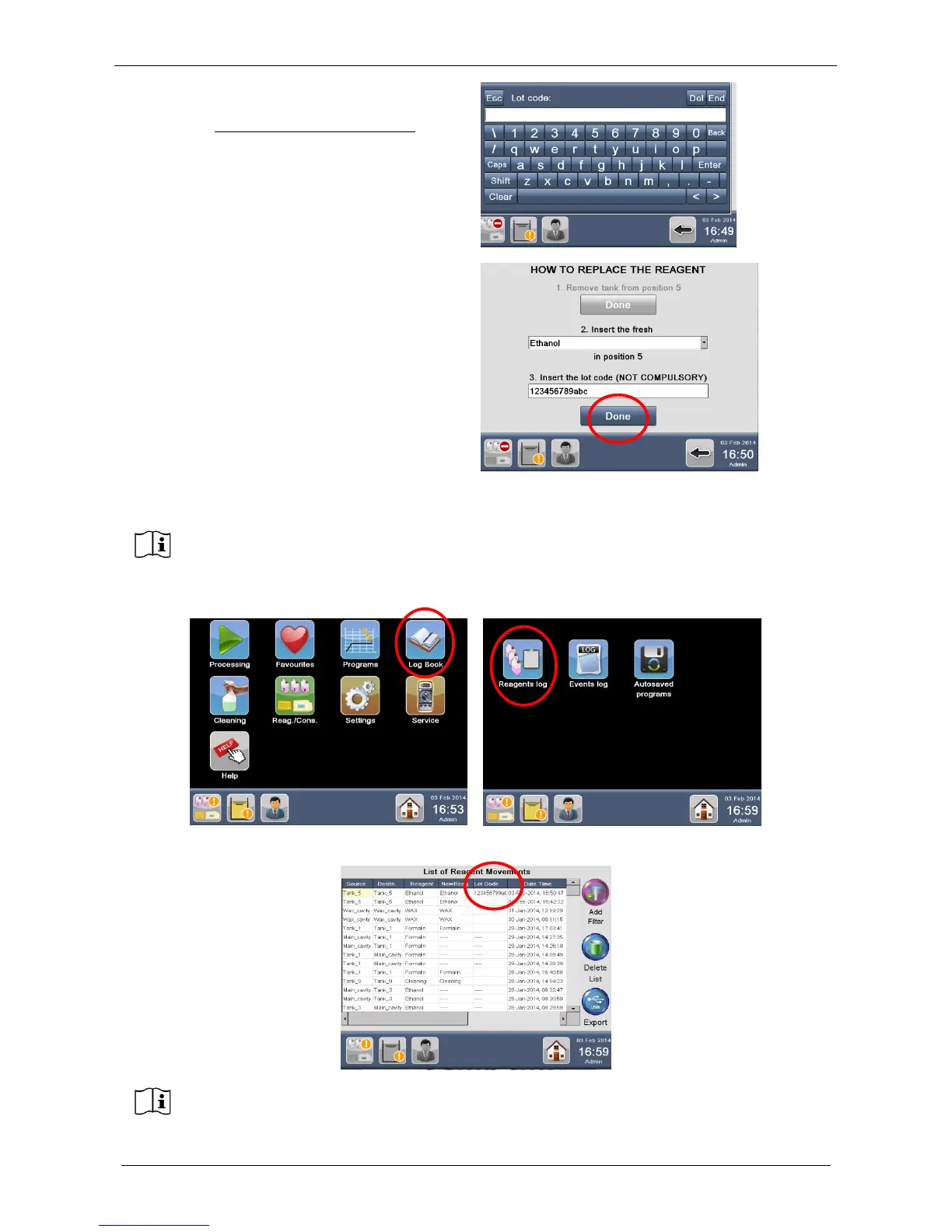
It is possible to insert in that field the REAGENT
LOT CODE. This function is not compulsory.
If a bar code reader is connected to LOGOS ONE,
the code can be automatically read. If not, press
the field window, a keyboard appears to allow entry
of the LOT number.
When the code is inserted, the following screen
appears: the lot number is shown into the field.
Press “Done” to complete the replacement
procedure.
The Lot Code is saved in the Reagents Log under “Log Book” icon.
The Lot Code is reported under the new column LOT CODE.
Lot code is not compulsory. So if not needed, follow the regular procedure to replace a
reagent, by pressing “Done” without inserting any code before.
Refer to the chapter 6.3 to get instructions on how to export the Reagent log list.



 To Next Page