36
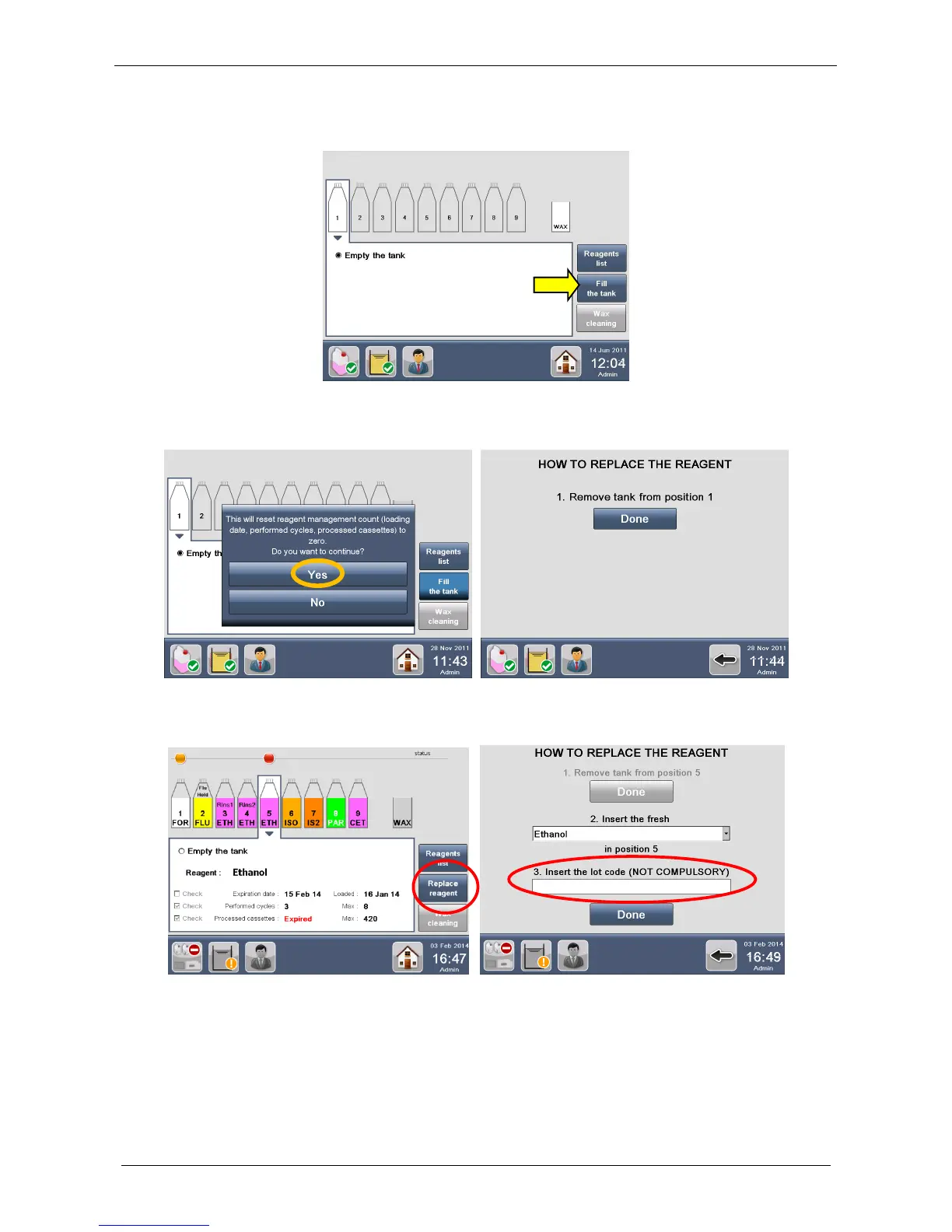
Only after positioning of the tank in the drawer, in the REAGENTS CONFIGURATION screen select
the tank in position NUMBER 1 and press “Fill the tank”.
The following message appears, click YES. The screen on the right appears showing the REAGENT
REPLACEMENT PROCEDURE; press Done to confirm and follow the steps:
Select the reagent to insert in the drop-down menu (Ethanol in this case).



 To Next Page