157
5.51. Networking Web Managed Switch
The Milestone devices that can be connected to the MileWATCH Server are provided with an ethernet
connection port that should be connected to the LAN (local area network) of the laboratory.
One available TCP port is necessary for connection to MileWATCH Server (one port for all devices).
A static IP address for the server is required, in the same subnet as the computers on which the MileWATCH
Viewer and the MileWATCH Server are installed.
The Ethernet infrastructure which the Milestone devices are connected to, must be configured to avoid any
network problem which could jeopardize the integrity of the Milestone devices.
Appropriate management of the data network must be guaranteed to avoid any risk, e.g.:
- set the loop control (anti looping)
- spanning Tree Protocol (STP) application
- broadcast detection at 1536 for all the ports
- monitoring abnormal data or issues at the layer 3 (network)
In case the network does not follow the rules reported above, Milestone strongly advises to install an Ethernet
Programmable Switch before connecting the Milestone device to the network. The same advice must be
respected if the Milestone devices are connected to the network to use the remote assistance function.
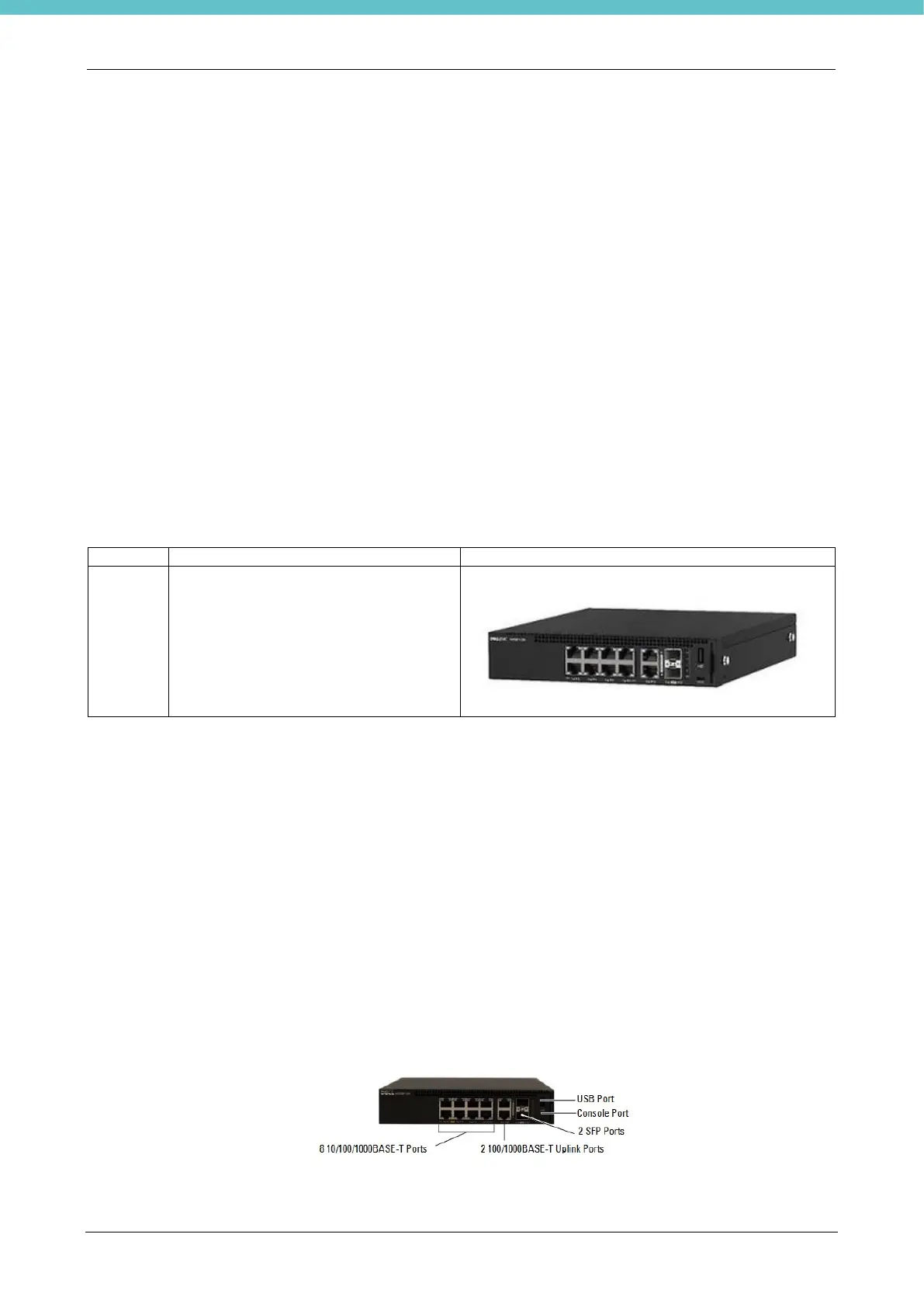
This is an example of a programmable switch that Milestone can supply already programmed:
The kit is composed of:
- Q.ty 1 Switch Dell EMC Networking N1108T-ON (CODE 62921)
- Q.ty 2 Ethernet screened cables 5m cat 6 (CODE 371088)
- Q.ty 1 power cable NORTH AMERICA 5-15P (M) - C13 (F) L.2m (CODE 50391)
- Q.ty 1 power cable Schuko VDE plug - C13 (F) L. 1.8m (CODE 50036)
- Q.ty 1 power cable with Italian plug CEI 23-SO - C13 (F) L. 1.8m
5.51.1. Description
The object may change based on availability with one with similar performance.



 To Next Page