71
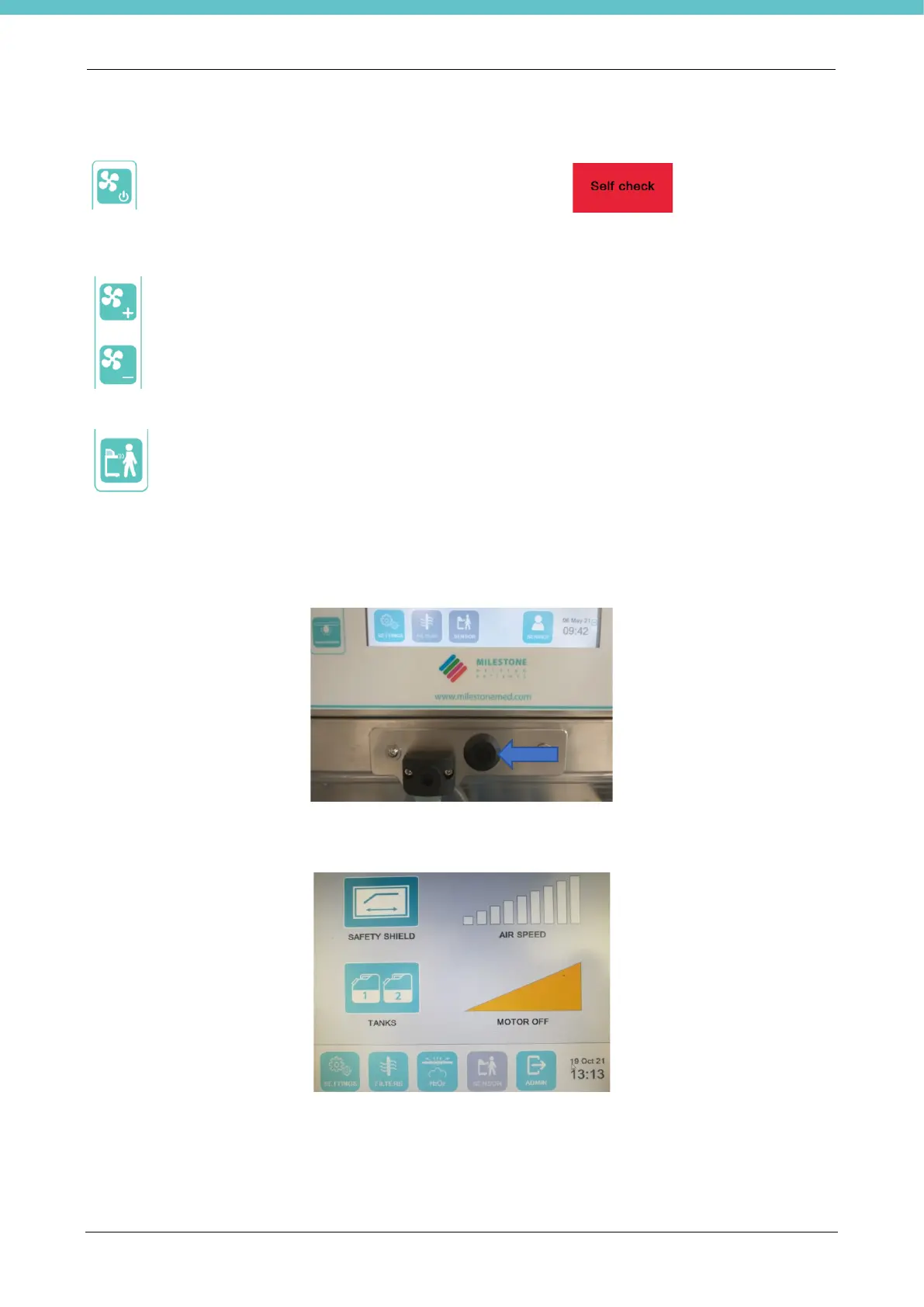
This button switches ventilation on/off (if the operator presence sensor is not used). When ventilation
is on, the unit cannot be used for 10 seconds because a ventilation control is carried out to check
that everything works properly and to allow the air flows to stabilize (only for letter A). During these
seconds, the screen displays in red “Self check, please wait”. . When ventilation is on,
the main page displays the ventilation speed and the power level used (power is only shown for letter
A), as explained below.
These buttons respectively increase/decrease the ventilation level. The main screen displays the
ventilation speed variations and the power output when these buttons are pressed (only for letter
A). It is possible to increase or decrease power more rapidly by keeping the button pressed for over
two seconds.
This button activates/deactivates the operator presence sensor, if enabled in the software (only for
letter A). If activated, when it perceives the presence of the user, it automatically switches on
ventilation. When the operator is absent for 15 minutes (value editable in the software), the utilities
automatically switch off.
The software settings also allow you to associate switching on/off of the lights to the operator presence sensor.
The status bar has an icon of the Operator presence sensor that can be: Active (green – with function enabled
and sensor on), Inactive (grey – with function enabled and sensor off) or Hidden (with function disabled).
The following photo shows the operator presence sensor. This sensor detects operator presence up to a
distance of approximately 130cm away.
The following is a description of the software HOME PAGE (only for letter A) shown in the following photo. For
letter P, the power triangle will not be present.



 To Next Page