10. Usage
MiR200 User Guide (en) 10/2020 - v.3.1 ©Copyright 2017-2020: Mobile Industrial Robots A/S. 141
10.5 Creating the mission Variable footprint
All mission actions that require the user to specify the value of a parameter when they
choose to use the mission have the option of defining a variable. If you use a variable in a
mission, then when you add the mission to the mission queue or embed it inside another
mission, you must select a value for the parameter where the variable is used. This allows
you to reuse the same mission for different but still similar tasks.
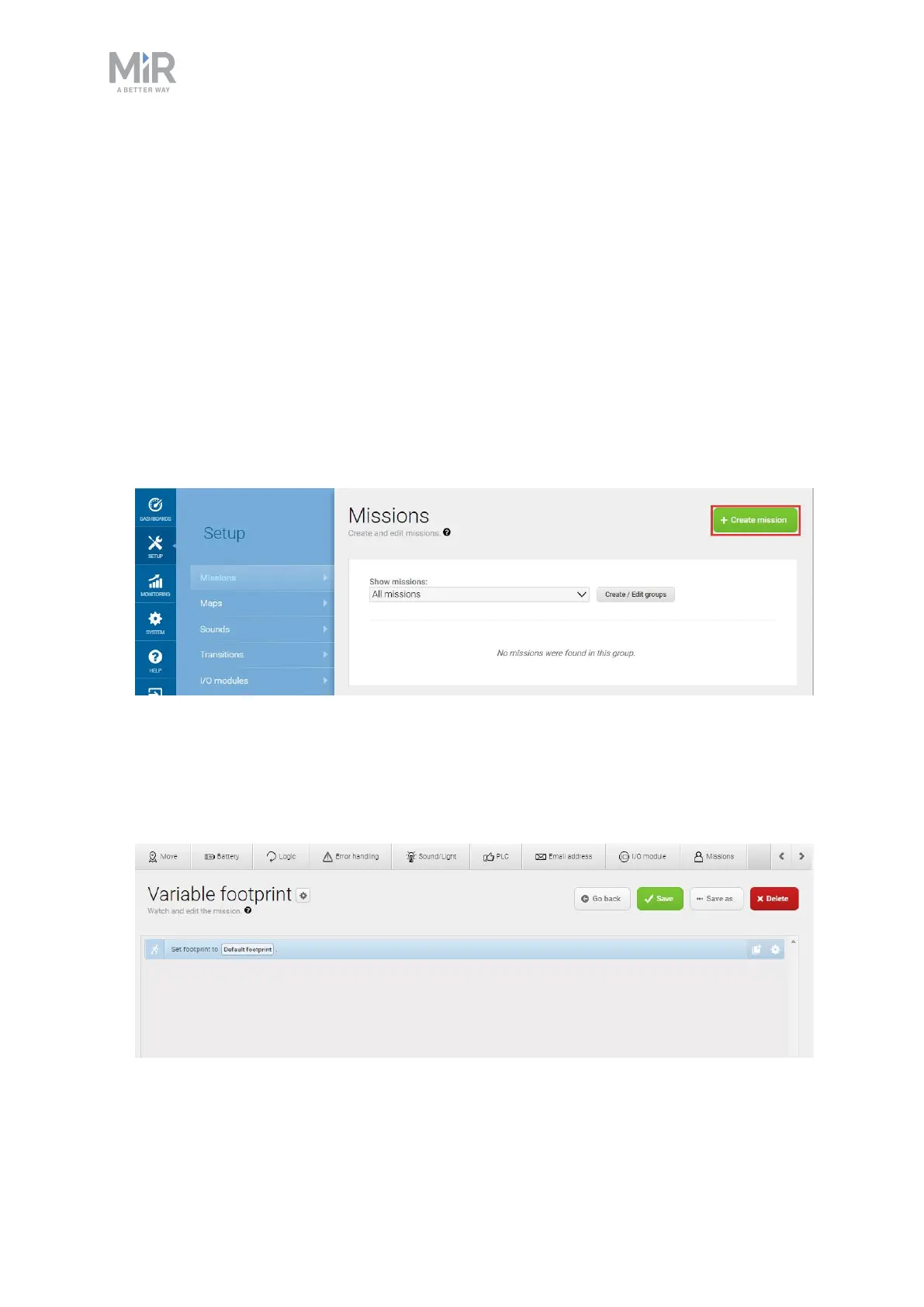
Variable footprint is a mission example that enables you to select which footprint the robot
should use each time the mission is run.
To create the mission, follow the steps below:
1. Go to Setup > Missions. Select Create Mission.
2. Name the mission Variable footprint. Select the group and site you want it to belong to.
Select Create mission.
3. Select the following actions:
• In the Move menu, select Set footprint.



 To Next Page