10. Usage
MiR200 User Guide (en) 10/2020 - v.3.1 ©Copyright 2017-2020: Mobile Industrial Robots A/S. 143
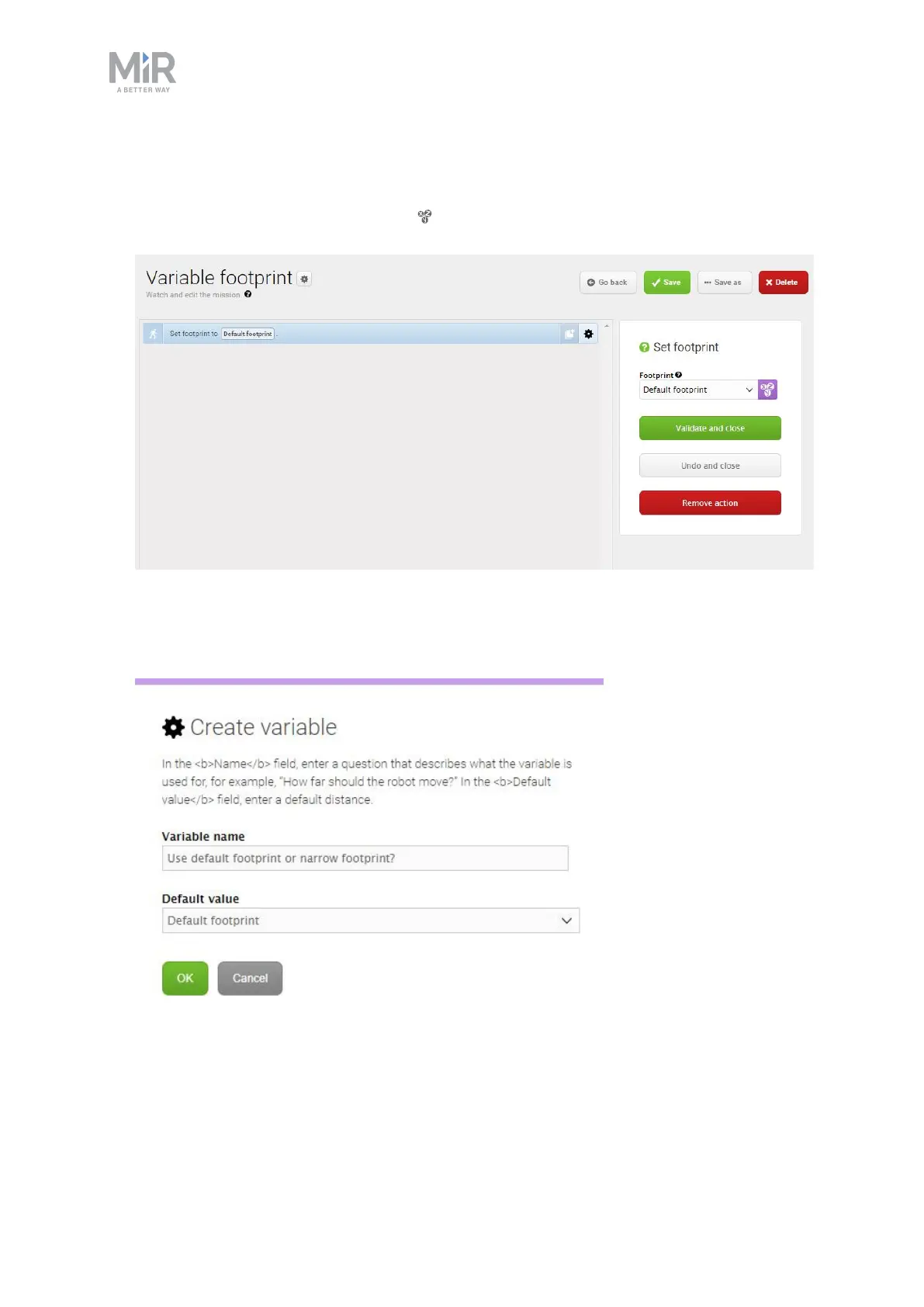
4. In the Select footprint action, make the parameter Footprint a variable that can be set
each time you use the mission. The following steps describe how to create a variable:
• Under Footprint, select Variables .
• Select Create variable in the upper-right corner.
• Name the variable Use default footprint or narrow footprint?. Select OK.



 To Next Page