8. Safety-related functions and interfaces
MiR250 Dynamic Integrator Manual (en) 09/2023 - v.2.1 ©Copyright 2020–2023: Mobile Industrial Robots A/S. 89
2 Under Setup>Missions, create or edit a mission.
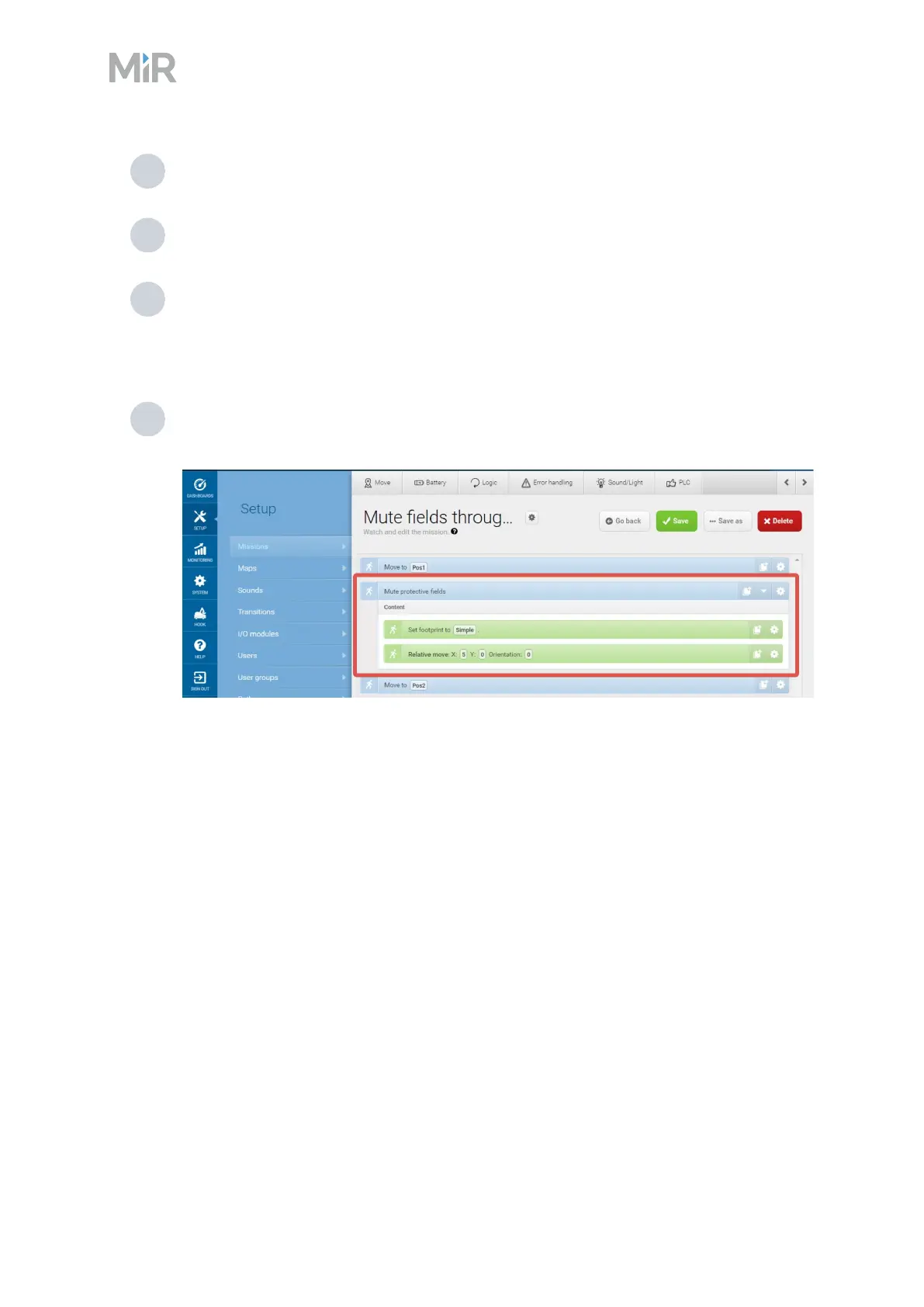
3 Add the action Mute protective fields from the Safety system menu.
4 Edit the action parameters so the Protective fields are muted.
MiR250 Dynamic cannot mute specific Protective fields; you can either mute all or none
of the fields. Otherwise, the robot reports an error.
5 Add and drag all the actions you want the robot to execute with muted Protective fields
inside the Mute Protective fields action.



 To Next Page