Customizing your phone
6. With DHSG highlighted press the right navigation key to move to selection column.
7. Use the up and down navigation keys to scroll through and choose whether or not to enable DHSG.
Valid values are:
• DHSG is OFF (default)
• DHSG is ON
8. Press the Save softkey to save your changes.
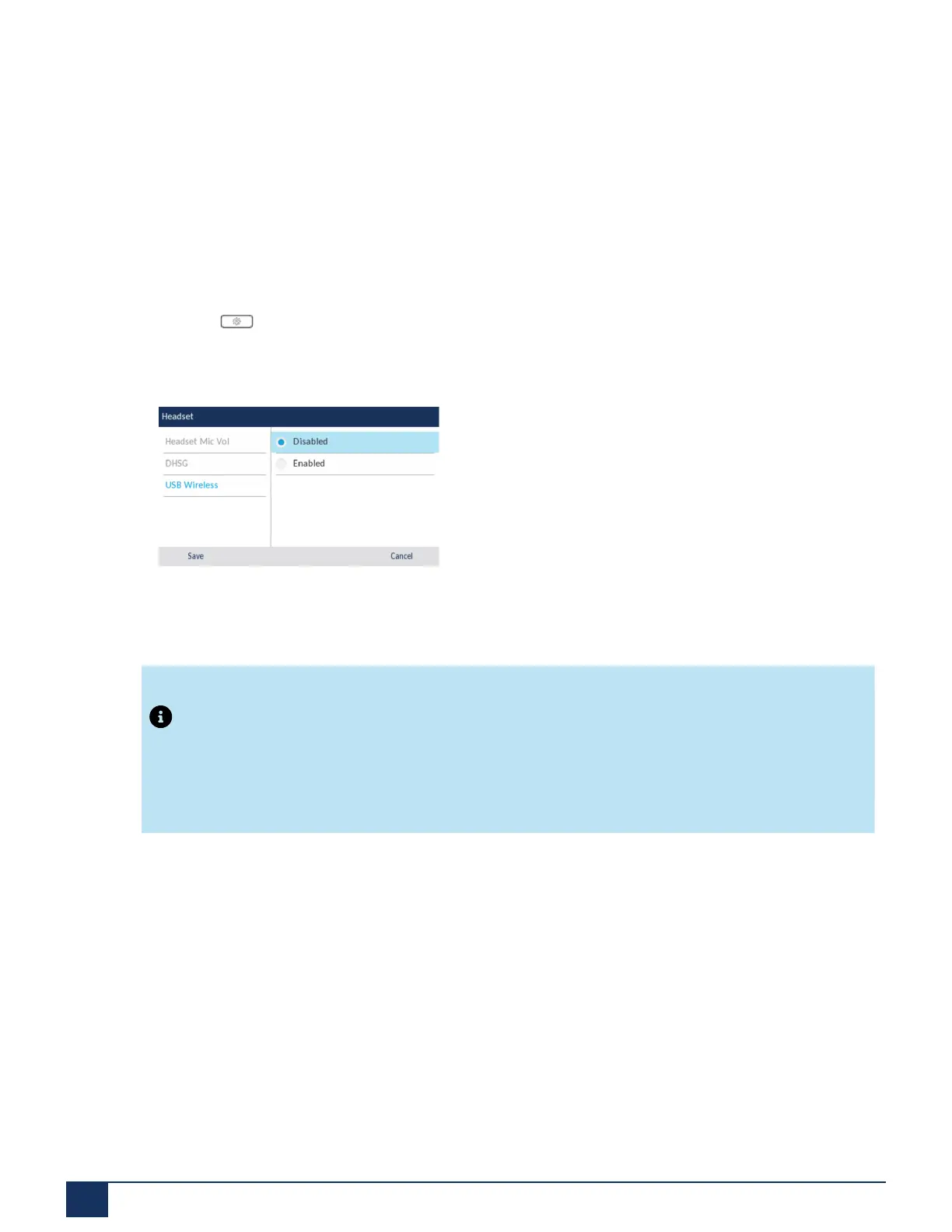
To enable/disable USB Wireless headset mode:
1.
Press the (Settings) key to enter the Settings menu.
2. Navigate to the Audio > Headset setting and press the Select softkey.
3. Press down navigation button to choose USB Wireless.
4. Press the right navigation key to move to enable/disable selection column.
5. Use the up and down navigation keys to choose the applicable setting.
6. Press the Save softkey to save your changes.
Note:
Disable this setting if you are not using USB Wireless Headset.
Ring Tones and Tone Sets
There are several distinct ring tones a user can select to set on the IP phones. In addition to the 15 pre-
installed ringtones, custom ring tones can be manually installed through the Web UI and selected for use (if
enabled by your Administrator). You can enable/disable these ring tones on a global or per-line basis.
There are 10 additional ringtones are available (Velocity, Skyline, Rise, Daybreak, After Hours, Open Road,
Pronto, Voyage, Bloom, Move).
Version 1.0
59 User Guide



 To Next Page