Configuring Softkeys
the phone uses Line 1 for the Speed Dial key. If you want to use a different line, press the left and right
navigation keys to select another line.
5. Press the Save softkey to save the speed dial information to the key you selected.
Creating a Speed Dial Key Using the Speed Dial Edit Option (applicable to softkeys
and dialpad keys)
1.
Press on the phone to enter the Options List.
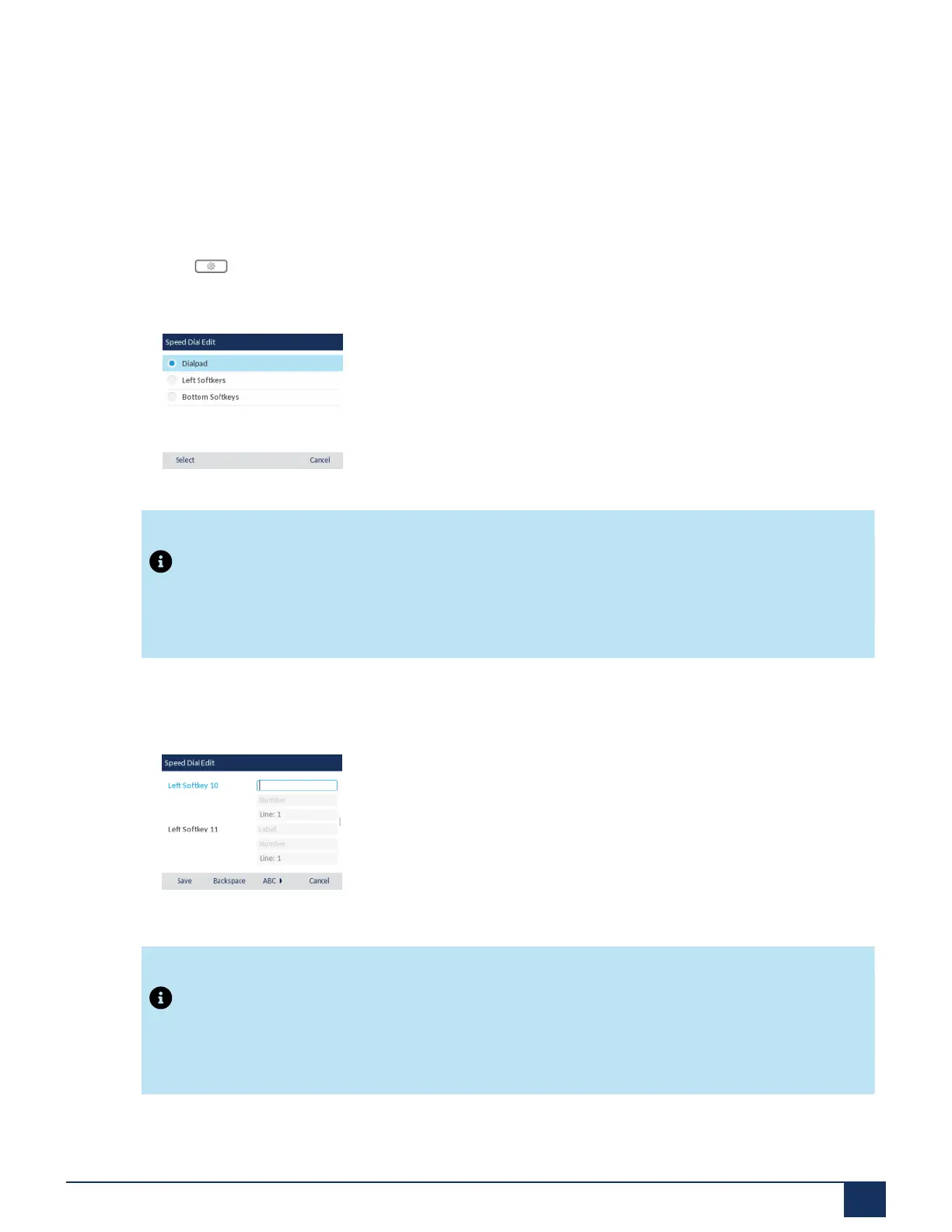
2. Navigate to the Dialing > Speed Dial Edit option and press the select button or Select softkey.
Note:
You can press the Cancel softkey at anytime during the speed dial programming to cancel and not
save the speed dial information.
3. Navigate to the desired type of keys you want to edit (e.g. Left Softkeys) and press the select button or
Select softkey.
4. Navigate to the desired key and in the Label field (if applicable), enter a label to apply to the key.
Note:
If necessary, use the ABC softkey to specify uppercase letters or lowercase letters when entering
the label.
Version 1.0
User Guide 80



 To Next Page