SECTION
MITLSlOW91
lo-096-350-NA
-
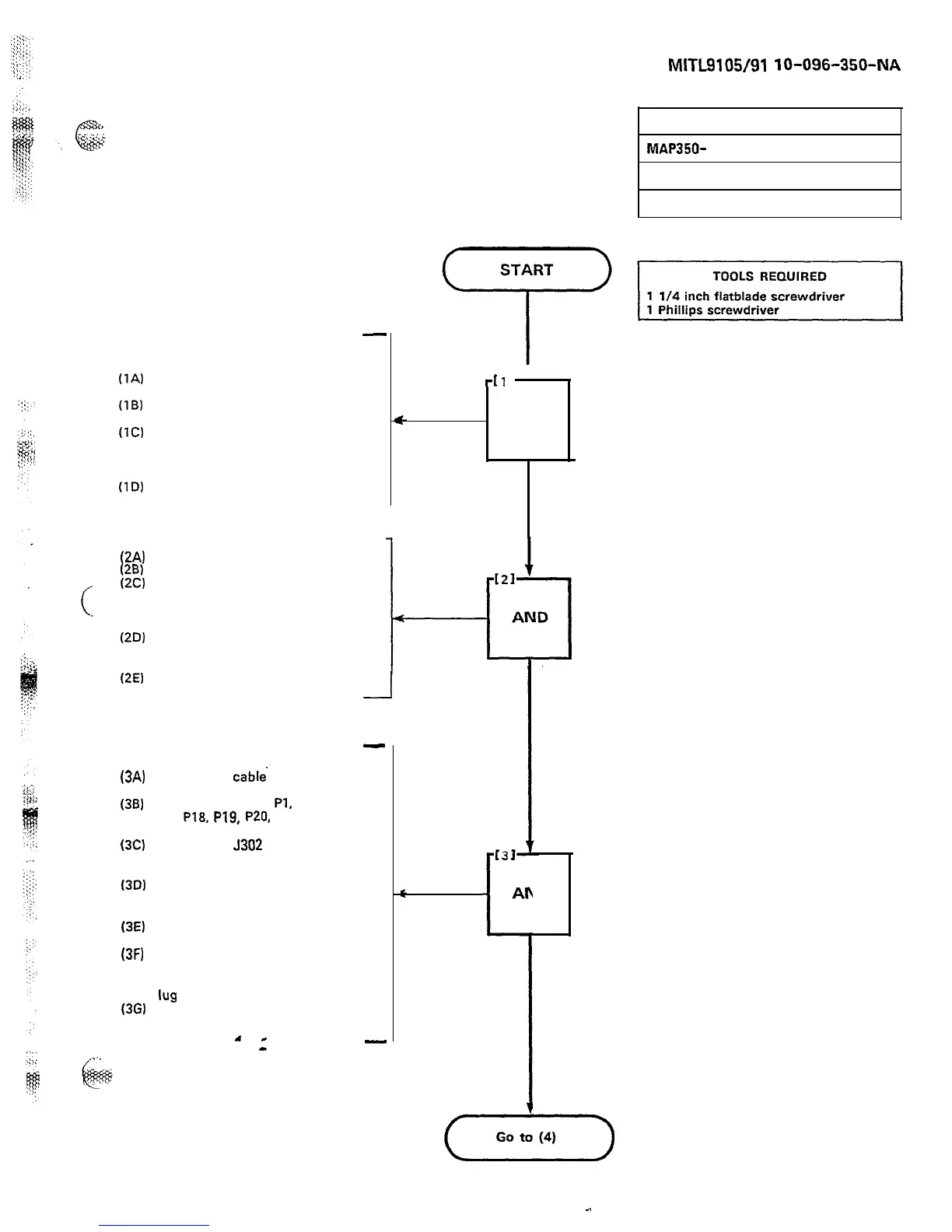
AT FRONT OF CABINET
(FIGURE 400-l)
(1A)
Open the front equipment
cabinet door
(1B)
Turn shelf power off by turning
the system power switch to OFF
(IC)
Turn both primary power
switches off. If there is a
reserve battery pack turn the
battery pack switch off also
(1D)
Remove all AC power cords
from their receptacles
(24
(2B)
cm
WA
Unlock top cover from cabinet
Remove the’tabinet top cover
If the cabinet is wall-mounted
(Figure 400-2). release the
strikes and allow the system to
swing down gently
Remove the four 5-16 in.
binding head screws from the
back cabinet cover
(2E)
Remove the back cabinet cover
-I
-
AT REAR OF SYSTEM (FIGURE 400-3)
(3A)
(38)
(3C)
(3D)
(3E)
(3FI
(3G)
Loosen the
cable-
clamp to
allow 25.4 cm (10 in.) of slack
Disconnect cables
Pl,
P2, P3,
P4,
P18,
P19,
P20,
J13, J14
and J15
Disconnect
J302
(optional), the
maintenance panel connector
and the OOT cable
Disconnect the four cable clamp
screws from the power supply
(Figure 400-4)
Remove the power cables from
the back of the power supply
Disconnect ground wires (from
system cable harness and
power supply) on system ground
Ius3
If system was wall-mounted,
swing back into position
a
-
-
.
-
EXPOSE THE SYSTEM (SX-100)
MAPISO-
400
Issue 3, May 1984
Sheet 1 of 7
-[l
I
t
AND
POWER DOWN
THE SYSTEM
REMOVE TOP
AND BACK
RELEASE CABLES
AND
i
1
(TZ->
Page D-3
-.











 To Next Page