,h...I.
“:‘:$
li;&
;:;+
I::::,
SECTION
MITLSl
OWSl
1
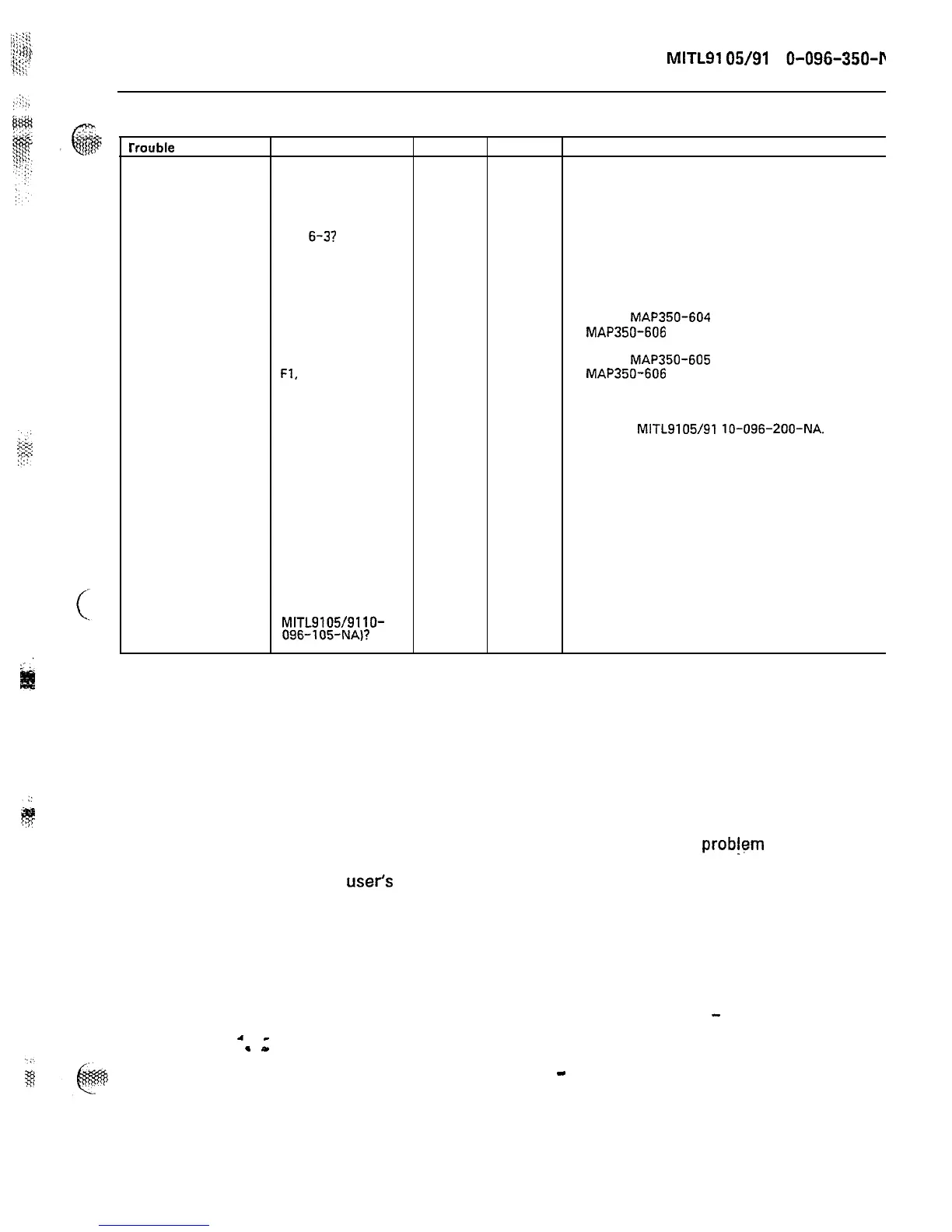
CHART 6-10
rrouble
Check sx-100 sx-200 Action
Reserve battery
backup not
holding the
system up
1. Are all reserve
battery backup
connections as
per Figures 6-2
and
6-3?
X X Make connections as shown
in Figures 6-2 and 6-l. Give
batteries time to charge
(24 hours).
2. Is the battery
circuit breaker in
the ON position?
X
X
Reset breaker.
3. Is the battery
charging LED lit?
4. Are the fuses
Fl,
F2 and
F3 good?
X X
Go to
MAP350-604
(SX-200)
MAP350-606
(SX-100).
X X
Go to
MAP350-605
(SX-200)
MAP350-606
(SX-100).
5. Are the
batteries less
than 4 years
old?
X X Replace batteries as per
Section
MITL9105/91
lo-096-200-NA.
. .
6. Unplug the X X OOT not properly hooked up.
system AC power OOT not functioning.
cord. Is there an Replace charger unit.
audible click from
the charger unit or
does the system
indicate an “on
battery condition”
(i.e., Contact
Monitor, Section
MITL9105/9110-
096-105-NA)?
7. REMOTE MAINTENANCE, ADMINISTRATION AND TEST SYSTEM
RMAT System
4
-
.
-
7.01
The RMAT System was designed to be used by personnel at
maintenance centers to remotely access systems installed at a
customer’s premises. These personnel may obtain maintenance in-
formation or cause programming changes. The system provides a
means of rapidly identifying potential system
prob!em
programming changes to be done without the necessity of visiting the
user’s
premises.
7.02 The facility is provided by:
(a)
A Remote Maintenance Administration and Test (RMAT) System
Controller installed at the Maintenance Center. It consists of the
SX-lOO/SX-200 hardware with a Generic 290 or 291 RMAT
PROM, and includes a Remote Control
-
a standard operating console.
(b) A Remote Control
-
System (RCP) card installed in slot 16 of
Shelf Unit 1 of each SX-lOO/SX-200 system.










 To Next Page