SECTION
MITL9105/911
O-096-350-NA
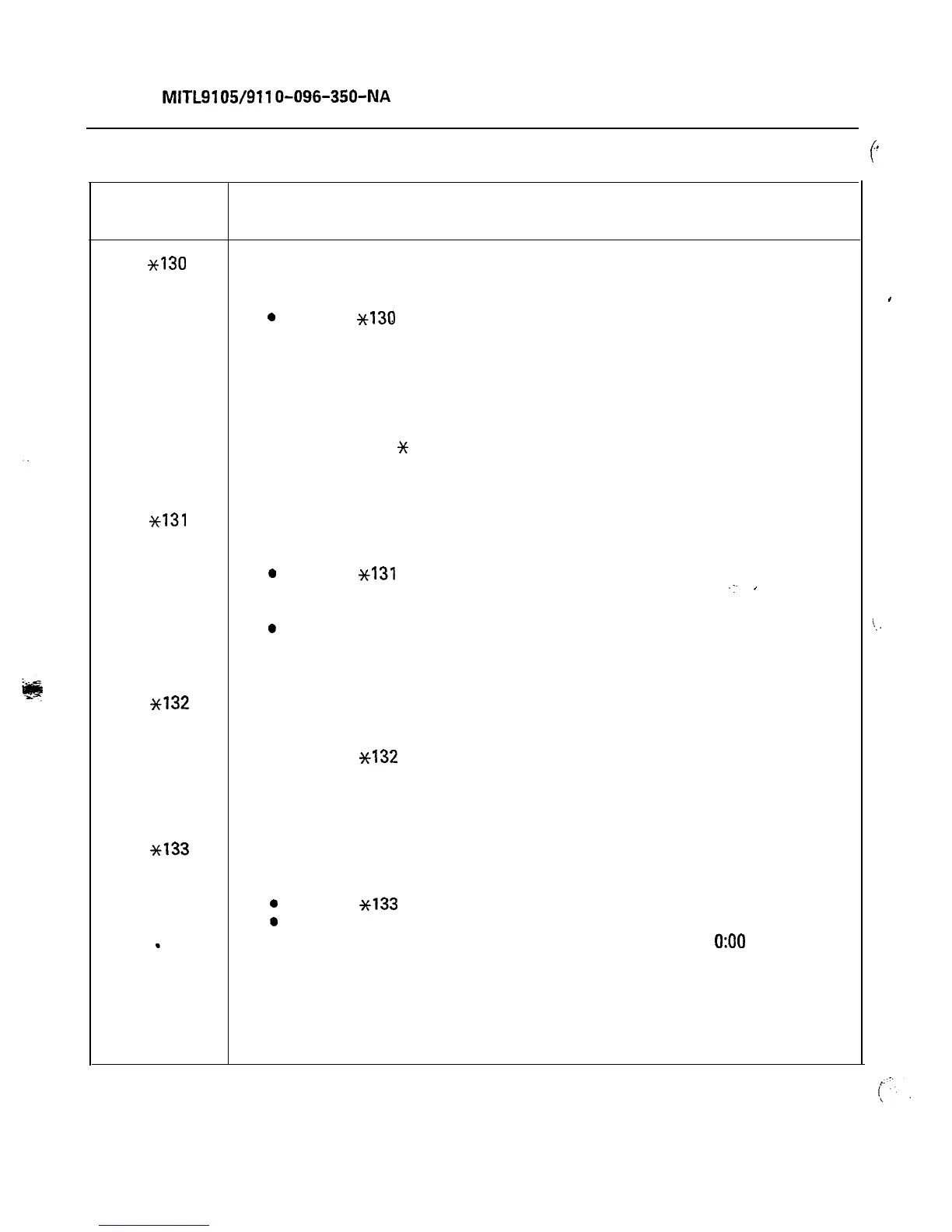
TABLE 4-3
_.
c
TRAFFIC MEASUREMENT FUNCTION CODES
Function
Code
Description
*130
Select Start Time. The start time for a Traffic Measurement run may be
displayed and/or set by the console Supervisor as follows:
0
Enter
~139
from keypad.
l
SOURCE display shows: hhmmx (existing time)
where: hh = hours
mm = minutes
x = P if PM
x = space if AM or 24-hour clock
l
Enter new start time hhmmy (new time)
where: y =
%
if PM
*131
y is not required if AM or 24-hour clock
l
Press RELEASE button.
Select Length of Run. The run length (in multiples of 1 hour) may be
displayed and/or set by the console Supervisor as follows:
0
Enter ~131 from keypad.
l
SOURCE display shows: tt (number of hours).
-:.
’
l
Enter new run time tt (1 to 24).
0
Press RELEASE button.
A run length of 24 means that Traffic Measurement will run
continuously.
~132
Print Traffic Data. Traffic data may be output by the console Supervisor
as follows:
l
Enter
~‘I32
from keypad.
l
Press RELEASE button.
The current count held in the storage registers are output to printer
or tape.
*133
Cancel Traffic Measurement. The traffic measurement run, if in progress,
may be canceled by the Supervisor as follows:
0
Enter
~133
from keypad.
0
Press RELEASE button.
This function results in resetting the start time to
0:OO
if System
Option 150 is enabled (24 hour clock) or to 12:00 if System Option
150 is not enabled. It also resets the run length to 0, and zeroes the
traffic registers. To restart traffic measurement, new start and run
times must be entered. WARNING: If a new time is entered part or
all of the Traffic Measurement may be missed.
For further codes, see Table 4-l and Table 4-2.
I
Page 36











 To Next Page