SECTION MITLSlOW911 O-096-350-NA
I
COMMON CONTROL TEST
~7
MAP350- 701
Issue 3, May 1984
I
Sheet 3 of 4
I
-
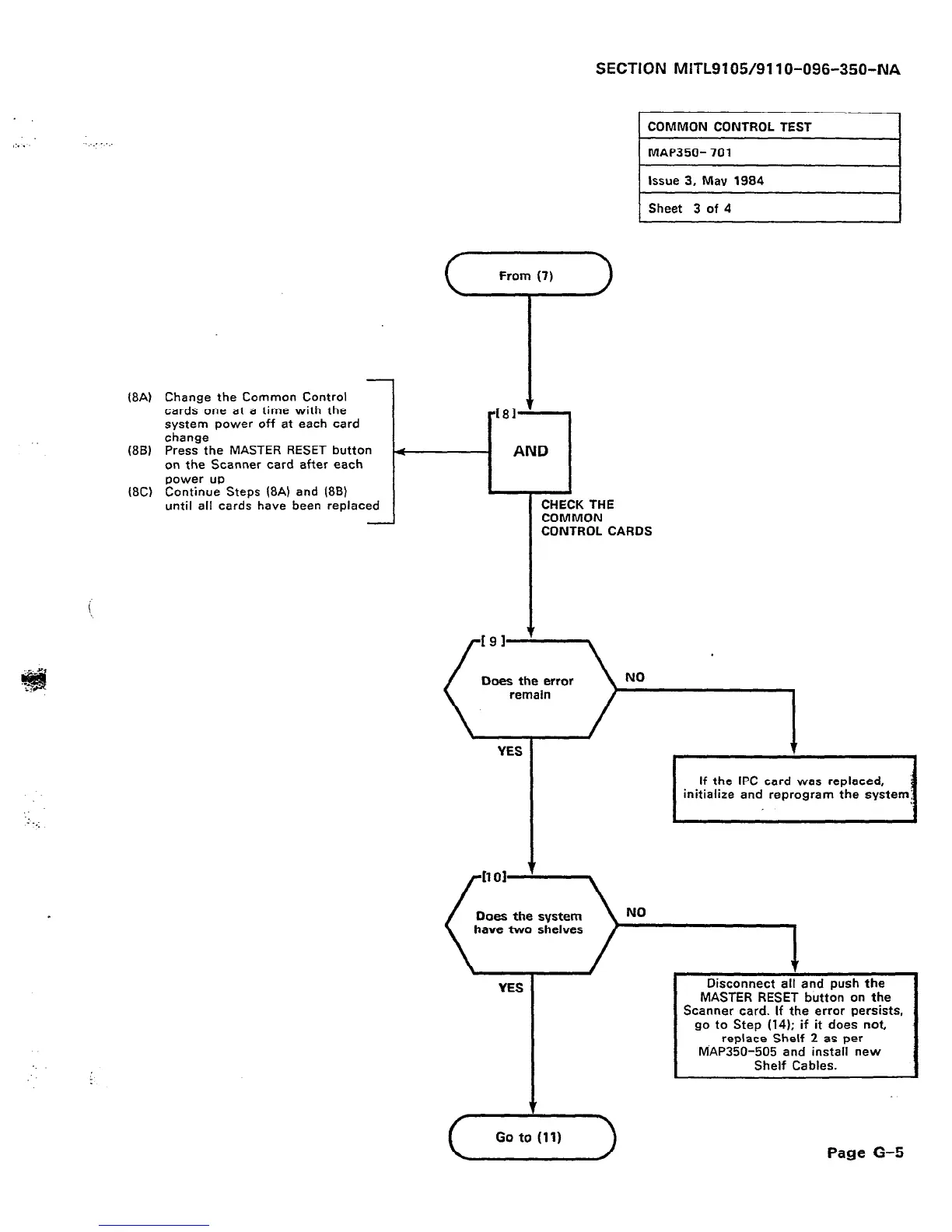
@A) Change the Common Control
cards one at a time with the
system power off at each card
change
(88) Press the MASTER RESET button
on the Scanner card after each
power up
18C) Continue Steps @A) and (86)
until all cards have been replaced
-
YES
If the IPC card was replaced,
initialize and reprogram the
Does the system
have two shelves
YES
T
(-A-)
Disconnect ali and push the
MASTER RESET button on the
Scanner card. If the error persists,
go to Step (14); if it does not,
replace Shelf 2 as per
MAP350-505 and install new
Shelf Cables.
Page G-5











 To Next Page