7Hardware Specifications
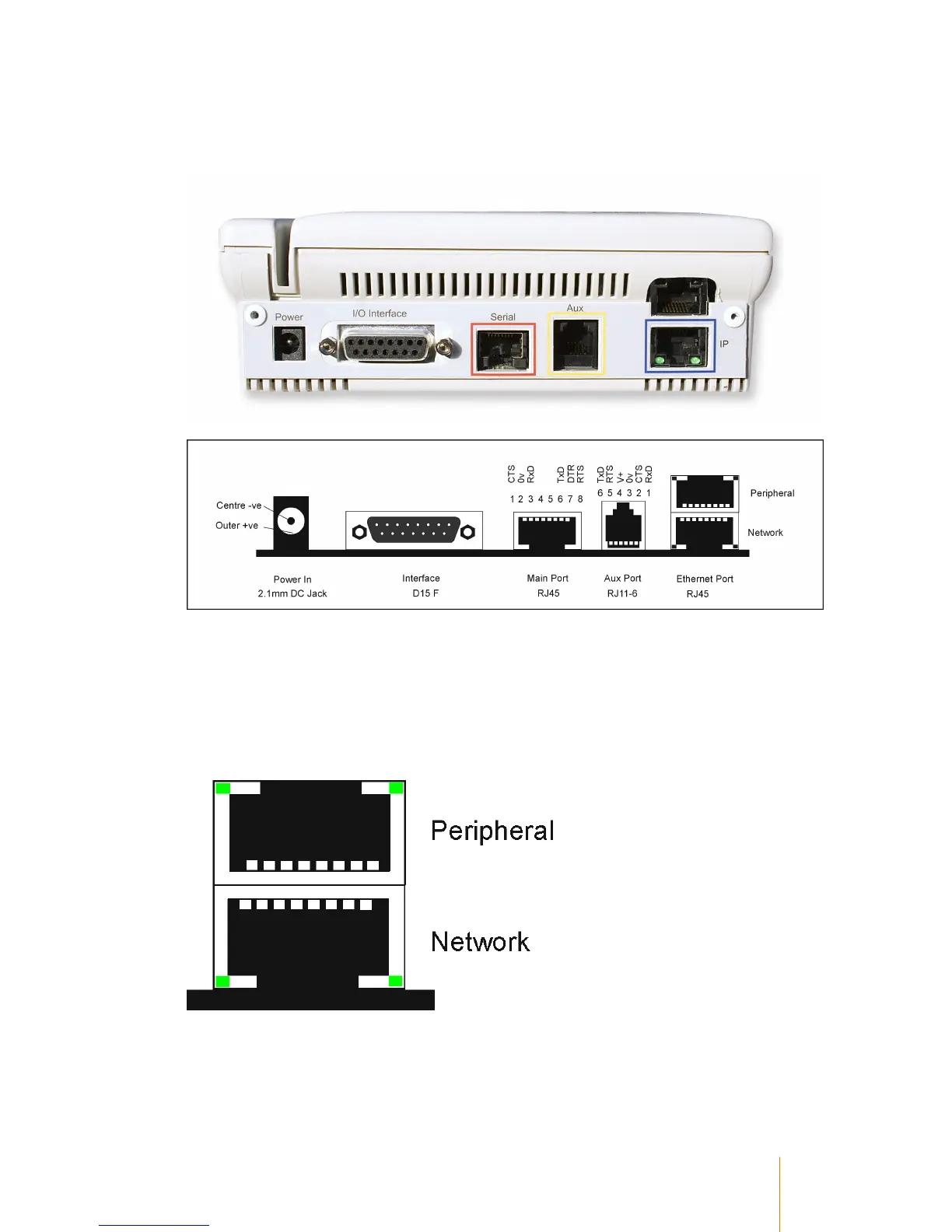
Rear Panel Layout
Ethernet Port
There are two 100Mbit ethernet ports available. They are both connected to an internal hub which
auto-negotiates the speed and duplex. The bottom connector should be connected to the network
point, the top connector may be connected to another device such as a printer. This gives you the
ability to place the terminal in situations where there is only one network point available and its
already being used by another device.
The network connector has two indicator lights for each connector - The right hand light is the
network connection indicator, the left hand light is the network traffic indicator.



 To Next Page