Terminal Operation88
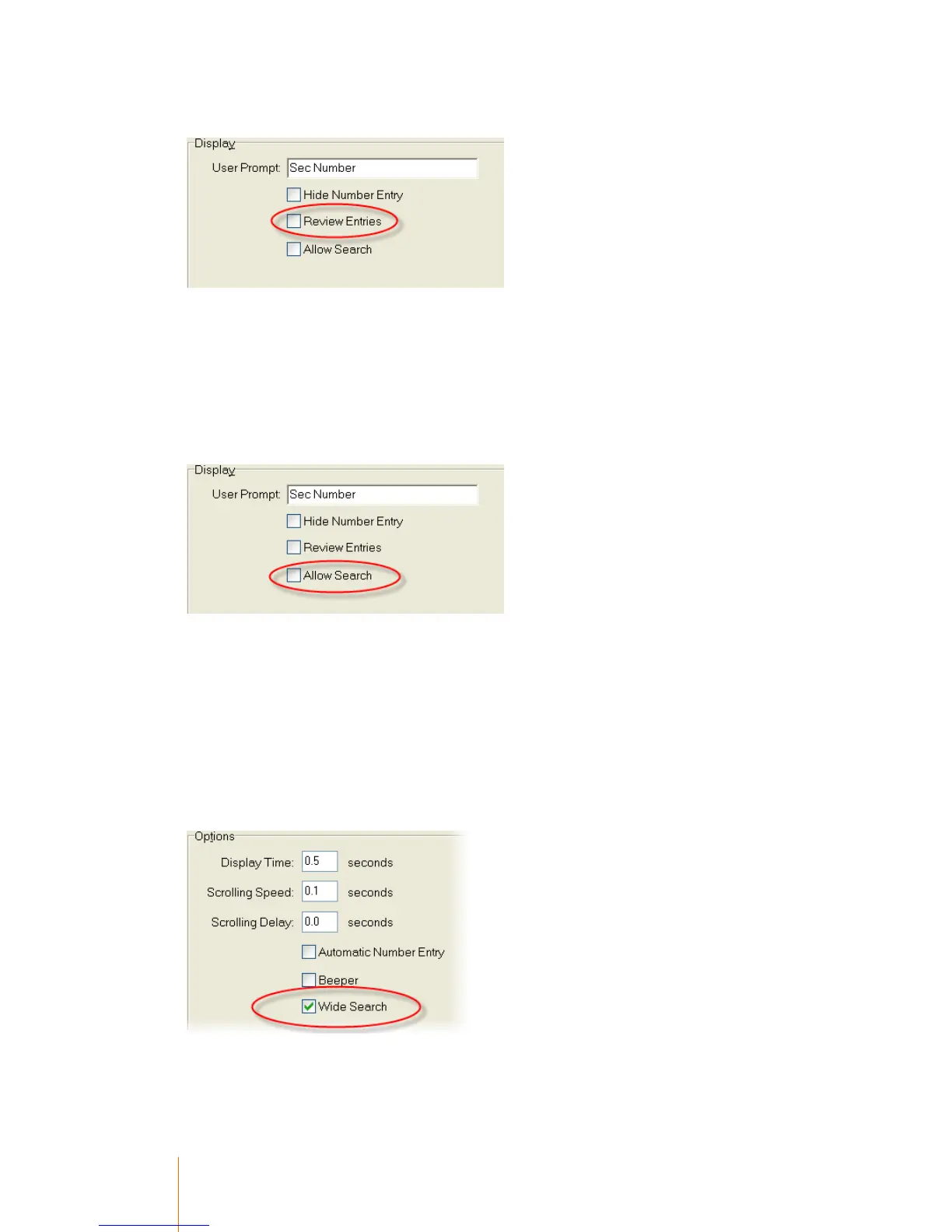
Enable Code Review by ticking the option in the Secondary tab of the terminal setup record.
When prompted for a secondary number, press the Function button and scroll down to Review
last used. Press enter. A list of the last used codes will appear on the screen. You can scroll up
and down the list by using the arrow keys, and select a code by pressing enter.
Searching for codes
You can search for a secondary code by either name or number. This feature must firstly be
enabled in the terminal setup type by ticking the Allow Search box in the Secondary tab.
1. When prompted for a secondary number, press the function button.
2. Pressing the up and down arrow will alternate between Search for number and Search for
name. Press Enter on the option you wish to use.
3. The terminal will display Enter Key =>, at which point you type the first character of the code
you are looking for and press enter.
4. A list of matching codes will appear. Arrow over the code you want to use and press enter.
The terminal will usually only scroll through a list of codes that match the first character that you
entered, however it is possible to make the terminal search past the last code to the next number or
letter in sequence by enabling Wide Search. To do this, tick the Wide Search option in the
General tab of the terminal setup record.



 To Next Page