'How To' guides70
'How To' guides
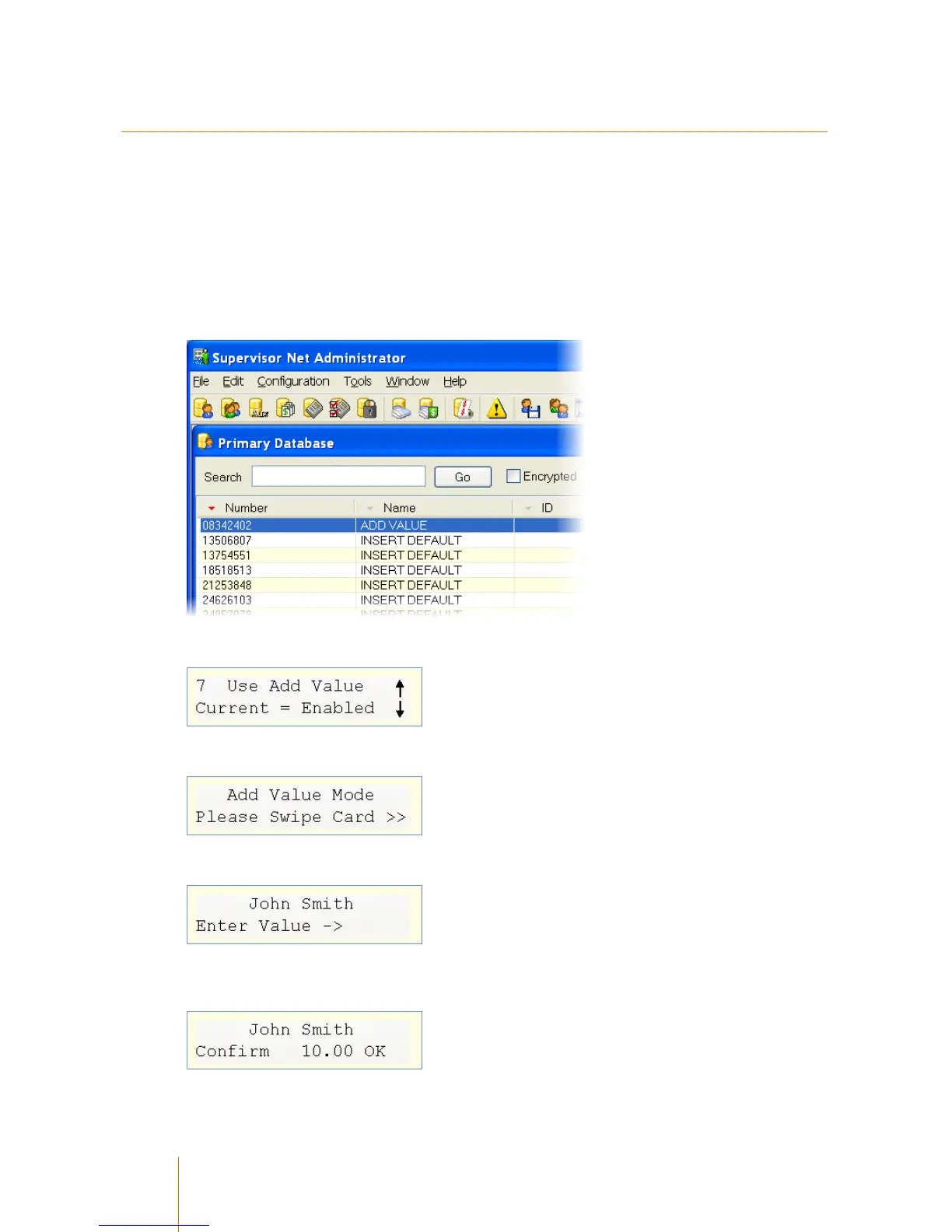
Enabling and using Add-Value Mode
An Add Value terminal allows an administrator to add value to a primary account via a standard
terminal. It requires them to first swipe a special card (or enter a code) and then swipe the
customer's card. They are then able to key in an amount to add to their account.
1. Create a user account with the Name Add Value.
2. Turn the Add Value function on in the terminal's General Setup area.
3. Swipe the Add Value card created in step 1, or enter the code via the terminal's keypad.
4. Swipe the customer's card
5. Enter the value to add and press Enter. The Terminal will confirm this before proceeding. Press
Enter to confirm.



 To Next Page