'How To' guides78
DOOR
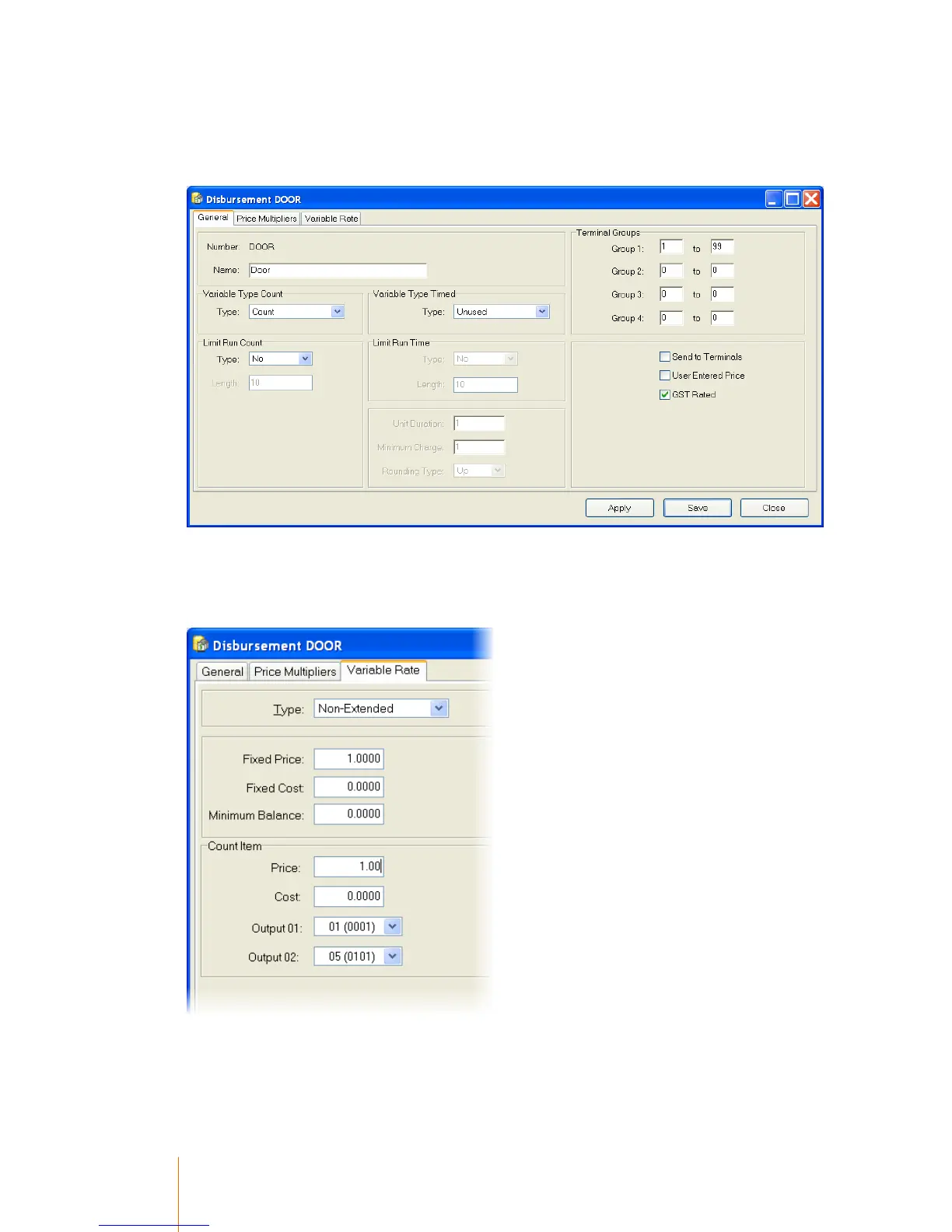
When the disbursement code is DOOR the terminal will use the disbursement in a non-conventional
way. The disbursement should be configured as a standard count disbursement.
The important options in the DOOR disbursement are the relay settings (Output 1 & 2). The Output
1 setting determines which relays are enabled. The Output 2 setting determines, in seconds, the
duration that the relays are closed. In the screen capture below relay 1 will be closed for 5 seconds
and the user is charged $1.00.
If the disbursement is configured with a variable count price then the user will see the amount of
available credits available to them when the initiate a session on the DOOR terminal. In the example



 To Next Page