81'How To' guides
GOLF
The golf disbursement is designed to allow a system user to swipe a card and then select, via a
terminal keyboard, how many buckets of golf balls they want. The terminal will open and close its
relays for a technician configured amount of times and duration.
Implementation
1. Set the terminal to multi disbursement mode via the terminal setup menu. This option is settable in
the general setup / change run mode.
2. Create a disbursement number “Golf”, it does not matter what name you use for this
disbursement. This is the dummy disbursement, set it as the terminals auto disbursement in the
terminal setup record.
3. Create extra golf disbursements with a number after them i.e. Golf1 , Golf2. The name of each of
these disbursements is important as it determines the amount of times the terminal pulses its relays,
for how long and which relays get pulsed.
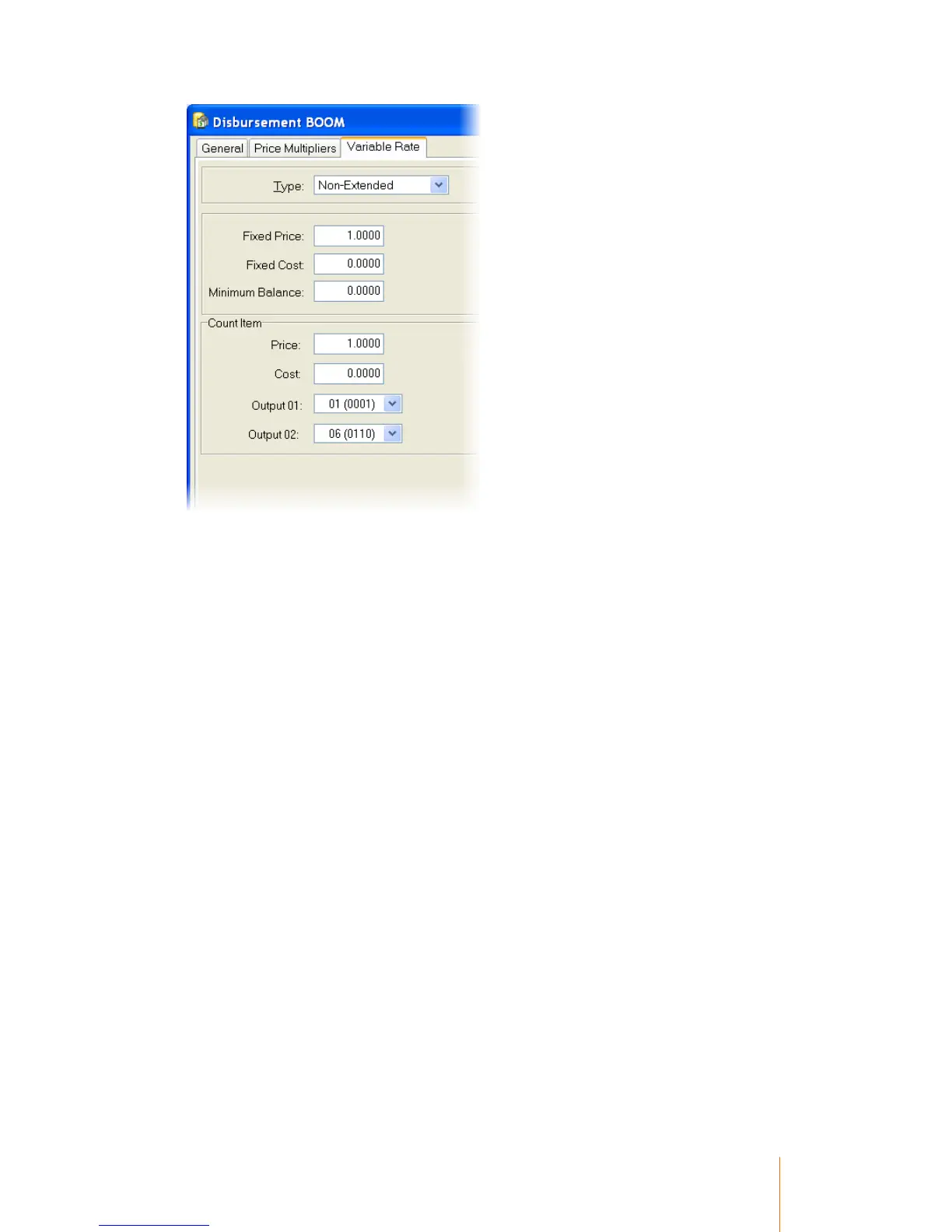
Disbursement Details
The Disbursement name must be GOLFnndddddd (except for the dummy disbursement) where:
nn is the Number of Golf Buckets ( The Number of Pulses and the Count value ). This MUST be 2
digits.
dddddd is the Delay time between pulses in Milli Seconds. This may be 1 to 8 digits.
The Count Output 1 value is the number of Relays turned on ( as per a photocopies ). The Count
Output 2 Value is the number of 500 Milli Seconds units for the pulse time.
Relay 2 is turned ON at the start of the 1st pulse and turned Off after the delay following the last
pulse. This ASSUMES that the Count Output 1 value does NOT include relay 2. Otherwise relay 2
will turn off and on the same as other relays.
While the session runs the top line displays the current Account balance and the bottom line shows
the number of available credits.



 To Next Page