Terminal Operation86
Keypad Functions
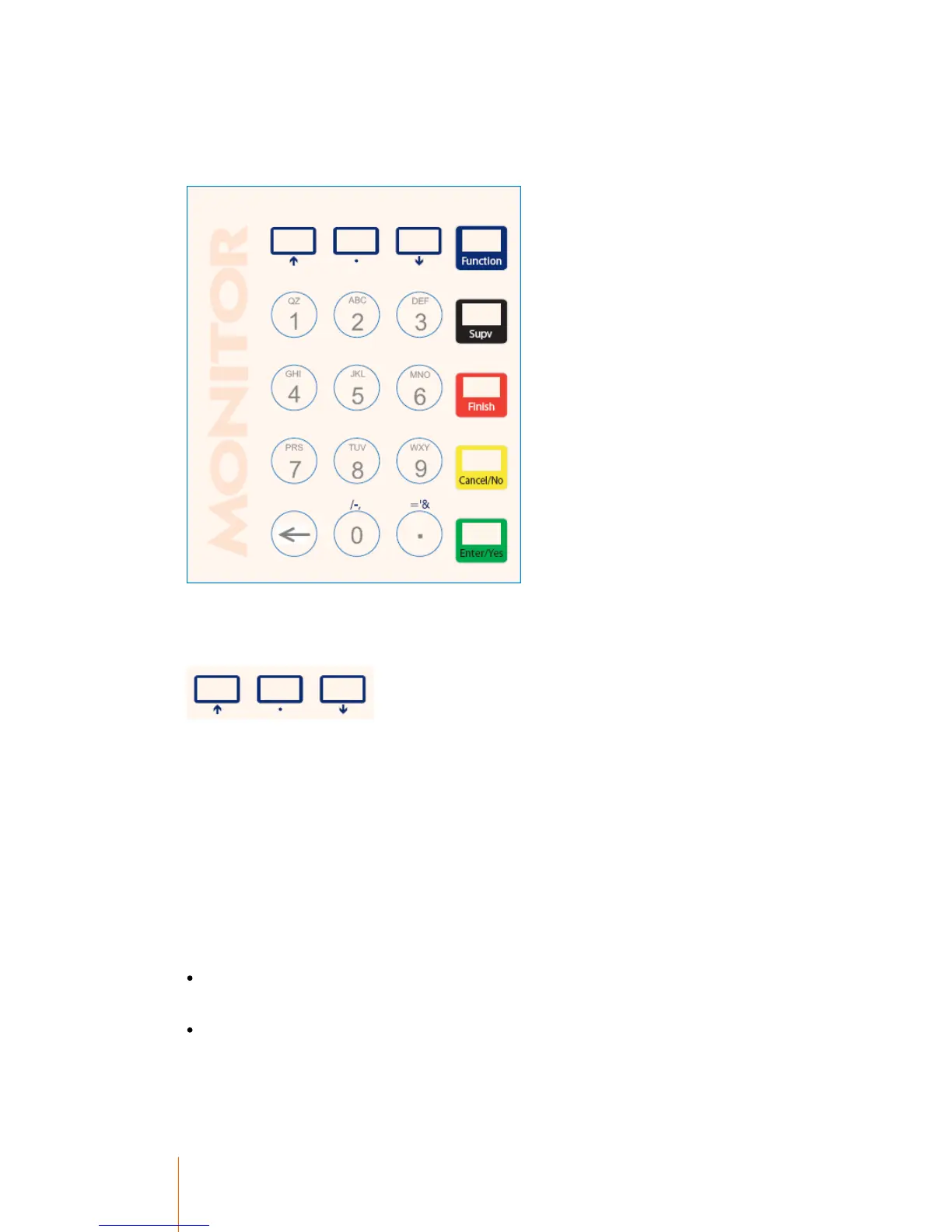
The MB20 Terminal has 20 keys which includes the 10 alpha-numeric keys and the special
character/function keys.
Special Function Buttons
These buttons are the up, down and Menu Top buttons.
Pressing the arrow buttons while in a menu will scroll up and down. Pressing the center dot button
will move to the first item in the menu.
These buttons are also used for choosing alphabetical characters. This is achieved by pressing the
number key with the desired alpha character on it, followed by the corresponding button. E.G. To
choose the K character, press the number 5 button followed by the center dot button. To choose the
Y character, press the number 9 button followed by the down arrow button.
Function Button (Blue)
The function button is used to gain access to additional options when in a session. These options
are dependant on how the terminal is configured and what the user's record is set up to do. The full
list of possible functions are:
When prompted for a Secondary code, pressing the function button will provide you with the
secondary code search functions, if enabled.
When prompted for an Auxiliary code, pressing the function button will provide you with the
auxiliary code search functions, if enabled.



 To Next Page