83Terminal Operation
Terminal Operation
The terminal is a very flexible device offering many different features and modes of operation.
Basic Functions
Prompts and Displays
Many of the prompts are able to be customised for your site.
Initial Prompt
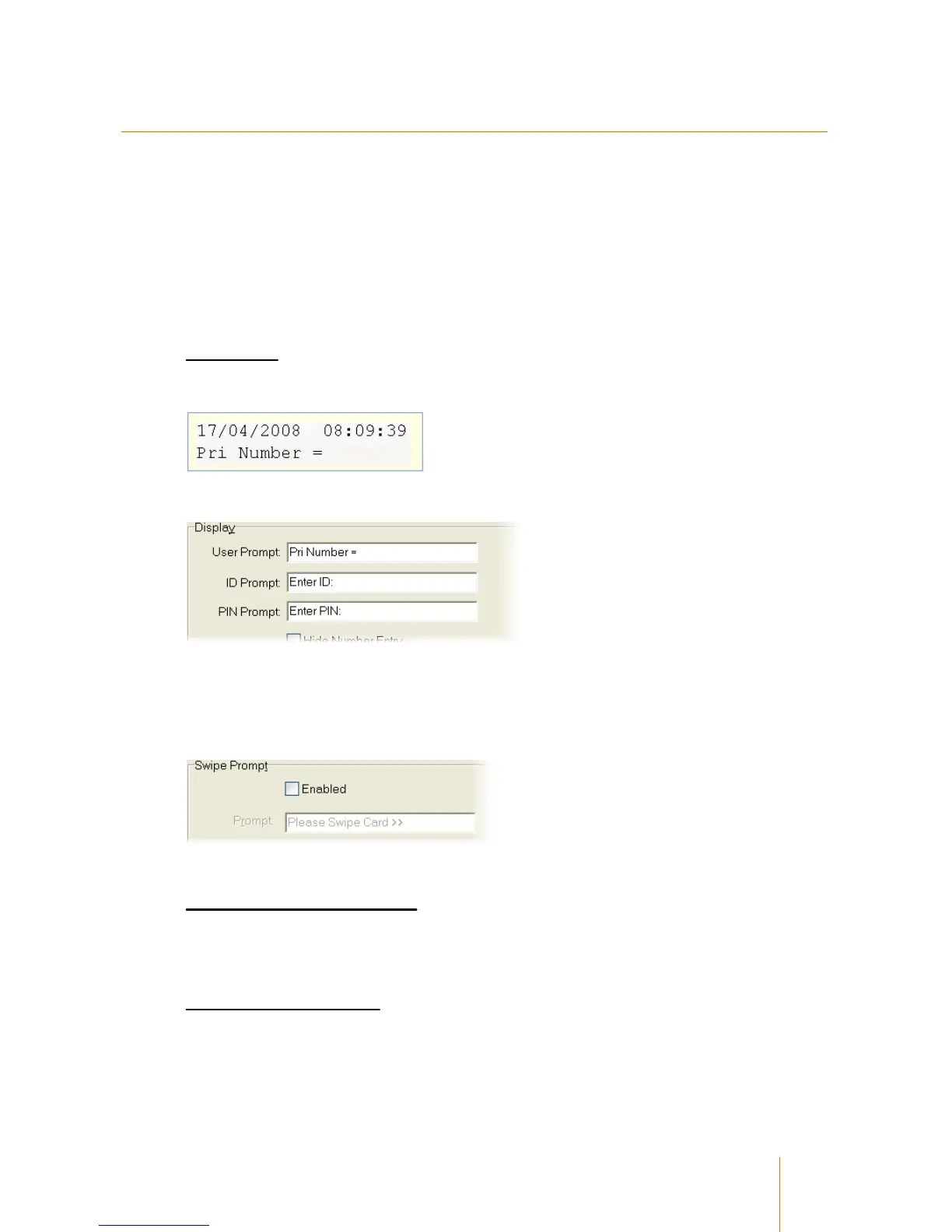
The default prompt will look like:
The initial user prompts are altered in the Terminal Setup record in the Primary tab.
The User Prompt is the very first prompt that the user encounters. Suggested options are Enter
Code >> or Enter User Number >>.
The PIN Prompt is displayed if the user has a PIN number enabled in their record.
The User Prompt is overridden by the Swipe Prompt in the Card Reader tab:
This prompt is used when the user is swiping a card rather than entering a code.
Secondary and Auxiliary Prompts
When the user is prompted for a Secondary or Auxiliary code, the User Prompt in the
Secondary and Auxiliary tabs of the terminal setup record are used in the same way as the
initial prompt.
Disbursement Entry Prompt
When an Auto Disbursement is not being used, the terminal will prompt the user for a disbursement
number. This is configured in the Disbursement tab of the temrinal setup record.



 To Next Page