SNMP Trap
SNMP trap server IP: Use this field to indicate the IP address to use for receiving SNMP traps.
Trap version (default=v2): Use this field to select the SNMP trap version.
Trap community (default=public):Use this field to designate the SNMP trap community.
Maintenance
Console Setting
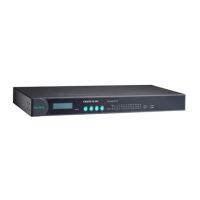
On this screen, access to different CN2600 configuration console options (HTTP, HTTPS, Telnet, SSH) can be
enabled or disabled. The CN2600 front panel, known as the LCM (Liquid Crystal Module), may be configured for
read-only or writeable access. In other words, you can use the front panel to check console settings only (read
only access) or to actually make changes to the settings (writeable access). Note that if the console is
password-protected and LCM is configured for writeable access, you will need to enter the password to submit
any console setting changes. Please refer to Change Password later in this chapter for more information on
passwords. Finally, you may also enable or disable the reset button.


 To Next Page
 Loading...








