SHOP MANUAL MT26/31 - 08.2006 SHOP MANUAL MT26/31 - 08.2006
SHOP MANUAL MT26/31 - 08.2006 SHOP MANUAL MT26/31 - 08.2006
TRANSMISSION
Ch 2 page 38
a) Switch off the ignition !
b) Connect the Laptop via the programming adapter “DPA-03” (Order -No.: 504673) and the standard
adapter cable (order No.:504674 with the diagnostic connector of the vehicle.
c) Switch on the ignition!
d) Now, start the “Testman” with a double-click on the icon on the Laptop!
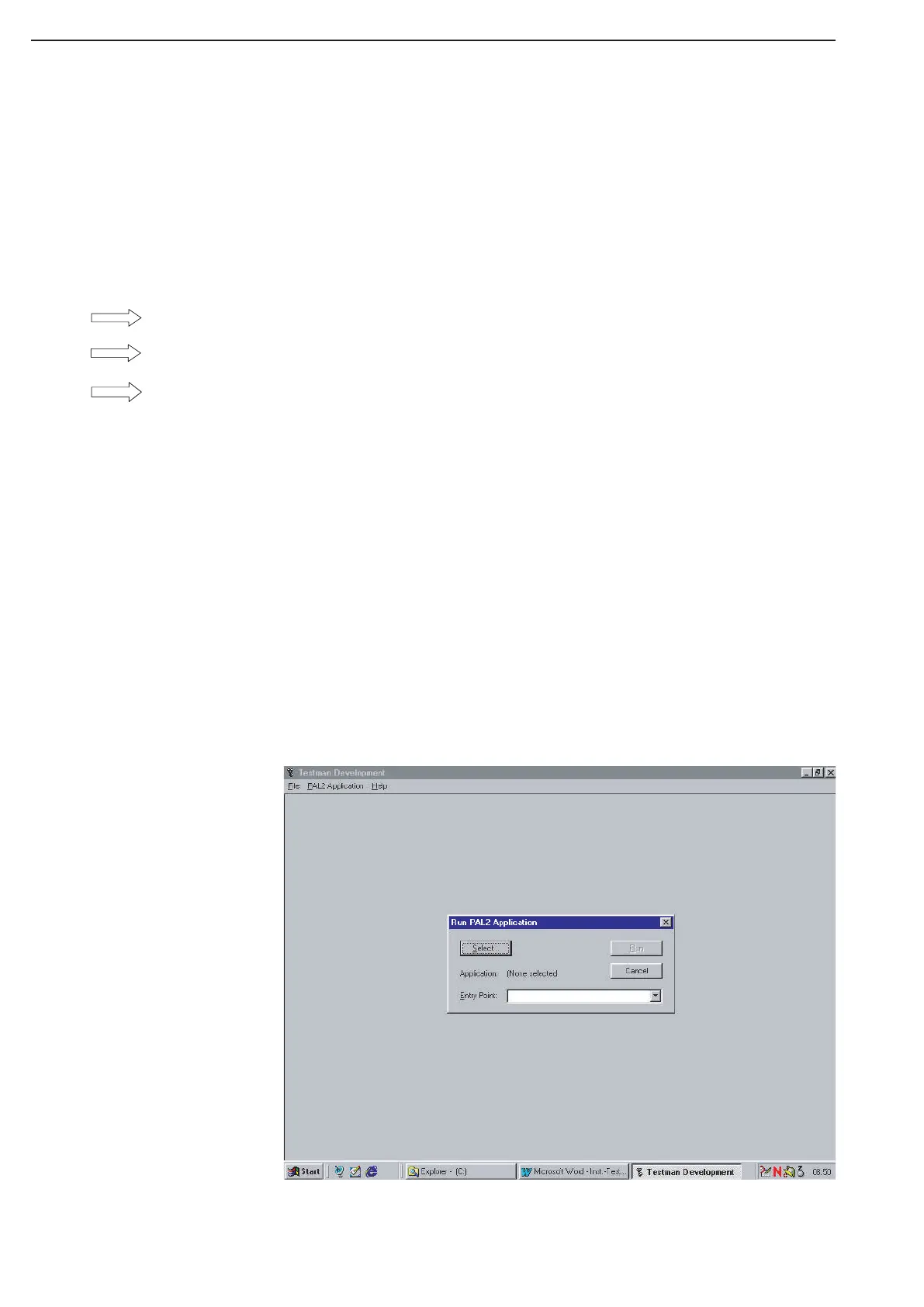
e) If the “Testman” is started, you will have a bar with three item:
File (For the termination of the Testman)
Pal2Application (for the selection of the application)
Help (for assistanse)
f) To load an application, actuate with the mouse the selection
“Pal2Application”.
g) A selection bar opens with the menu item “RUN”.
h) Actuate “RUN”.
i) Now you have the figure as shown below.
Now, click here on “Select...,”
Start of Testman
Prosedure



 To Next Page