MSENSE
®
DGA 9 7045899/02 EN – 11.2020 Page 101
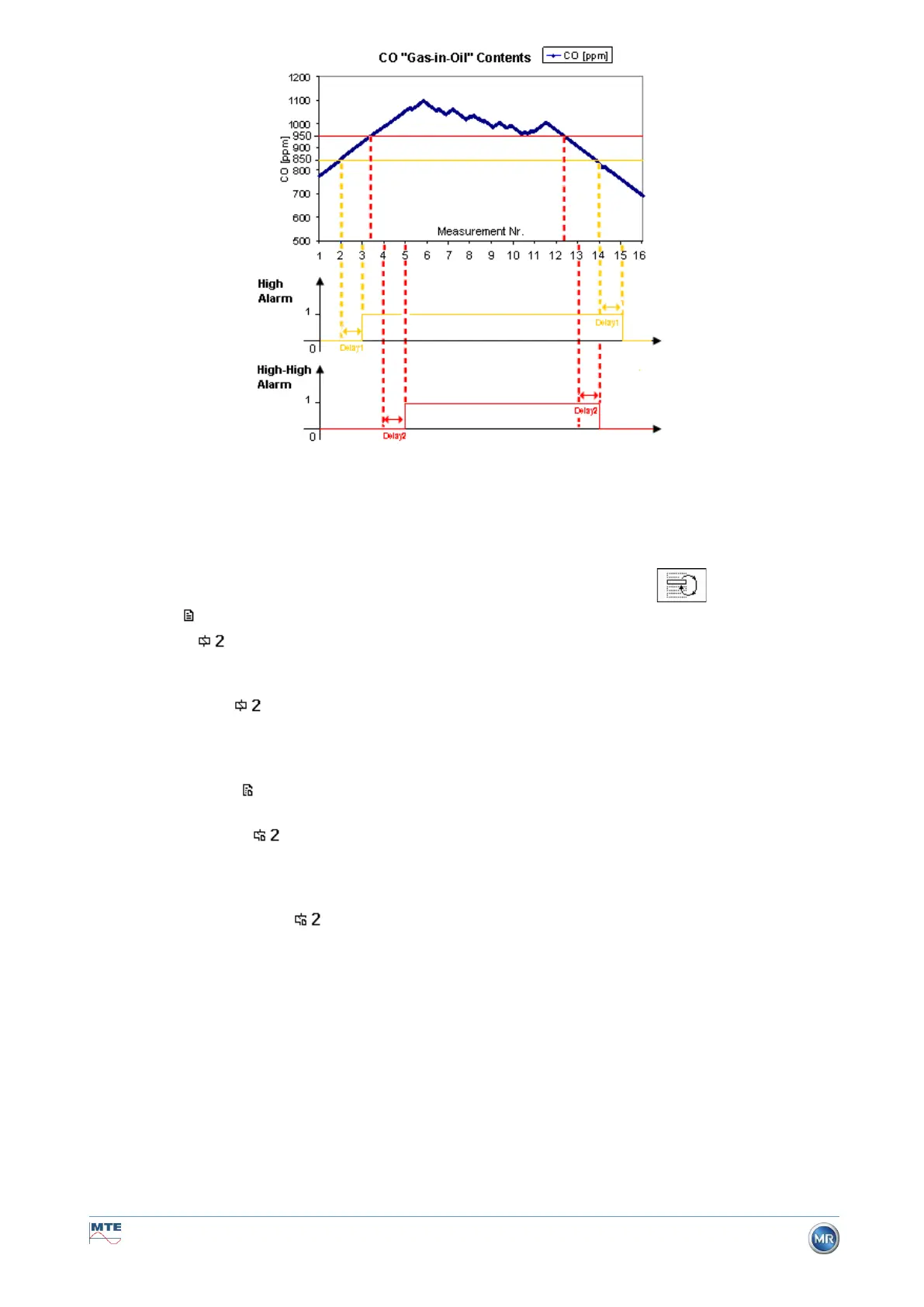
Remark: The standard measurement interval of the “gas-in-oil” measurement lasts 60 min.
6.10.3.2.4 Alarm settings – Action
When in the line action, the following selection can be made by pressing the key:
• Entry : A status change is saved in the alarm history, this must be acknowledged.
• Output : A status change is saved in the alarm history, this must be acknowledged. In
addition, an output is set depending on the selected mode when the threshold is breached
either upwards or downwards. This output is reset as soon as the alarm is no longer pending.
• Output held : A status change is saved in the alarm history, this must be acknowledged. In
addition, an output is set depending on the selected mode when the threshold is breached
either upwards or downwards. When leaving the alarm condition, the output remains switched
on until it is acknowledged manually.
• Entry & SMS : A status change is saved in the alarm history, this must be acknowledged. In
addition, an SMS is sent to the pre-defined recipients. (Option not available)
• Output & SMS : A status change is saved in the alarm history, this must be acknowledged.
In addition, an output is set depending on the selected mode when the threshold is breached
either upwards or downwards, and an SMS is sent to the pre-defined recipients. (Option not
available)
• Output held & SMS : A status change is saved in the alarm history, this must be acknowl-
edged. In addition, an output is set depending on the selected mode when the threshold is
breached either upwards or downwards. When leaving the alarm condition, the output remains
switched on until it is acknowledged manually. Furthermore, an SMS is sent to the pre-defined
recipients. (Option not available)
Remark: The entry in the alarm history is always active as soon as an alarm has been defined!!!
It is possible to assign different alarms to the same output, in order that so-called “collective alarms”
can be defined.



 To Next Page