MSENSE
®
DGA 9 7045899/02 EN – 11.2020 Page 120
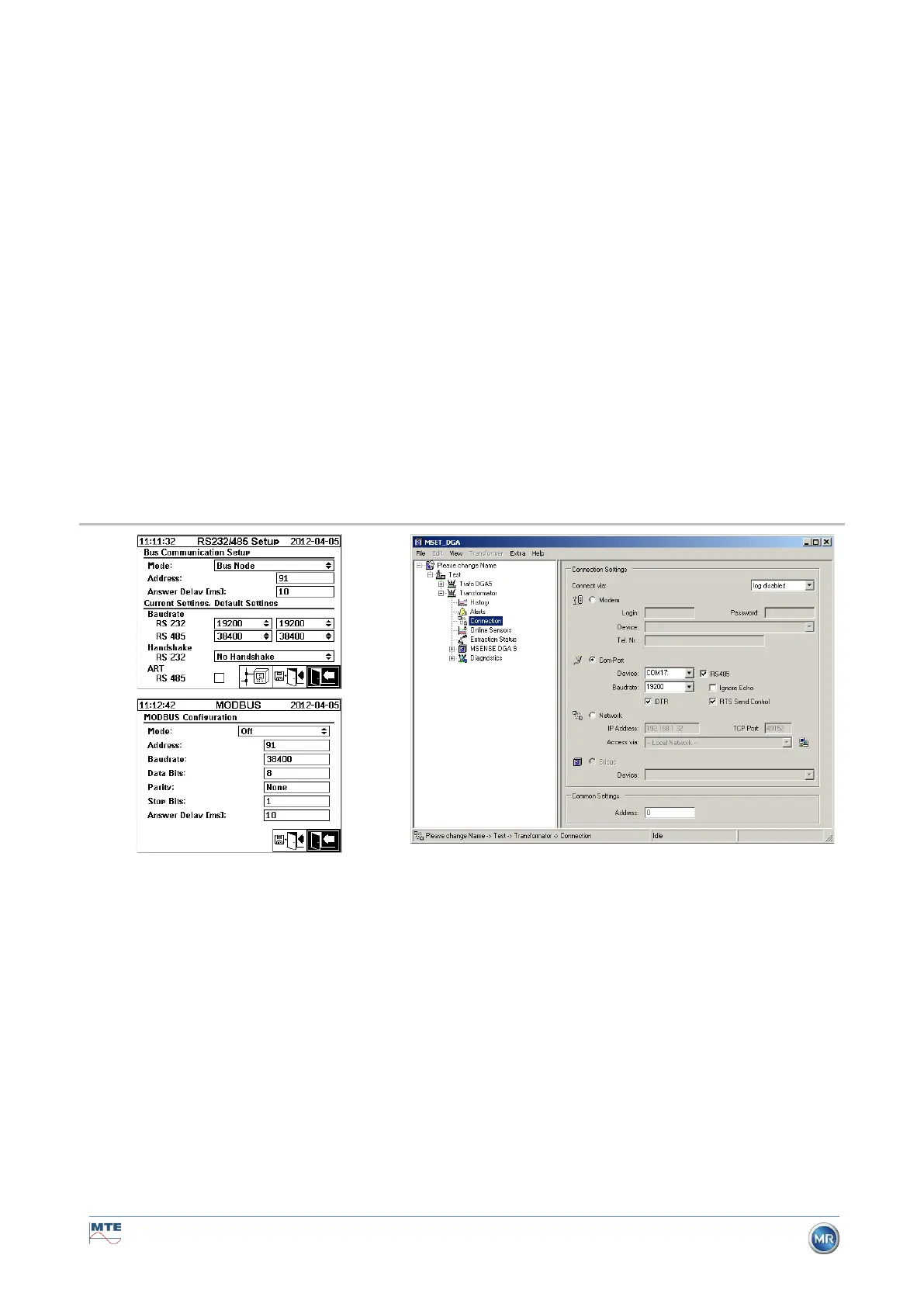
Bus communication settings in the MSENSE® DGA 9 device:
• Set mode to “Bus bridge”
• One-to-one address (1 ... 254) for each device in the RS485 bus.
Remark: There can currently be up to 32 devices in the same RS485 bus.
• “Response delay” (0 ... 2550) (recommended value: 0).
• Baud rate RS485 (300 ... 115200) (current setting)
• Baud rate RS232 (300 ... 115200) (current setting)
• Set MODBUS mode to “Off”
Connection settings in MSET DGA:
• Connect via: Serial
• Set correct connection
• Check box RS485 must not be selected!
• Configure baud rate RS232 (same as with the gateway device)
• General settings: Enter the correct address (own Bus address)
Bus Bridge – BusDevice Settings
Bus communication settings in the MSENSE® DGA 9 device:
• Set mode to “Bus node”
• One-to-one address (1 ... 254) assigned to each device in the RS485 bus
Remark: There can currently be up to 32 devices in the same RS485 bus.
• “Response delay” (0 ... 2550) (recommended value: 0).
• Baud rate RS485 (300 ... 115200) (current setting)
• Set MODBUS mode to “Off”
Connection settings in MSET DGA:
• Connect via: Bridge
• Device: Selection of the MSENSE® DGA 9, which serves as communication gateway
• General settings: Enter correct address (own Bus address)


 To Next Page