MSENSE
®
DGA 9 7045899/02 EN – 11.2020 Page 137
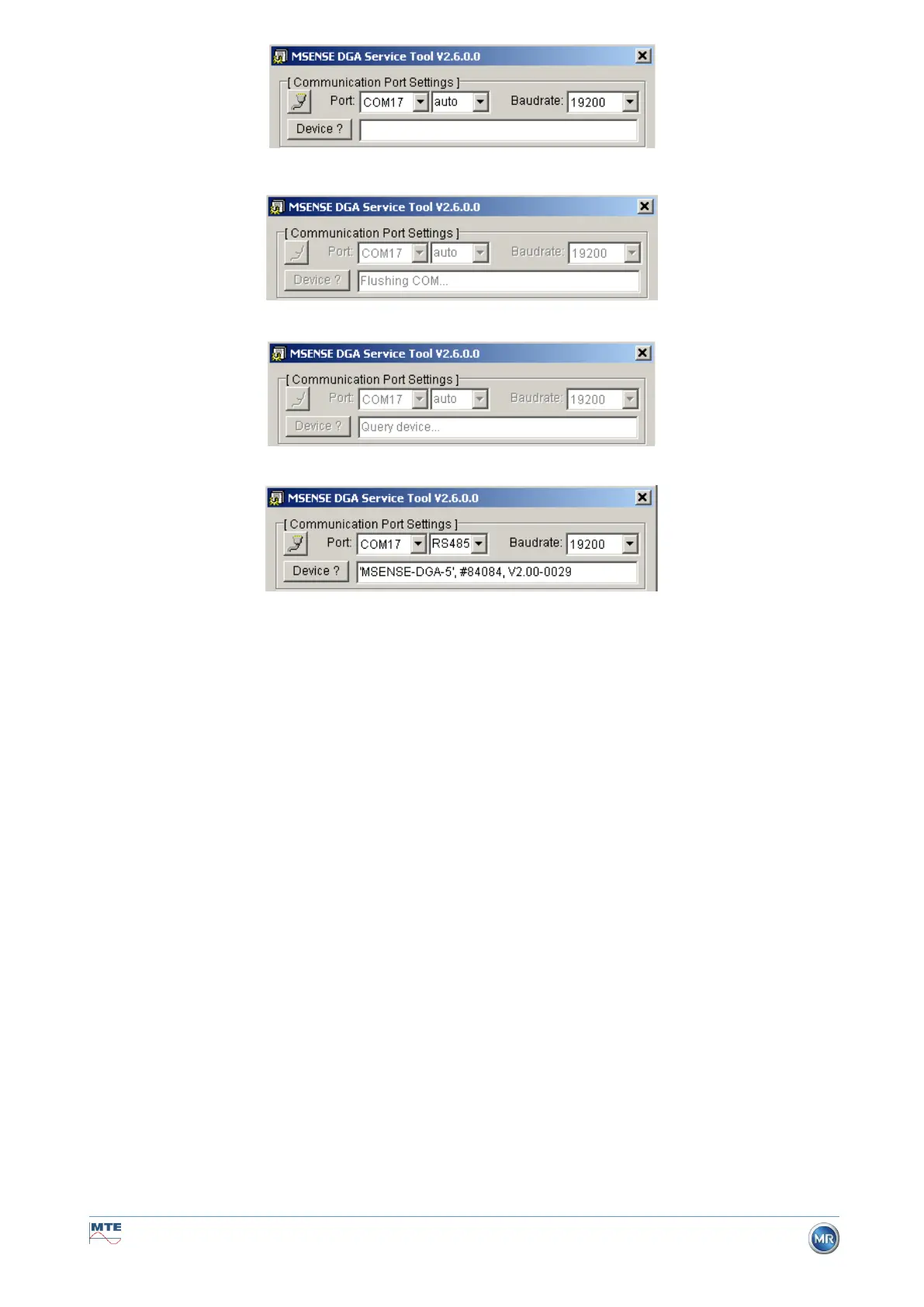
• Start the device detection process
• The device detection is executed
• The device has been detected
Figure: Device detection sequence
• Following the successful device detection process, the text field Device? displays the following
content (here using the example of MSENSE DGA 5):
• Device name: 'MSENSE-DGA-5
• Serial number: #84084
• Firmware version: V2.00-B0029
If the device has not been detected, please ensure that the port and baud rate settings are correct, and
then try again. When using Ethernet, the connection to the device can be tested with a PING command.
It is important to ensure that the IP address and port number are set correctly.



 To Next Page