MSENSE
®
DGA 9 7045899/02 EN – 11.2020 Page 138
9.1.7.3.4 Firmware and parameter update
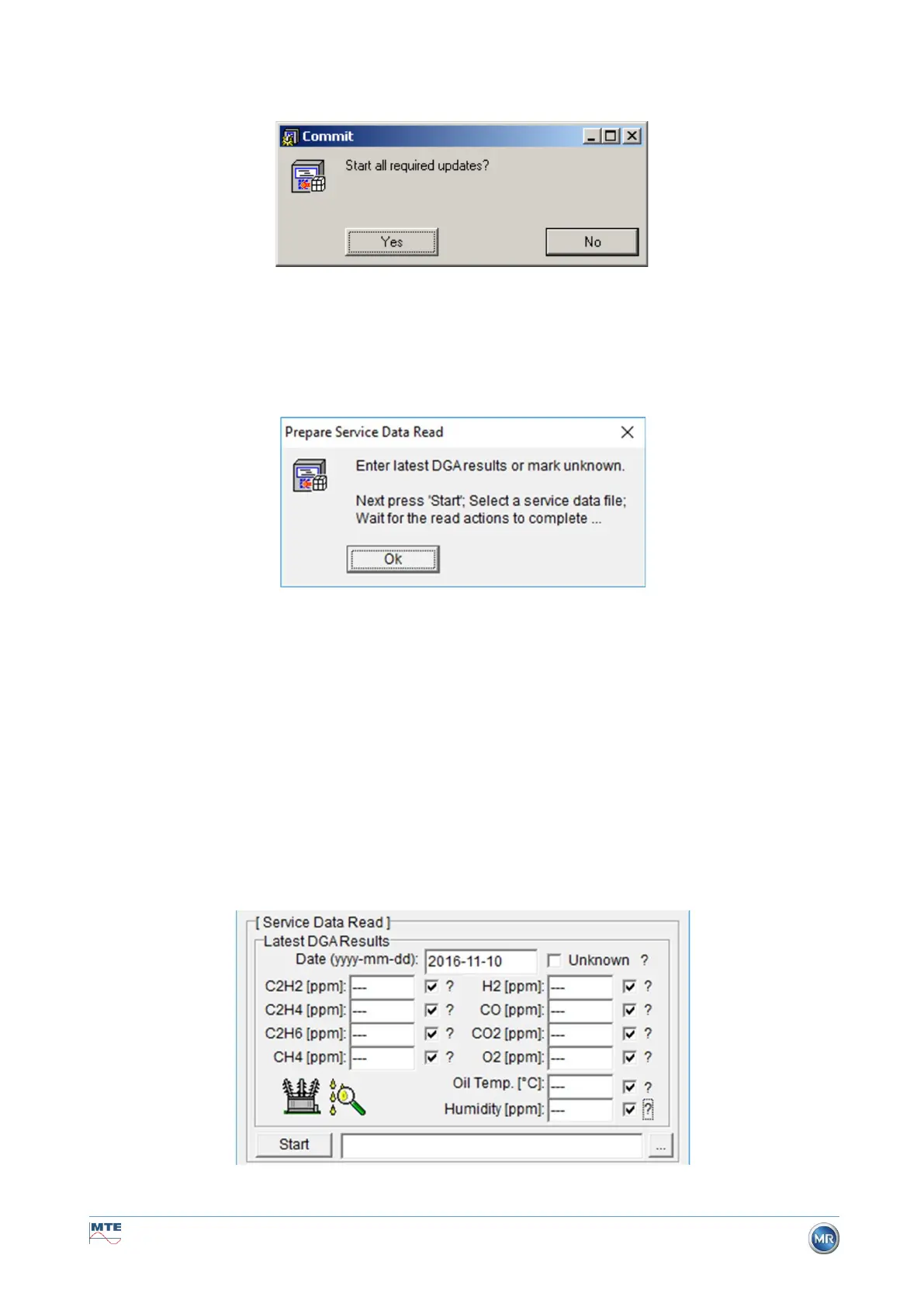
Please note: In the event of a device fault a firmware update may not be carried out.
Window update request
In such a case, please close this dialogue box by pressing the “No” key to skip the update process.
If there is no fault with the device, an update can be started by clicking on the “Yes” key.
If the following message appears at the start, no update is necessary, and this message can be
acknowledged with OK.
9.1.7.3.5 Service data read
In the event of a fault affecting the MSENSE® DGA 9, the MSET DGA Service Tool may only be
used to read out the service data (configuration, parameterisation, diagnostics and measurement
data).
9.1.7.3.6 Latest DGA results
In order to read-out the service data using the MSET DGA Service Tool, you must first enter the results
of the latest DGA analysis (Dissolved Gas Analysis), which you will have received from the laboratory.
Depending on the MSENSE® DGA type in use, different reference gas values are required.
Where available, the numbers (date & reference gas values) are entered in the corresponding fields.
Otherwise, the “?” selection fields must be selected.
Figure: Latest DGA results



 To Next Page