USER MANUAL NOVAplus
MRU GmbH, D-74172 Neckarsulm 24 / 95
4 Operating
4.1. Display
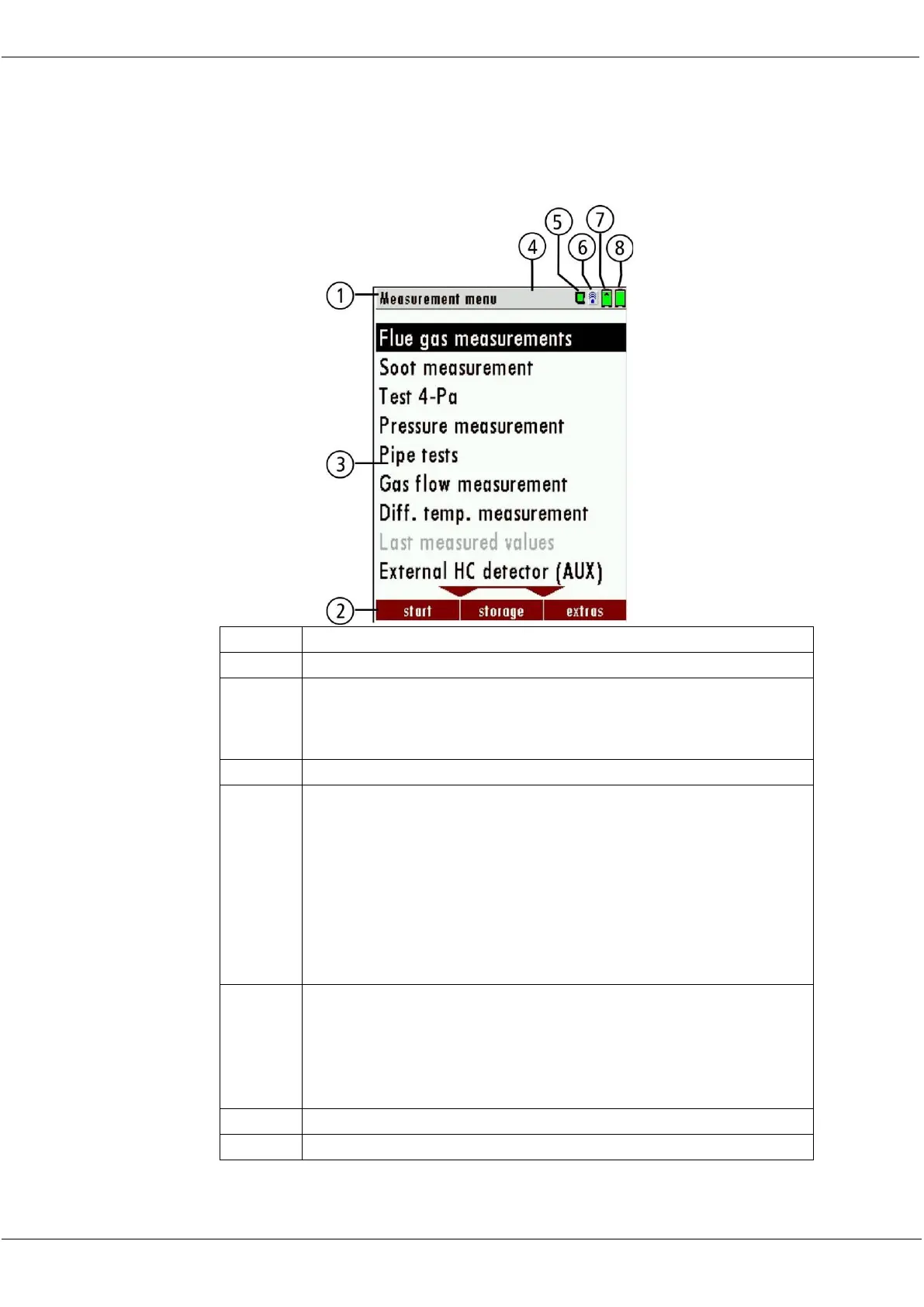
All information required to operate the analyzer is displayed as shown
below.
Display panel
Menu
Measurement value,
SD-Card in the slot
Indication green Read- and write access
Indication yellow only Read access (SD-Card write pro-
tected)
Indication red SD-Card is damaged SD-Card is dam-
aged
Blue: Bluetooth connection base unit to RCU
Red: No Bluetooth connection base unit to RCU
Yellow: Base unit is in the update mode
(Press ON-key at the base unit for changing to the
measurement mode)
Battery charge condition base unit
Battery charge condition RCU



 To Next Page