USER MANUAL NOVAplus
MRU GmbH, D-74172 Neckarsulm 36 / 95
Setting 0
2
reference
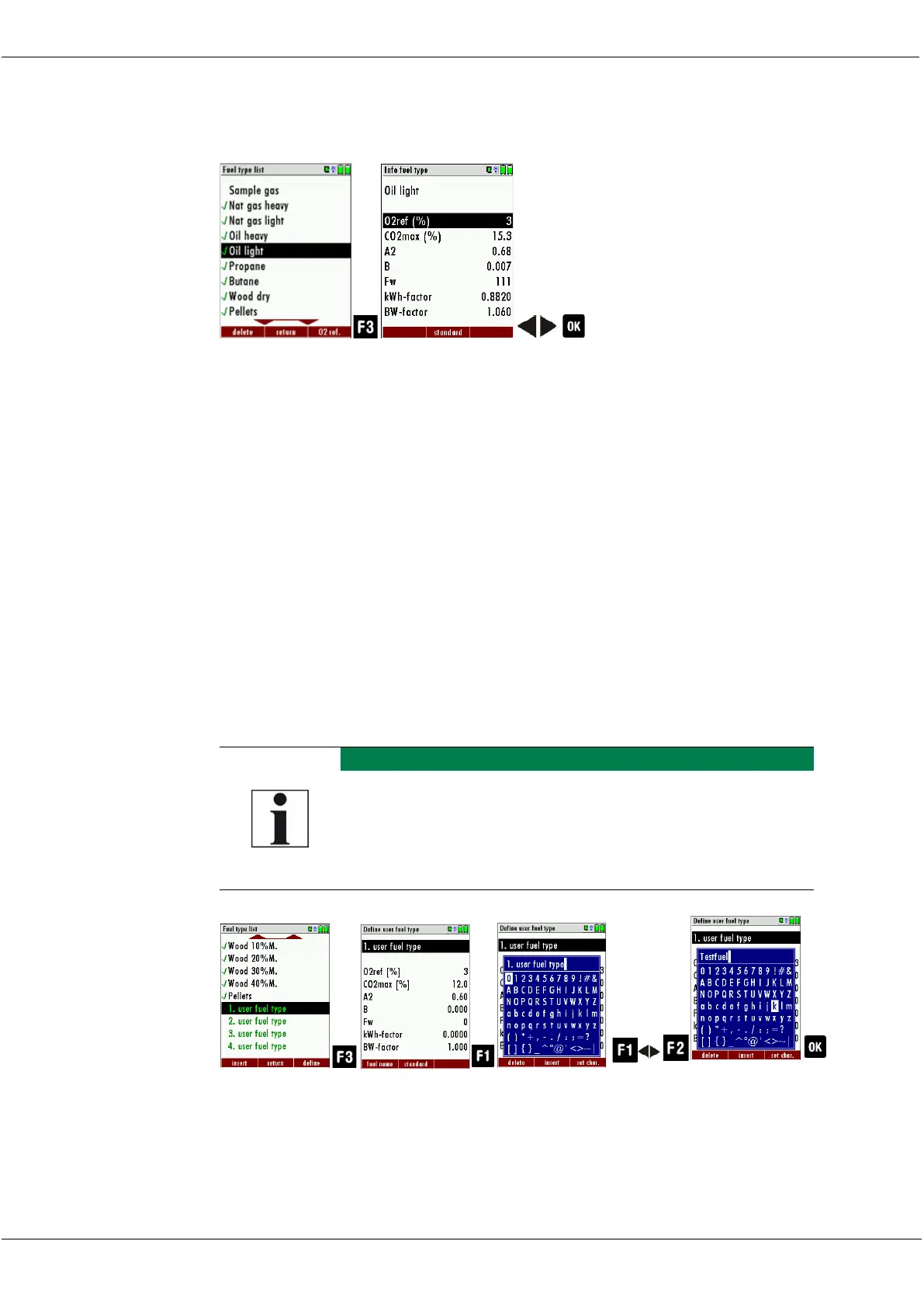
► Go to the Menu Fuel type list.
See also Chapter Adding fuels to Fuel type selection, S.35.
► Select the desired fuel.
► Press F3
The menu Info fuel type appears.
► Set the desired O2 reference.
► Press OK.
The set O2 reference is saved.
5.11. Defining user fuels type
You can define four fuels to your individual needs. You can define the
name and the fuel parameters. Like the other fuels, you can add user
fuels to the menu Fuel type selection.
The last 4 fuels in the menu Fuel type list are the user
fuels. The user fuels are indicated in the menu Fuel
Type list in green colour.



 To Next Page