USER MANUAL NOVAplus
MRU GmbH, D-74172 Neckarsulm 77 / 95
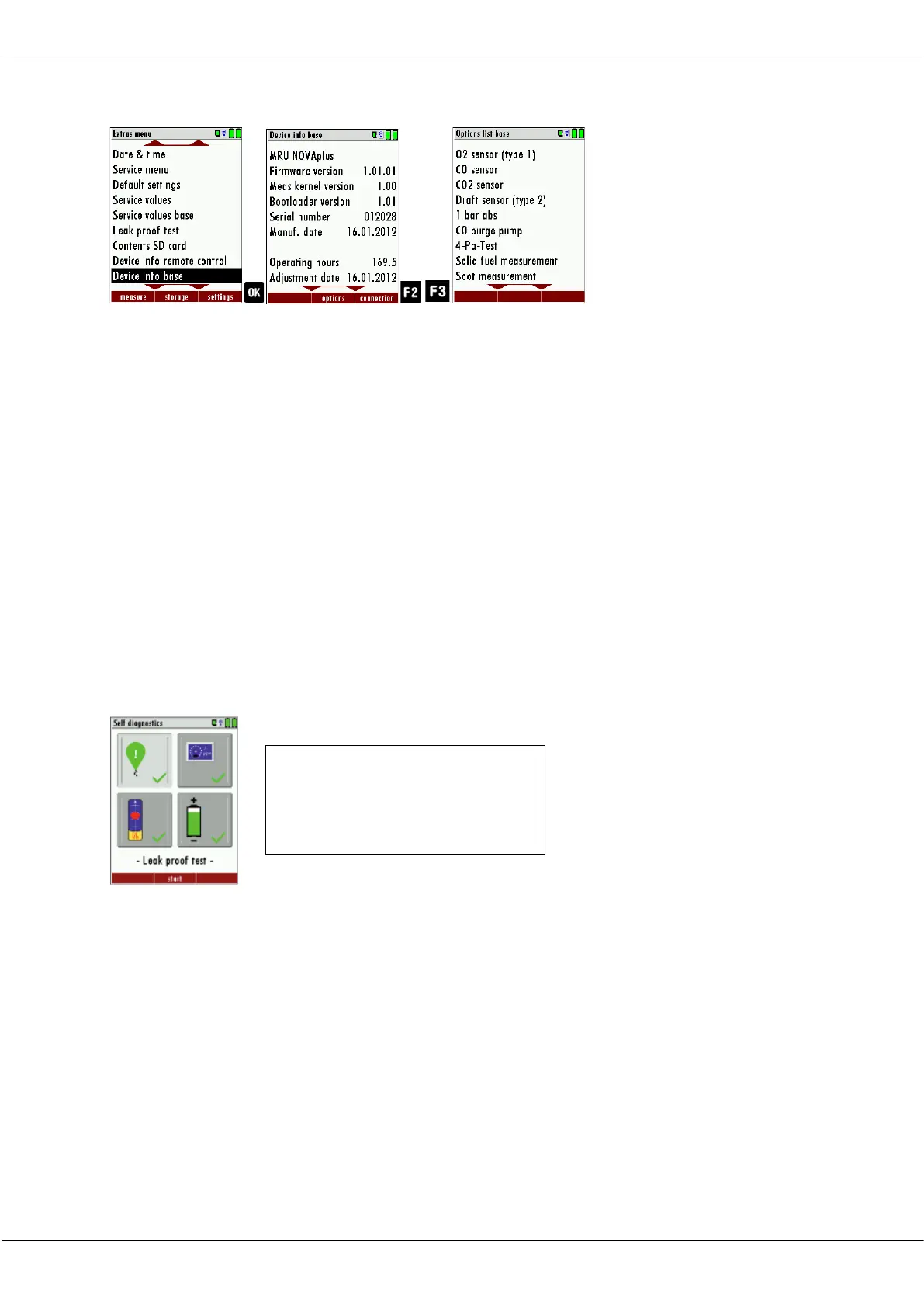
Options list base unit
► Go to the Extras menu.
► Select Device info base.
The menu Device info base appears.
► Press F2.
Das menu Options list base appears.
► Press F3.
The name respectively the MAC address of the connected base
unit appears.
9.8. Self diagnostics
The analyzer performs a self-diagnosis. The self-diagnosis provides a
quick overview of the condition of the batteries and sensors. If the op-
tion "Flow control" is installed, the current flow rate [l/min] can be dis-
played.
► Go to the Extras menu.
► Select Self diagnostics.
► Press OK.
The menu Self diagnostics appears.
► Press F2.
► Follow the instructions on the display.
Top left: Leak proof test
Top right: sensor test
Bottom left: flow control
Bottom right: Battery status



 To Next Page