USER MANUAL NOVAplus
MRU GmbH, D-74172 Neckarsulm 37 / 95
► Go to the menu Fuel type list
See also Chapter Adding fuels to Fuel type selection, S. 35.
► Select the user fuel you want to define.
► Press F3
The menu Define user fuel type appears.
► Press F1.
A window appears.
► Change the name of the user fuel to your needs
► Press OK
The changed name is displayed in the menu Define user fuel type.
After you have changed the name of the user fuel, you can define
the fuel parameters.
► Select the desired fuel parameter.
► Change the desired fuel parameter.
► Press OK.
The defined user fuel appears in the menu Fuel type list
You can add the defined user fuel to the menu Fuel type selec-
tion.
See also Chapter Adding fuels to Fuel type selection, S. 35
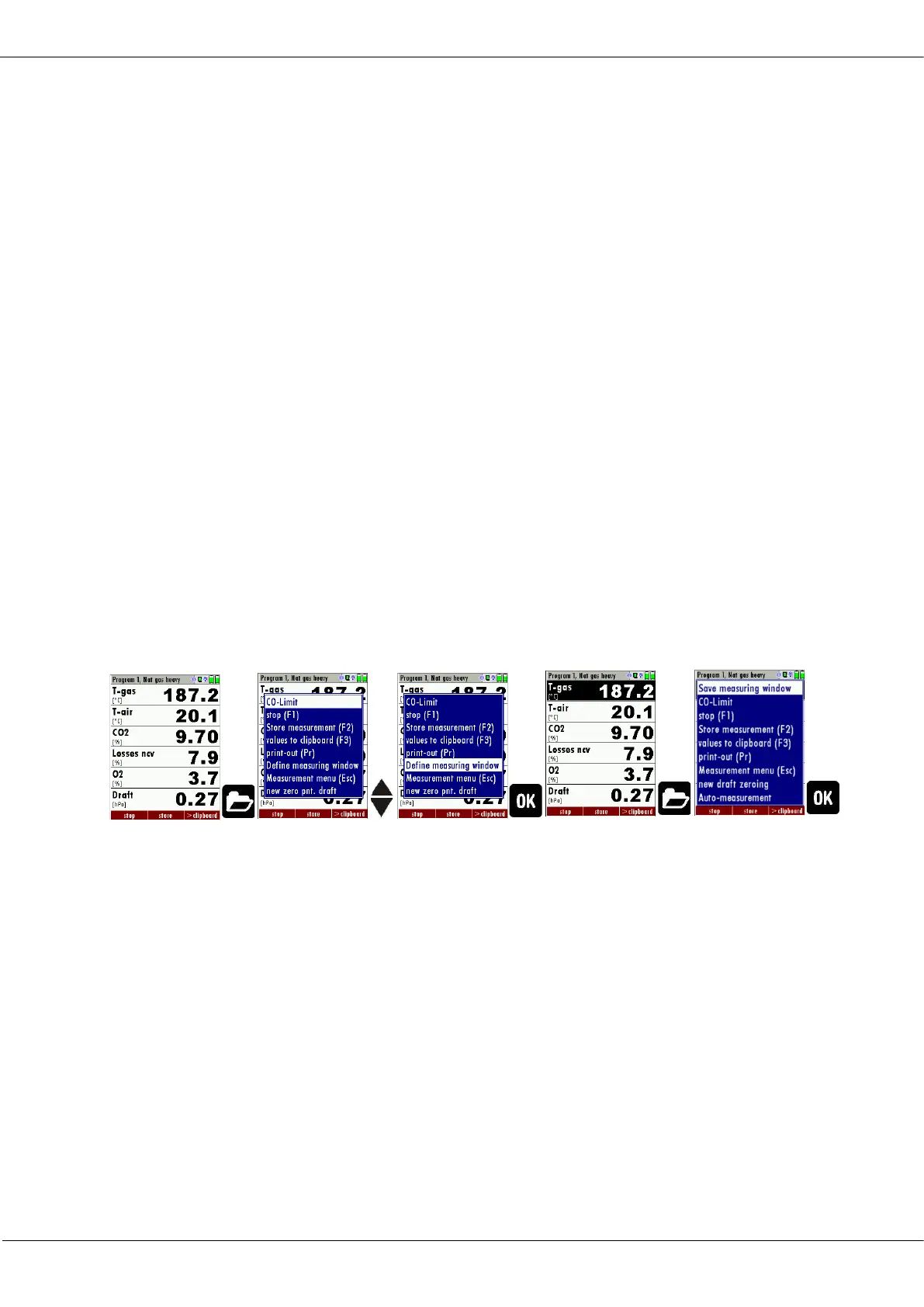
5.12. Defining measurement window
► Start a measuring program.
In this example Program 1, Nat gas heavy.
► Select one of three measurement windows
► Press the Menu Key
A selection list appears.
► Select Define measuring window.
► Press OK.
The measurement window appears



 To Next Page