USER MANUAL NOVAplus
MRU GmbH, D-74172 Neckarsulm 73 / 95
9.3. Default settings
The analyzer will be reset to original delivery settings.
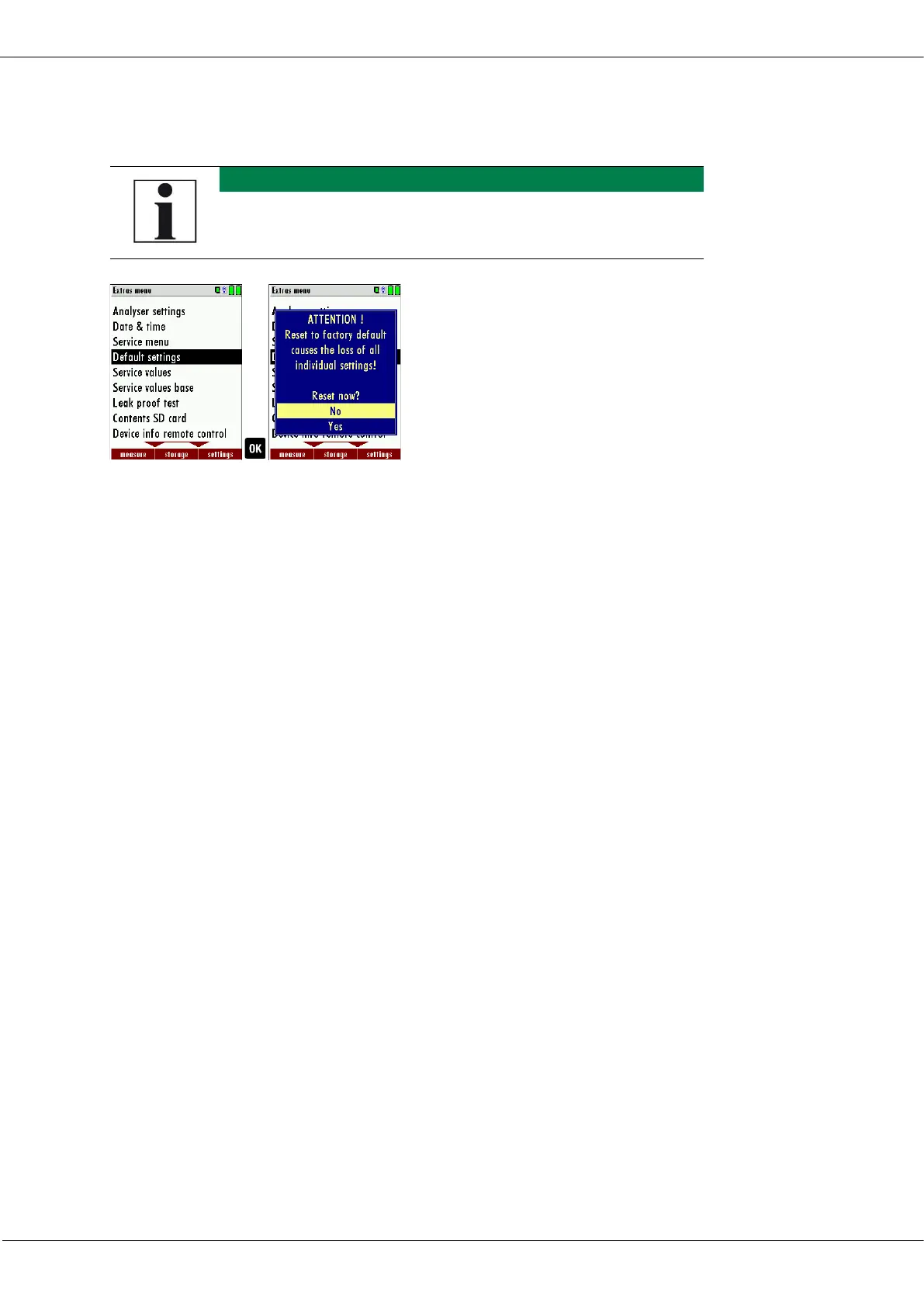
► Go to the Extras menu.
► Select Default settings.
► Press OK.
A window appears.
► Select "No" to not reset the default settings.
► Select "Yes" to reset the analyzer to default settings.
► Press OK.
Depending on the selection, the analyzer is reset to the default
settings or not.
Be aware that your configurations will be deleted, such as:
CO-ppm limits
Fuel type list activation
Measurement window selection
and others.
9.4. Service values RCU / Service values Base unit
Should your analyzer display an error message after zeroing (for exam-
ple: „O2-Sensor not OK"), then you can use the Service value menu to
get detailed information about possible defects. In this menu you will
see all service values of the sensors and also other parameters.
In case of a defect contact the MRU service department. The MRU ser-
vice technician will ask you about these values or he will ask you to send
them by fax or email.



 To Next Page