USER MANUAL NOVAplus
MRU GmbH, D-74172 Neckarsulm 51 / 95
Performing Ambient CO Test
In some countries the measuring program CO environment is de-
manded. The objective of this measuring program is the proof of CO
concentration in the environment of the measuring point. In the case of
the country setting in the main menu the menu option is indicated „CO
ambient“
► Perform a zero point measurement outside of the environment of the
measuring location before you perform a CO Ambient Test.
After zeroing, you can perform a CO ambient measurement.
See also chapter Repeating the zeroing, Page 43.
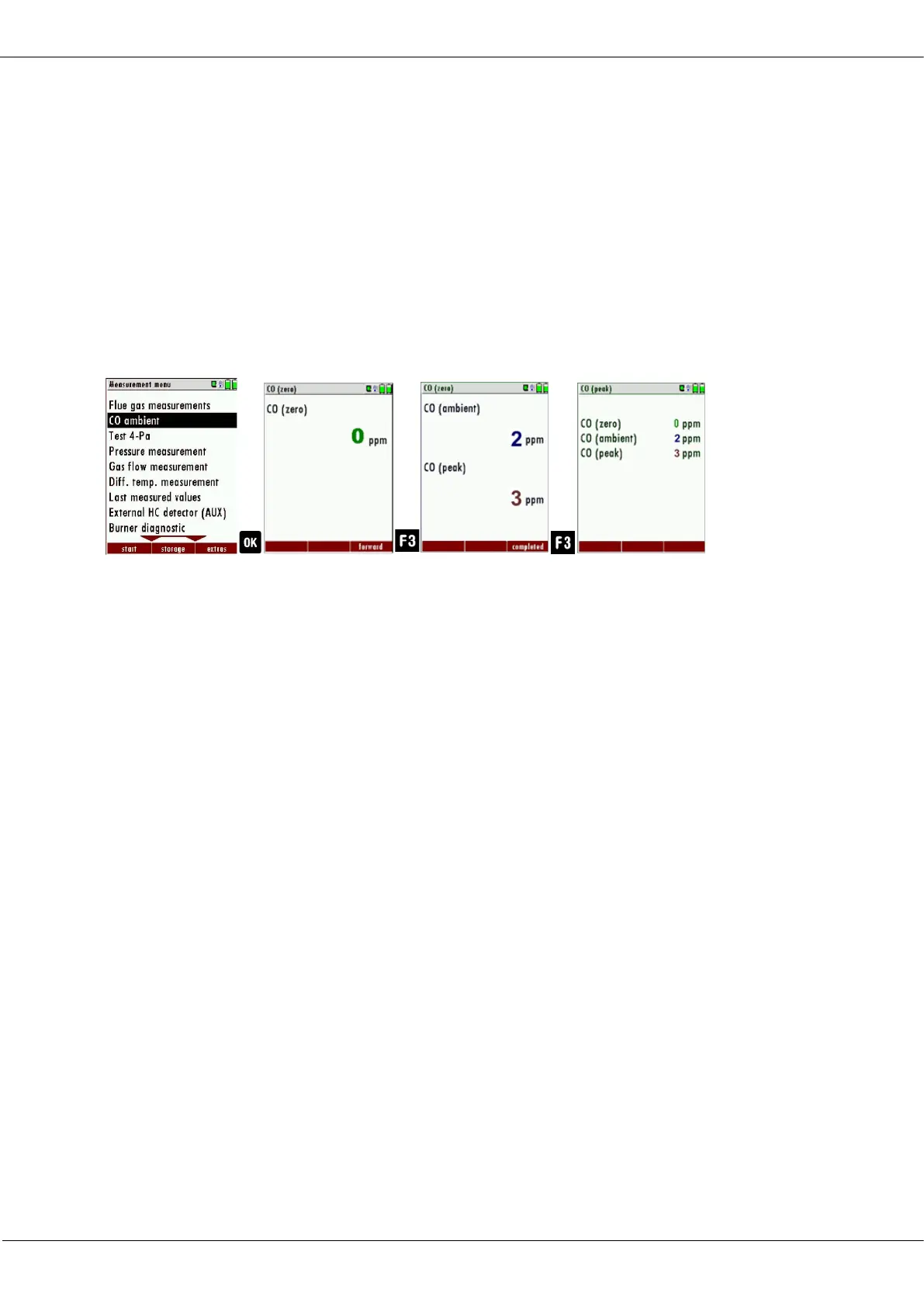
► Select CO ambient
The menu CO (zero) appears. The current CO value (zeroing) as a
check is indicated. (This value must be approx. 0 ppm!)
► Go to the measuring point.
► Press F3.
The menu CO (zero) appears.
The CO Ambient test is performed.
The current CO (ambient) and CO (peak) values will be indicated.
► Press F3.
The measurement is finished.
The CO (zero) value, CO (ambient) value and the CO (peak) value
are displayed.
7.7. Temporary buffer
The analyzer gives the possibility to set the momentary values into a tem-
porary buffer during effecting and continuing the measurement.
Later on, the values can be brought back from the temporary buffer to the
measuring window in order to print them out or / and to save them.



 To Next Page