USER MANUAL NOVAplus
MRU GmbH, D-74172 Neckarsulm 65 / 95
Exporting sites
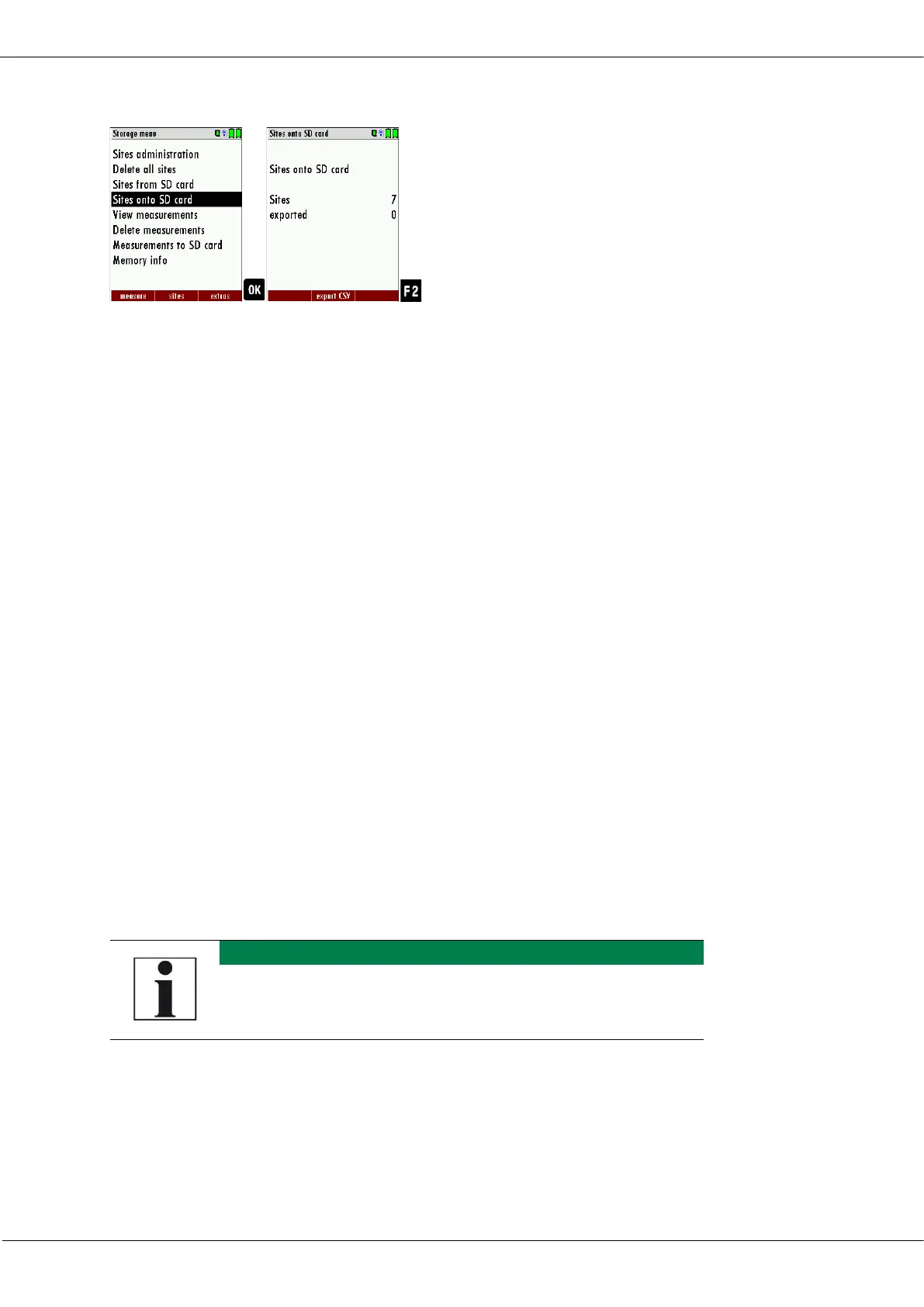
► Go to the Storage menu.
► Select Sites onto SD card.
► Press OK.
The menu Sites onto SD card appears.
► Press F2.
The sites are exported.
This function can be used for an analyzer back up or if you wish to sup-
ply the analyzer information to a computer program or another ana-
lyzer. This is very handy if you have made some modifications inside the
analyzer (site) for example if you have modified the phone number of a
customer and this modification needs to be updated in the computer
software, or if a second analyzer needs to have the same site infor-
mation.
The File format is the same as described above „Import of Sites“.
Only the file name is different, the file name will be ‚ANLxxxxx.csv’, in
which the xxxxx are continuing 5-digit numbers with leading zeros. If
the file must be imported into another analyzer, the file must first be re-
named into “anlagen.csv”.
Exporting combustion measurements
This function is used to export the measurements from the analyzer to a
computer program
The created file has the name ‚EMIxxxxx.csv’, in which the xxxxx are con-
tinuing 5-digit numbers with leading zeros.



 To Next Page